
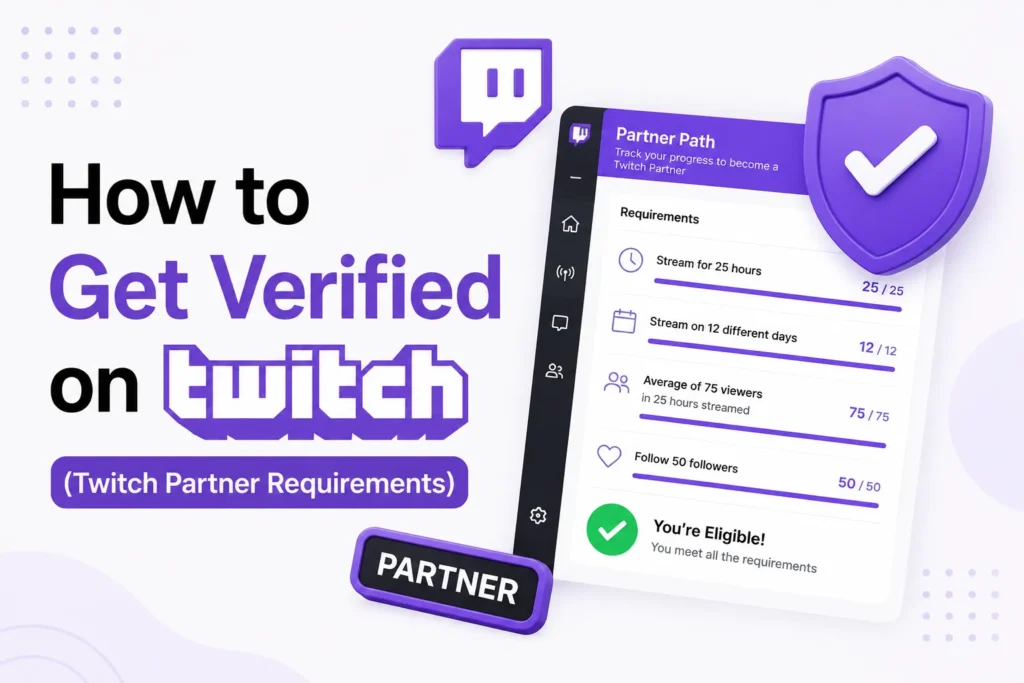
If you are looking to know how to get verified on Twitch, it is important to know that being verified on Twitch means earning Twitch Partner status. There is no separate verification request or paid option. After meeting Twitch’s Partner requirements and getting approval, you only become verified.
Here’s what Twitch verification means, the exact requirements, and the steps you need to follow to become a verified Twitch Partner.
What does verification mean on Twitch?
Twitch verification is directly connected with the Twitch Partner Program. Upon joining the Partner program, Twitch adds a verified checkmark badge to your channel automatically.
Verified Twitch accounts receive several benefits, like
- A verified checkmark badge
- Higher credibility and trust
- Access to advanced monetization tools
- Priority creator support
You cannot manually request, purchase, or fast-track verification. Twitch controls the complete process.
Twitch partner requirements
Your channel must meet Twitch’s minimum Partner requirements before you can apply. These are the minimum requirements.
Minimum Twitch Partner Requirements
- Stream at least 25 hours in the last 30 days
- Stream on at least 12 different days
- Maintain an average of 75 concurrent viewers
- Follow Twitch Terms of Service and Community Guidelines
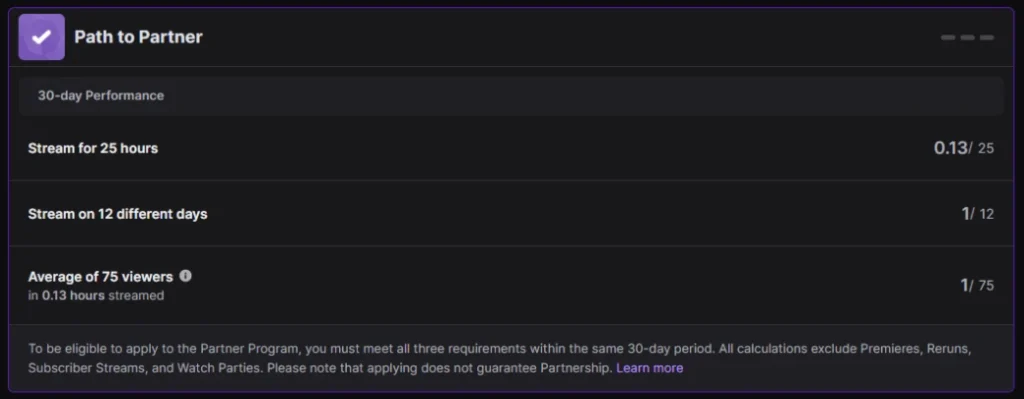
Meeting these requirements only unlocks the application. Twitch still manually reviews your channel.
Affiliate vs Partner comparison
Here is a simple breakdown of how Affiliate and Partner differ in terms of verification.
- Affiliate
- Average viewers: Around 3
- Streaming activity: 8 hours over 7 days
- Verification status: Not verified
- Partner
- Average viewers: 75 or more
- Streaming activity: 25 hours over 12 days
- Verification status: Verified checkmark
Only Partner accounts can receive verification.
How to apply for Twitch partner
Once your channel qualifies, you can apply to Twitch to become a Partner. Follow these steps
- Open your Creator Dashboard
- Click Analytics, then Insights
- Open Achievements
- Select Path to Partner
- Click Apply and submit your application
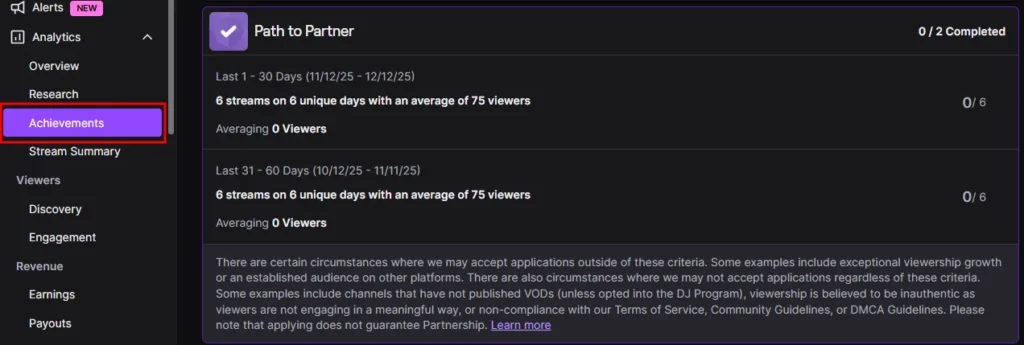
After submission, Twitch reviews your channel manually. It may take several weeks.
What Twitch looks for beyond numbers
Twitch does not approve Partners based on statistics alone. The review team also checks your content quality and community behavior. You need to focus on
- A consistent streaming schedule
- Active chat engagement
- Original and unique content
- Clean record with no copyright or policy violations
Strong engagement and following improve your approval chances.
Frequently Asked Questions
How many followers do you need to get verified on Twitch?
There is no minimum follower requirement for Twitch verification. Twitch primarily considers your average concurrent viewers, streaming consistency, audience engagement, and overall channel quality when reviewing Partner applications.
How long does Twitch Partner review take?
Twitch Partner applications are reviewed manually. Processing times vary, but many creators receive a decision within a few weeks. During busy periods, reviews may take longer.
Can Twitch deny my Partner application even if I meet the requirements?
Yes. Meeting the minimum eligibility requirements allows you to apply, but it does not guarantee approval. Twitch also reviews your content quality, community engagement, and compliance with its policies.
Is a Twitch Affiliate account verified?
No. Twitch Affiliates are not verified and do not receive a verified checkmark. Only approved Twitch Partners receive verification.
Can you lose verification on Twitch?
Yes. Twitch may remove your Partner status and verified badge if you violate the Twitch Terms of Service, Community Guidelines, or Partner Agreement.
Can I pay to get verified on Twitch?
No. Twitch does not sell verification or offer a paid verification program. The only way to become verified is to qualify for and be accepted into the Twitch Partner Program.

A little discussion goes a long way.
Ask a question, share your experience, or help someone find an answer.
There is room for your perspective.
No discussions match this view yet.
Your voice belongs here
Keep it useful. Keep it kind.