
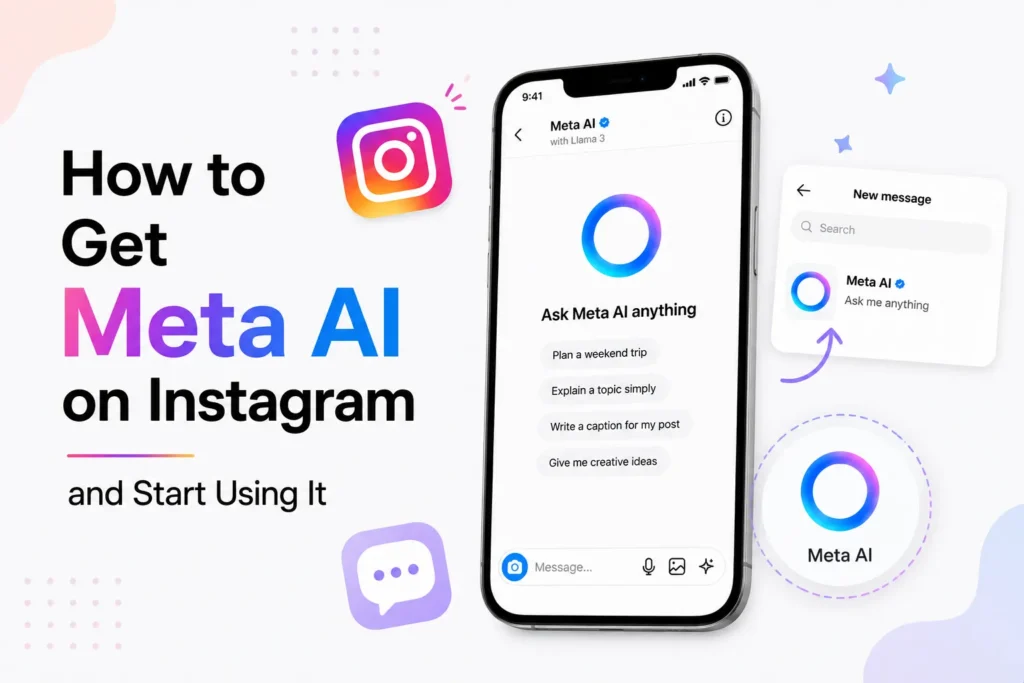
If you are looking for how to find Meta AI on Instagram, the good news is that Meta AI is already integrated into the app. There is no need to download any additional apps.
Meta AI is an in-app assistant that can assist you in chatting, asking questions, generating ideas, and even creating images. The feature is being released slowly so that some users will see it before others.
Meta AI is available in direct messages, the search tab, or can be mentioned in chat. Here’s how you can access it, where to find it, and what to do if it is not showing on your account.
Update the Instagram app
Meta AI is only available on the latest versions of Instagram.
- Open the App Store on iOS or Google Play on Android
- Search for Instagram
- Tap Update if available
- Close the app and open it again

If your app is outdated, you will not see Meta AI.
Access Meta AI through DMs
Meta AI is also found in Instagram DMs.
- Tap the Messages icon on the home screen
- Tap the search bar at the top
- Look for the blue Meta AI icon
- Tap it to start a chat
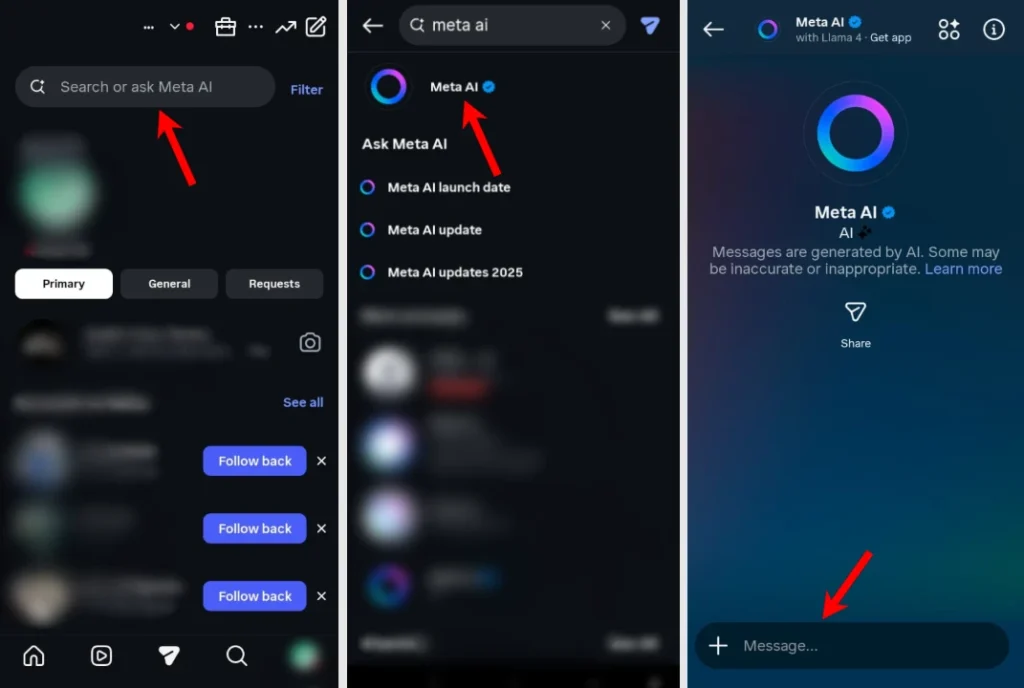
You can type questions, ask for ideas, or request images directly in this chat.
Use Meta AI from search
Meta AI is also found in the search tab of Instagram.
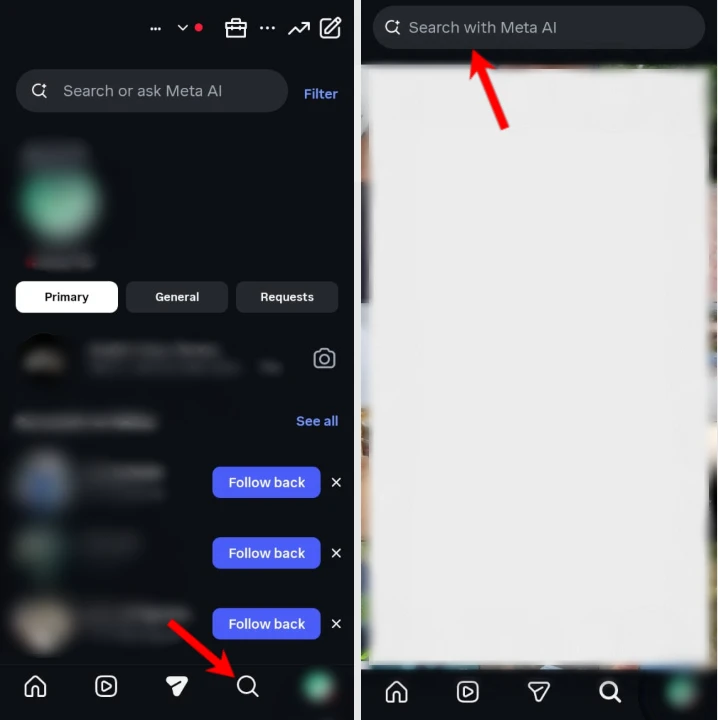
- Tap the Search icon
- Look for the bar labeled “Search or ask Meta AI” at the top
- Enter your question or prompt
Mention Meta AI in chats
You can use Meta AI in personal and group chats.
- Open any DM or group conversation
- Type @Meta AI followed by your request
- Send the message
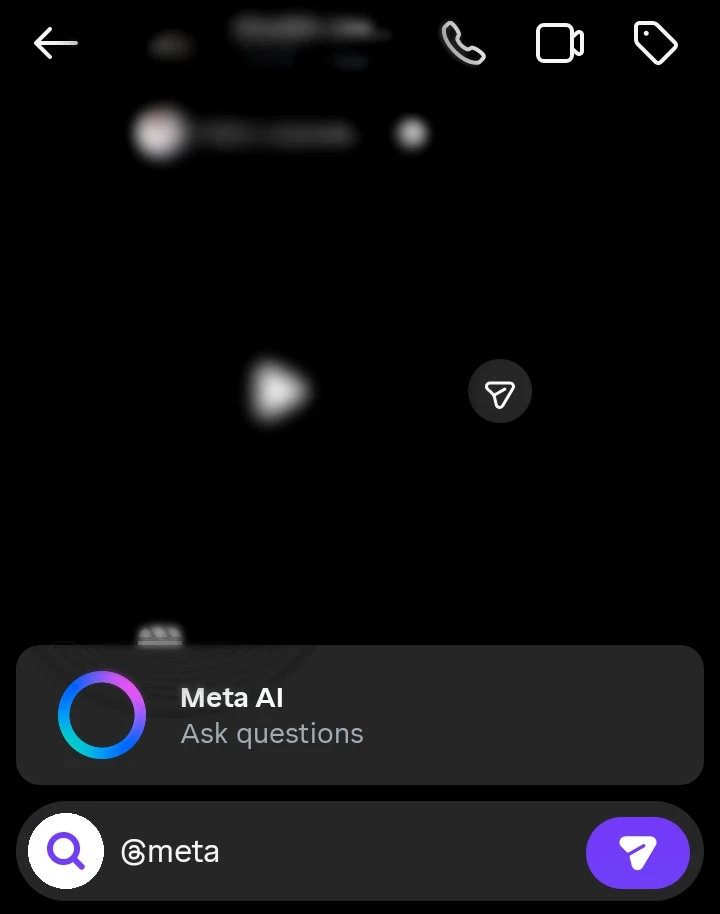
In group chats, everyone can see Meta AI’s reply.
Generate images and use creative tools
Meta AI can also generate images and help with edits.
- Open a Meta AI chat
- Type Create an image of followed by your idea
- Wait for the image to generate
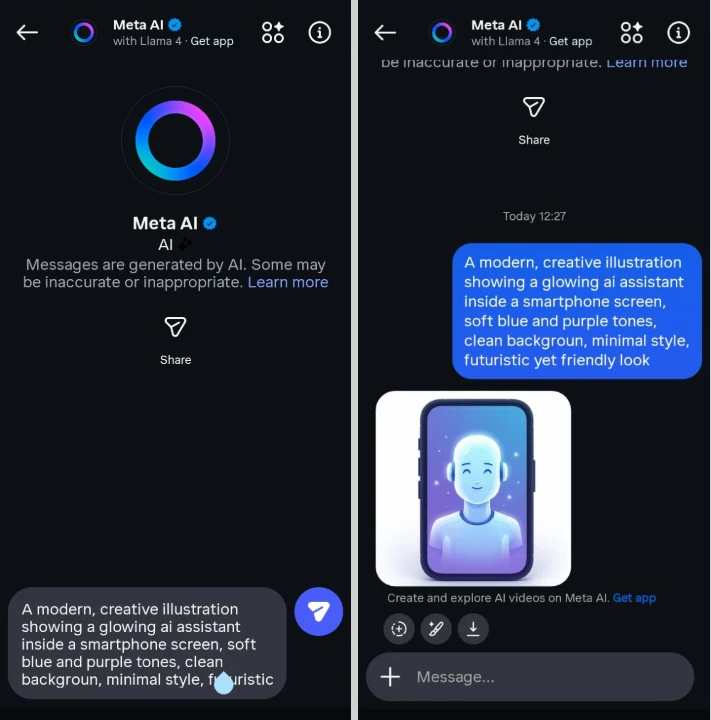
You can share the image directly to Stories, Reels, or posts. Some accounts also see tools for restyling photos and basic edits.
What to do if Meta AI is not available
If you do not see Meta AI yet, try the following.
- Make sure your app is fully updated
- Check your region, rollout is limited in some countries
- Clear the cache from app settings on Android
- Reinstall Instagram and log in again
You can also use the Meta AI website for similar features.
Where Meta AI appears on Instagram
| Feature | How to Use | Best For |
|---|---|---|
| Direct Messages | Open Messages and tap the Meta AI icon | Chatting, images, and ideas |
| Search | Open Search and use Ask Meta AI | Quick questions |
| Group Chats | Mention @Meta AI | Summaries and group help |
Why Meta AI is not showing on your account
Meta AI may be missing for several reasons.
- Your app is outdated
- The feature is not available in your country
- Your account is part of a delayed rollout
- Certain account types have limits
- Chat is set to vanish mode
- Meta is testing features on a limited users
Meta AI is activated automatically in your account.
Frequently Asked Questions
How do I activate Meta AI on Instagram?
You cannot activate Meta AI manually. It becomes available automatically when Meta enables it for your account. Make sure you are using the latest version of Instagram and wait for the rollout if it is not yet available.
Where is Meta AI on Instagram?
When available, Meta AI appears in Direct Messages, the Search tab, and group chats. You may also be able to mention @Meta AI in conversations to ask questions or generate content.
Why is Meta AI not showing on my Instagram account?
Meta AI may not appear because your app is outdated, the feature has not reached your region, or your account has not yet been included in the gradual rollout. Updating the app and checking again later usually helps.
Is Meta AI available on all Instagram accounts?
No. Meta AI is being released gradually, so availability depends on your country, account, and the latest rollout from Meta.
Can I turn Meta AI off on Instagram?
There is currently no option to completely disable Meta AI. However, you can mute or hide certain Meta AI chats or suggestions, depending on the features available in your version of Instagram.







A little discussion goes a long way.
Ask a question, share your experience, or help someone find an answer.
There is room for your perspective.
No discussions match this view yet.
Your voice belongs here
Keep it useful. Keep it kind.