
You’ve finally found the perfect USB-C fast charger, plugged it in after a long day, and then — nothing. The cable is very slim and can hardly fit as your phone case is covering the port. Sound familiar? To anyone, who uses his phone during workout, on his or her way to work or on a hiking trip, the friction of this sort is a bigger irritation than a simple nuisance. It breaks your schedule at a very wrong time.
This is the fundamental conflict that active users have to deal with daily: you want a case that can fit in a pocket or armband and not add any extra weight, but at the same time, it must be able to withstand real-life falls and collisions. That is in addition to its compatibility with USB-C rapid chargers and, more and more, with MagSafe or wireless charging pads. It is more difficult to find that balance than it ought to be.
This is a guide which is here to be cut through the confusion. Whether you are replacing your existing case, or are a first-time buyer, you will know precisely what features are important, how to confirm the technical compatibility with fast charging standards, and how to find a slim case that fits your particular lifestyle. At the end, it will be easy to select the appropriate case instead of being overwhelmed.
- Why Slim Phone Cases Are Essential for Active Lifestyles
- Key Features to Look for in Slim Protective Cases
- Lightweight Materials and Durability
- Ergonomic Design for Enhanced Grip and Comfort
- Balancing Slimness with Adequate Protection
- Ensuring Compatibility with USB-C Fast Chargers and MagSafe
- Understanding USB-C Fast Charging Requirements
- MagSafe and Wireless Charging Compatibility
- Step-by-Step Guide to Choosing Your Ideal Slim Case
- Assess Your Lifestyle and Specific Needs
- Check Technical Specifications and Reviews
- Test for Real-World Compatibility and Comfort
- Slim Case Selection Made Simple
Why Slim Phone Cases Are Essential for Active Lifestyles
Active users include runners, commuters, gym-goers, hikers, and anybody who carries their phone on the go during the day and has significantly different priorities than someone who spends most of his time at a desk. To this group, each gram counts. A millimeter of additional bulk is noticed in a jacket pocket, armband or a shorts pocket during a morning run. The phone must be convenient, not cumbersome.
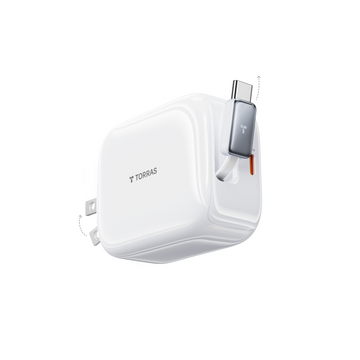
Bulky cases create real, practical friction. A thick case makes it harder to slide your phone in and out of tight pockets quickly, increases the overall weight you carry during workouts, and can make one-handed use genuinely awkward. Beyond comfort, bulk creates charging headaches. Oversized port cutouts or recessed designs often mean your USB-C fast charger cable simply won’t seat properly — or at all — without removing the case entirely. That defeats the purpose of having a case in the first place.
There is also the issue of accessories of portability. Armbands, car mounts and wireless charging pads are considered to have specific dimensions. A case that is excessively thick or wide may not allow secure mounting to these accessories, which is one of the real issues of any person who charges on the go or drives with his/her phone attached in the car.
Lightweight phone cases address these issues without making you decide to be either more secure or convenient. The most comfortable slim cases are designed to be out of your way – keeping ports accessible and free of any obstacles to USB-C fast charging, a natural grip during physical use, and snap into the accessories and routines you already use. To active users, slim case is not a sacrifice. It is the appropriate instrument of how they really live.
Key Features to Look for in Slim Protective Cases
Lightweight Materials and Durability
The kind of case material you use dictates nearly everything about your hand feeling and the ability of the case to survive day after day punishment. Thermoplastic polyurethane also referred to as TPU is a common material used to make slim cases as it is resistant to small hits and yet flexible enough to be snapped on and off without breaking. Polycarbonate has a more rigid and harder shell that does not scratch easily and maintains the overall profile thin. Most manufacturers use a hybrid design, in which a rigid polycarbonate rear bonded to a TPU bumper, to provide the benefits of both without adding any unnecessary thickness. This hybrid design has been the basis of the slim case lines of brands such as TORRAS, and they should be adding less than 1.5mm to each side of the phone, which is the balance point of an active user who needs real protection without the weight.
Ergonomic Design for Enhanced Grip and Comfort
A slick case is a handicap in a gym or a rush to work. Ergonomic phone cases solve this by using surface texturing that is applied intentionally with small patterns, micro-dot finishes, or matte finishes that add friction without adding roughness or discomfort to the case. Borders surrounding the screen and camera unit are also essential: they provide a small buffer area to ensure the display is not in direct contact with flat surfaces when you place the phone face-first on the surface. When exercising, you want to find a case with a slightly sloping back that fits the natural palm curve. These minor design elements add up to a case that will remain where you leave it, be it in your hand, an armband or a jersey pocket.
Balancing Slimness with Adequate Protection
Slim does not necessarily imply weak. Numerous good slim protection cases are subjected to MIL-STD-810G, which is a military grade drop test standard that recreates a drop of approximately four feet onto hard surfaces. Meeting this standard will allow the case to accommodate the drops which actually occur in real life off a treadmill, out of a bag or onto pavement. The trade-off is actual, but: a case that is rated at a greater drop height will tend to require more material, which implies a little greater thickness. To the majority of active users, a case with four-foot drop with reinforced corners would be the right mix. TPU corner guards that are shock absorbing are especially useful since they can be placed in the areas that are most likely to be impacted without bulk being added to the whole back of the case.
Ensuring Compatibility with USB-C Fast Chargers and MagSafe
Understanding USB-C Fast Charging Requirements
Not every slim case is equal as far as port access is concerned. The USB-C port of the new smartphones is also specifically placed, and a poorly-cutout case may actually cause real issues, such as cables not fitting entirely, connectors not fitting at an angle, and charging not being as fast as it could be due to the connection not being clean. Making an assessment, ensure that the port cutout is broad enough to fit the barrel of an average USB-C fast charger plug, including the somewhat larger housings of higher-wattage cables. An overly thin cutout means that you have to take the case off whenever you charge, and that is precisely the sort of friction that active users cannot do without.
Another factor is heat dissipation, albeit secondary. Rapid charging causes actual heat, and a case that concentrates that heat at the back of the phone can present thermal throttling as your phone intentionally slows down charging to save itself. Thin designs constructed of polycarbonate material or perforated TPU panels can easily vent the heat through the case as opposed to thick rubber designs. In case you charge at 45W or above regularly, you should prioritize a case that says it has thermal management or at least not dense, insulating material around the back panel.
MagSafe and Wireless Charging Compatibility
MagSafe cases have become a real convenience to the active users, especially to those who have magnetic mounts in their vehicles or snap-on charging pads at their desk. The secret of MagSafe is aligning the magnets – the case should have a perfectly aligned ring of magnets which is in line with the Apple MagSafe standard, so that the charger will be able to connect to the case with consistent accuracy. Cases purported to support wireless charging but which do not include in-built magnets will charge wirelessly, but will not provide the magnetic alignment required to make MagSafe mounts and accessories operate properly.
The other important variable is the thickness. The efficiency of wireless charging decreases with the distance between the charging coil and the receiver of the phone. The vast majority of wireless chargers, such as MagSafe, are designed to work with cases with the thickness of approximately 3mm. Cases that are thin enough to fit into this range do not lose any significant speed. Ensure the total thickness of the case before buying it, and not only the back panel, but the raised edges or internal structure as well, and compare it to the compatibility range claimed by the wireless charger manufacturer.
Step-by-Step Guide to Choosing Your Ideal Slim Case
Assess Your Lifestyle and Specific Needs
Take a couple of minutes and be honest in mapping out the actual usage of your phone before going through product listings. When you strap it on your arm and run, then weight and width must be your primary concern – a couple of extra pounds are felt during a five-mile run. In the event that you charge often during the day, either at your desk or a car mount, then MagSafe alignment and port clearance is more important than anything. Back panel should be scratch resistant in cases where commuters are stuffing a phone in a bag with keys and cards. List the top three use cases and then you are ready to shop. This easy drill will help you not be influenced by the things on the spec sheet that look good but do not fit into your real life. A thin case designed to be taken to the gym will not be the same as a case that is designed to be taken on a trip, although they may both be sold with the same language.
Check Technical Specifications and Reviews
After you have a shortlist of cases, drill into the real figures and not just use marketing descriptions. Seek the mentioned case thickness in millimeters – anything less than 1.5mm per side can be considered as truly thin. Ensure that the port cutout size is recorded and broad enough to accommodate your connector of the fast charger. When using MagSafe accessories, ensure that the case specifically indicates that it has built-in magnet ring alignment and not a passive wireless charge only. These are not meaninglessly different things. Check specs, cross-reference with user reviews, in particular, filter by people who mention fast charging or wireless charging by name. On the ground experience regarding cable fit and charging drop-outs is much more valid than what is alleged by manufacturers. Consider especially the reviews that are left after the product is at least three months old, when the initial problems are likely to become noticeable.
Test for Real-World Compatibility and Comfort
Should you be able to inspect a case face-to-face prior to purchase, it is recommended to carry your own USB-C fast charger cable and plug it in. A cable which fits into place with a satisfying click and fits against the edge of the case well is a good sign. A connector that must be forced into place, has an oblique angle, or is leaving an exposed space between the connector and the port is an indication that reliability in charging will not be consistent with time. Test all buttons and switches – the volume controls, the power button, and the silent toggle on iPhones must all be clicked with ease despite the need to use additional force. Roll your thumb around the edges to see whether there are any sharp seams or mold lines which will get uncomfortable when used over time. When shopping online, make sure to look into stores that have a simple return policy as this way, you can be able to test the case using your real charger and wireless pad at home before you commit. The only way to know about comfort and compatibility is to use them in real life and not through photos of the products.
Slim Case Selection Made Simple
There is no need to take a guessing game when it comes to choosing the appropriate slim phone case. As this guide has demonstrated, the optimal lifestyle approach is one that fits into your schedule instead of disrupting it – being lightweight enough to be forgotten about wearing it, having your USB-C fast charger and wireless charging pad functioning as expected.
The main aspects that should be prioritized are the following: hybrid TPU and polycarbonate materials that combine protection with a small profile, ergonomic texturing that allows keeping the phone in place during physical activity, and accurate port cutouts that allow the fast charger cables to fit each time. To any user of MagSafe accessories or wireless charging pads, it is not negotiable that the magnet alignment is verified and that the case has a thickness of less than 3mm.
Most importantly, use the step-by-step selection process before you buy. Map out your actual use cases, verify the technical specs against your specific charger and accessories, and test real-world compatibility whenever possible. A case that looks great in photos but blocks your charging cable or slips out of your armband isn’t serving you. Apply these criteria consistently, and you’ll land on a slim case that genuinely enhances both your phone’s functionality and your daily mobility — without compromise.





A little discussion goes a long way.
Ask a question, share your experience, or help someone find an answer.
There is room for your perspective.
No discussions match this view yet.
Your voice belongs here
Keep it useful. Keep it kind.