
Image to Video AI becomes interesting the moment a team realizes how much valuable visual material is already sitting unused in folders. Product photos, event shots, mockups, lifestyle stills, posters, illustrations, diagrams, and campaign concepts often carry the core message of a brand. What they do not carry is motion.
In a distribution environment shaped by short-form video, that missing layer can become a bottleneck. The problem is rarely a lack of ideas. More often, it is the cost of translating finished still assets into moving content quickly enough to keep up with publishing needs.
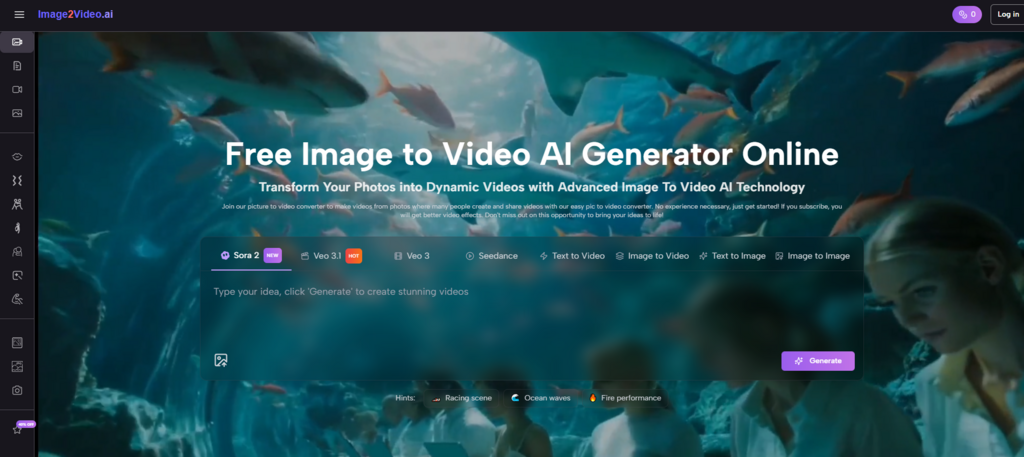
That is why I think tools in this category should be discussed less like entertainment novelties and more like workflow systems. The official presentation here suggests a platform built around speed, accessibility, and repeatable output.
It is not only asking whether an image can move. It is asking whether a brand, creator, or small team can turn existing visual assets into useful video units without opening a full editing pipeline every time. That is a meaningful operational question, especially for people who need frequent content but cannot justify a heavy production cycle for every asset.
- Why Static Asset Libraries Are Underused
- A Still Image Already Solves Part of the Problem
- Motion Has Become a Throughput Issue
- What The Platform Actually Lets You Control
- The Input Is Both Visual And Verbal
- The Settings Support Channel-Aware Decisions
- The Broader Platform Expands Beyond One Route
- A Realistic Official Use Path In Three Steps
- Step One Collects the Source Image
- Step Two Describes the Intended Motion
- Step Three Generates and Exports a Result
- Where The Value Appears In Practical Work
- Why Photo to Video Fits Modern Content Teams
- A Better Way To Think About Quality
- Useful Content Is Not Always Cinematic Content
- Speed Can Be Part Of Quality
- Iteration Is A Feature, Not A Failure
- What Makes This Different From Traditional Editing
- This Workflow Starts Later In The Creative Journey
- This Workflow Uses Description Over Manual Construction
- This Workflow Favors Fast Reuse Of Existing Assets
- The Limits Are Part Of The Honest Picture
- Not Every Image Will Produce The Same Strength
- Prompting Is Still Creative Work
- Short Outputs Encourage A Certain Kind Of Thinking
- Why This Category Will Probably Keep Growing
Why Static Asset Libraries Are Underused
Most organizations have more visual material than they actively deploy. A product launch may generate dozens of stills but only a handful of videos. A campaign may include strong key art that never evolves into motion. An educator may create slides and infographics that explain complex ideas well, but never convert them into a format optimized for dynamic viewing.
The issue is not that static assets lack value. The issue is that the media environment has shifted. Motion increasingly attracts attention faster, communicates sequence more clearly, and feels more native to social feeds and many digital placements.
A Still Image Already Solves Part of the Problem
When people say they need video, they often imagine starting from zero. But that is not always true. In many cases, the composition, subject, color, mood, and message already exist inside a still image. What is missing is animation, transition, or perceived depth.
That is precisely why image-to-video tools matter. They allow teams to treat still assets as unfinished motion opportunities rather than as endpoints.
Motion Has Become a Throughput Issue
For modern teams, motion is not just an aesthetic preference. It is often a throughput challenge. Can the team produce enough motion content to support ads, landing pages, organic social, updates, announcements, and seasonal campaigns? A tool that lowers the labor needed for short-form motion can affect output volume as much as output style.
The Best Tool Is Sometimes the Least Disruptive One
A useful system does not always replace the old stack. Sometimes it simply makes smaller content needs easier to satisfy. In that sense, this platform seems designed to reduce friction around lighter motion tasks rather than force users into a full production mindset.
What The Platform Actually Lets You Control
A major reason I take the site seriously as a workflow layer is that the dedicated generator page is not limited to upload and hope. It includes a prompt field along with multiple settings that shape output.
The Input Is Both Visual And Verbal
The platform starts with an uploaded image, but it does not stop there. The homepage describes a second step in which the user enters a text description. That means the image provides the base material while language provides direction.
This structure matters because existing brand assets often need specific motion logic. A product image may need a slow reveal rather than a dramatic camera move. A portrait may need emotional subtlety rather than spectacle. The prompt becomes the place where those distinctions can be described.
The Settings Support Channel-Aware Decisions
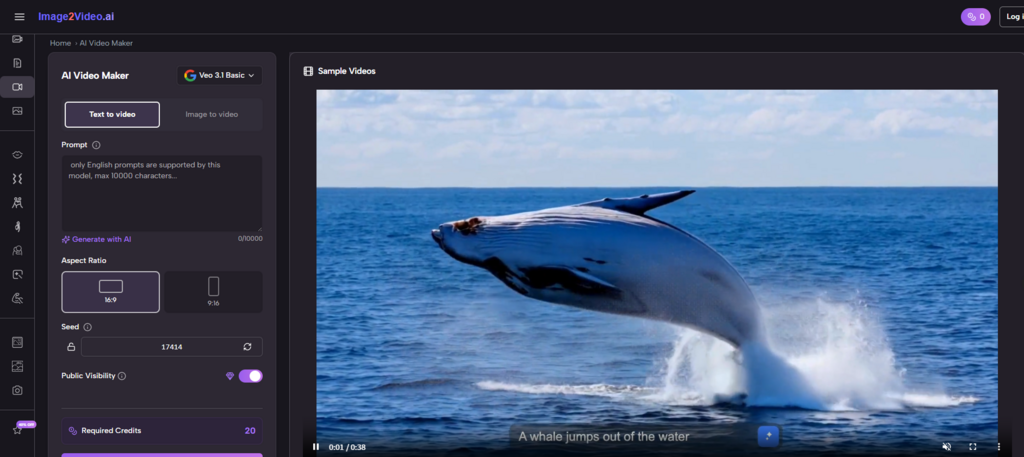
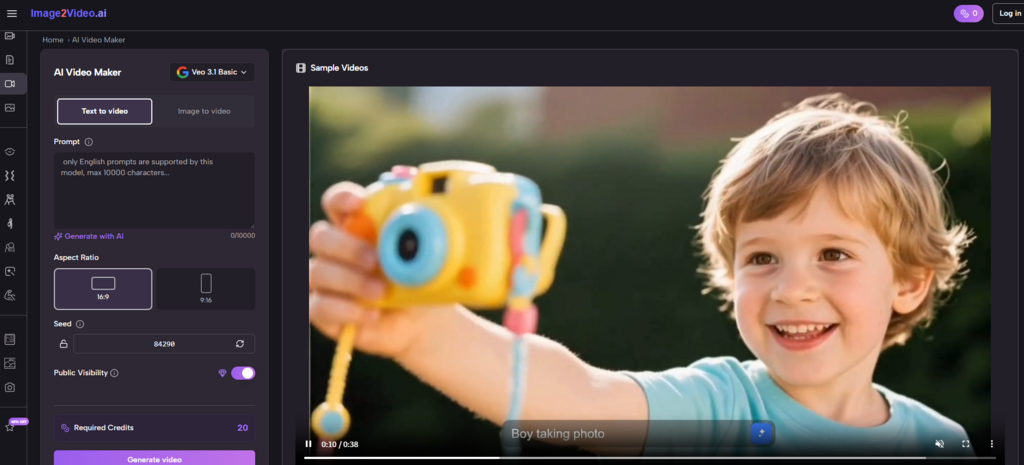
The Photo to Video page shows options including aspect ratio, video length, resolution, frame rate, seed, public visibility, and credits required. In practical terms, that means the platform acknowledges publishing context.
A square output is different from a vertical one. A quick social post may not need the same settings as a polished showcase. Even modest control over these variables can make the difference between a gimmick and a usable asset.
The Broader Platform Expands Beyond One Route
The homepage and AI video area also show text-to-video, image-to-video, effect pages, and adjacent creative tools. That wider structure suggests the site is not built around one isolated trick. It is built around a broader belief that video generation should be accessible from different starting points.
A Realistic Official Use Path In Three Steps
The platform’s official process is refreshingly direct, and that is part of its appeal.
Step One Collects the Source Image
The homepage describes choosing and uploading the picture, with support for JPEG and PNG. This is the moment when a static brand asset becomes a candidate for motion rather than an archive item.
Step Two Describes the Intended Motion
The user then enters a prompt text description. I see this as the key creative moment. Instead of manually animating every element, the user frames the result in words. That makes the system more accessible to people who think in outcomes rather than editing techniques.
Step Three Generates and Exports a Result
After settings are chosen, the platform processes the request. The homepage describes a processing stage followed by a completed status and sharing flow, while the AI video page frames generation as typically taking seconds to minutes depending on complexity and notes MP4 download support.
That means the system is oriented toward finished output, not just experimentation inside the interface.
Where The Value Appears In Practical Work
The easiest mistake is to think this workflow only matters for dramatic or cinematic use cases. In my observation, its more durable value may lie in ordinary creative operations.
| Use Case | Static Starting Asset | Motion Value Added |
| Product marketing | Product photo or render | Makes showcases feel more alive |
| Social publishing | Lifestyle still or poster | Increases feed-native presentation |
| Education | Diagram or infographic | Guides attention through sequence |
| Personal memory projects | Family or event photos | Adds emotional movement |
| E-commerce | Catalog image set | Improves visual demonstration |
Why Photo to Video Fits Modern Content Teams
The phrase Photo to Video sounds simple, but it captures something content teams need more than they often admit: a way to extend the life of existing assets without scheduling a new shoot, hiring for motion work, or re-editing every concept from scratch.
A photo already contains visual investment. It may have required a studio, a product setup, a design pass, a photographer, or careful art direction. Converting that investment into additional formats is not merely convenient. It is efficient asset strategy.
A Better Way To Think About Quality
People often evaluate generated video by asking whether it looks perfect. That can be misleading.
Useful Content Is Not Always Cinematic Content
A short moving visual for an ad variation does not need to imitate a film sequence. It needs to communicate clearly, feel stable enough, and fit the channel where it appears.
Speed Can Be Part Of Quality
If a team can produce several usable motion variations in one afternoon instead of waiting days for a lightweight edit request, that changes the real value of the tool. Output quality is not only about pixels. It is also about responsiveness.
Iteration Is A Feature, Not A Failure
The AI video page’s suggestion to refine prompts or regenerate if you are not satisfied is important. In practical work, iteration is normal. A good workflow should assume that users may want several passes before choosing a final version.
Quality Should Be Judged Against Purpose
A landing-page motion loop, a social teaser, and a memory montage should not be judged by the same standard. I think the platform makes more sense when evaluated against the specific purpose of each asset rather than against a single absolute benchmark.
What Makes This Different From Traditional Editing
Traditional editing remains essential for detailed control, layered compositing, long-form storytelling, and highly polished commercial work. That is not really the point of comparison here.
This Workflow Starts Later In The Creative Journey
Instead of beginning with a blank timeline, it begins with an image that already contains part of the answer. That changes both the labor and the psychology of creation.
This Workflow Uses Description Over Manual Construction
Users do not have to define every transition frame by frame. They can state what should happen and evaluate the result.
This Workflow Favors Fast Reuse Of Existing Assets
That may be the most strategic advantage for brands. Every archive becomes more valuable when it can feed motion output without extensive reconstruction.
The Limits Are Part Of The Honest Picture
A measured view matters, especially in AI categories where hype often outruns reality.
Not Every Image Will Produce The Same Strength
Some images naturally contain clearer subjects, stronger depth cues, or more obvious motion opportunities than others. Better source material still matters.
Prompting Is Still Creative Work
Natural language is easier than detailed editing, but it is not magic. Specific prompts usually help produce more coherent direction than vague ones.
Short Outputs Encourage A Certain Kind Of Thinking
The generator interface emphasizes a concise length. That suggests the platform is especially suited to short-form visual communication rather than extended narrative production.
High-Stakes Campaigns May Still Need Human Finishing
For hero videos or highly controlled brand pieces, teams may still want manual review, additional editing, or broader post-production. The strength here is not universal replacement. It is intelligent acceleration.
Why This Category Will Probably Keep Growing
The broader industry movement seems clear to me. More teams are being asked to publish more motion content, more often, from the same core set of creative assets. That demand creates pressure for tools that increase output without multiplying production cost.
This platform reflects that pressure in a fairly direct way. It starts from existing images, adds prompt-based direction, includes practical controls, and leads quickly to a downloadable result. That is a workflow model aligned with content velocity, not just experimentation.
The deeper change is not that moving visuals are becoming easier to make. It is that still assets are becoming less fixed in meaning. A single image can now act as source material for multiple motion interpretations depending on channel, mood, timing, and message. Once teams begin to treat visual archives that way, content production becomes less about starting over and more about extending value.
For brands and creators trying to do more with what they already have, that may be the most important change of all.





A little discussion goes a long way.
Ask a question, share your experience, or help someone find an answer.
There is room for your perspective.
No discussions match this view yet.
Your voice belongs here
Keep it useful. Keep it kind.