
The days of browsing the internet without leaving behind a digital trail are long gone. While it is almost impossible to be completely anonymous, you can take steps to reduce your digital footprint. Google is one of the largest tech companies worldwide, and it tracks user-related data concerning its services, including YouTube and Google Search, as well as Google Chrome and Android devices. Much of this information is then used to drive targeted advertising and other personalized features.
Luckily, Google provides users with some control over data. You can access, manage, and delete your Google activity directly through your account settings. Regularly checking these settings can help you have some level of privacy and minimize the amount of personal information stored.
Why Deleting Your Activity Matters

It is not only about privacy, as clearing your Google activity also helps to reduce the targeted ads you see on your devices. However, it’s important to note that even after deletion, Google might still store some information due to legal or security purposes. Also, tracking might still take place in some form, especially when you are an Android user or signed into a Google Account.
Another tip is using Incognito Mode in Chrome or private browsing modes in other browsers. This can stop any activity from being stored locally, but if you sign into a Google Account while browsing privately, your activity can be saved.
How to Delete Your Google Activity
Here’s a step-by-step guide to clearing your Google activity:
- From your computer or smartphone, visit Google My Activity page.
- Select the apps and services you want to clear, or choose Select All and click Next.

- Now, click Delete to confirm.

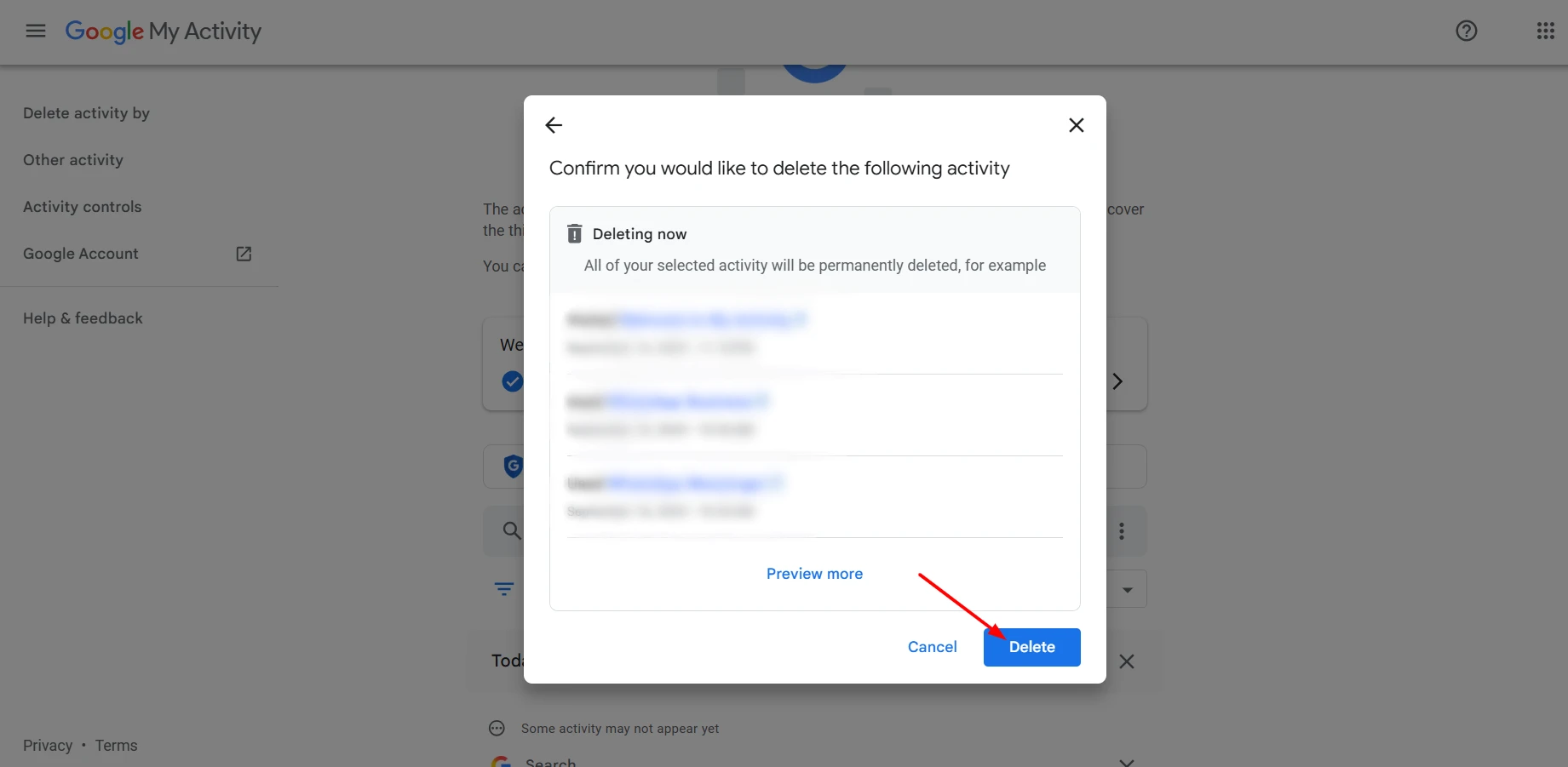
You can also delete individual items. Open your Activity list, select a specific entry, and choose Delete.
Set Up Auto-Delete for Ongoing Privacy
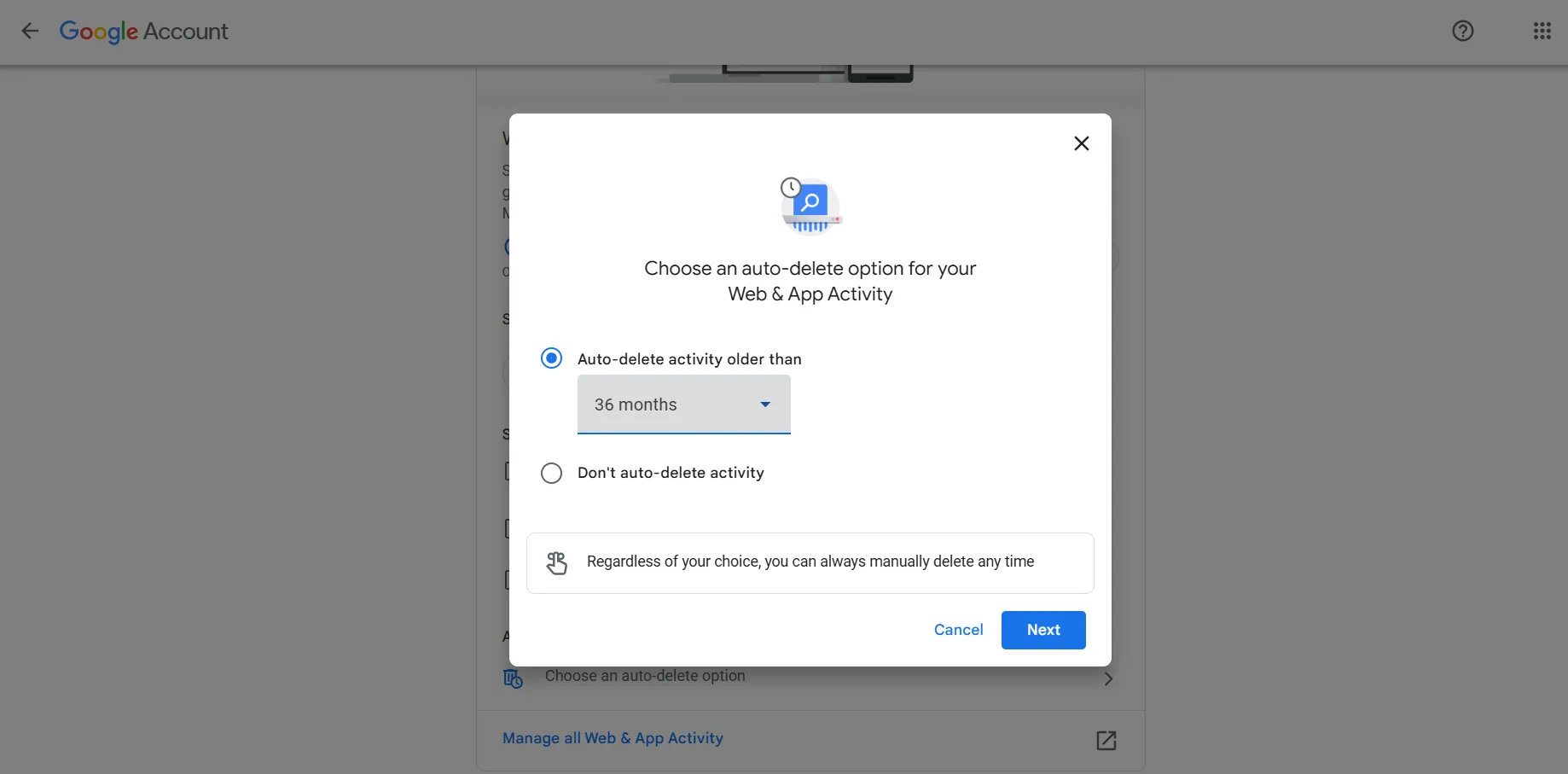
Google allows you to set your activity to delete automatically.
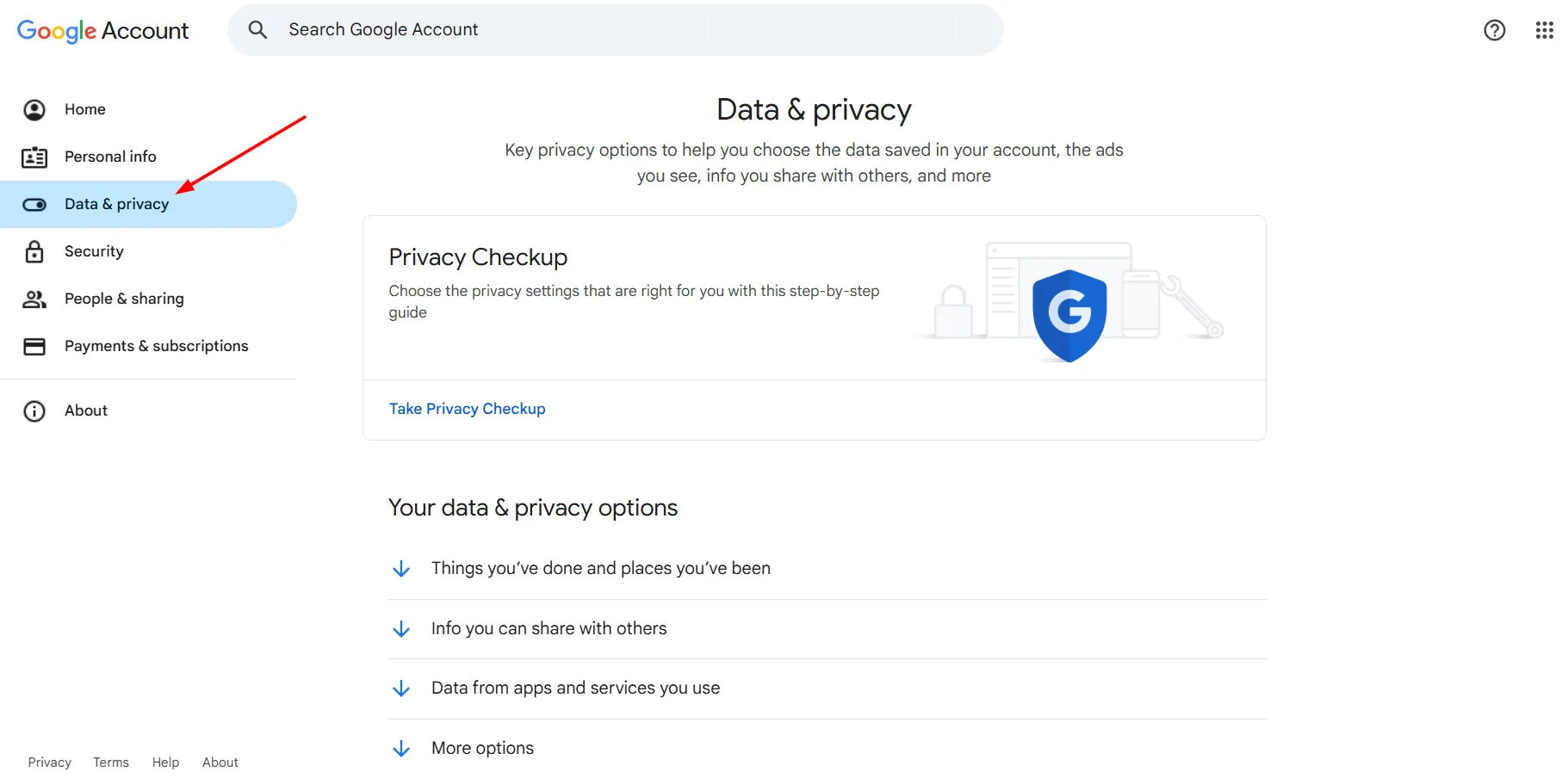
- Go to your Google Account.
- Select Data & privacy.
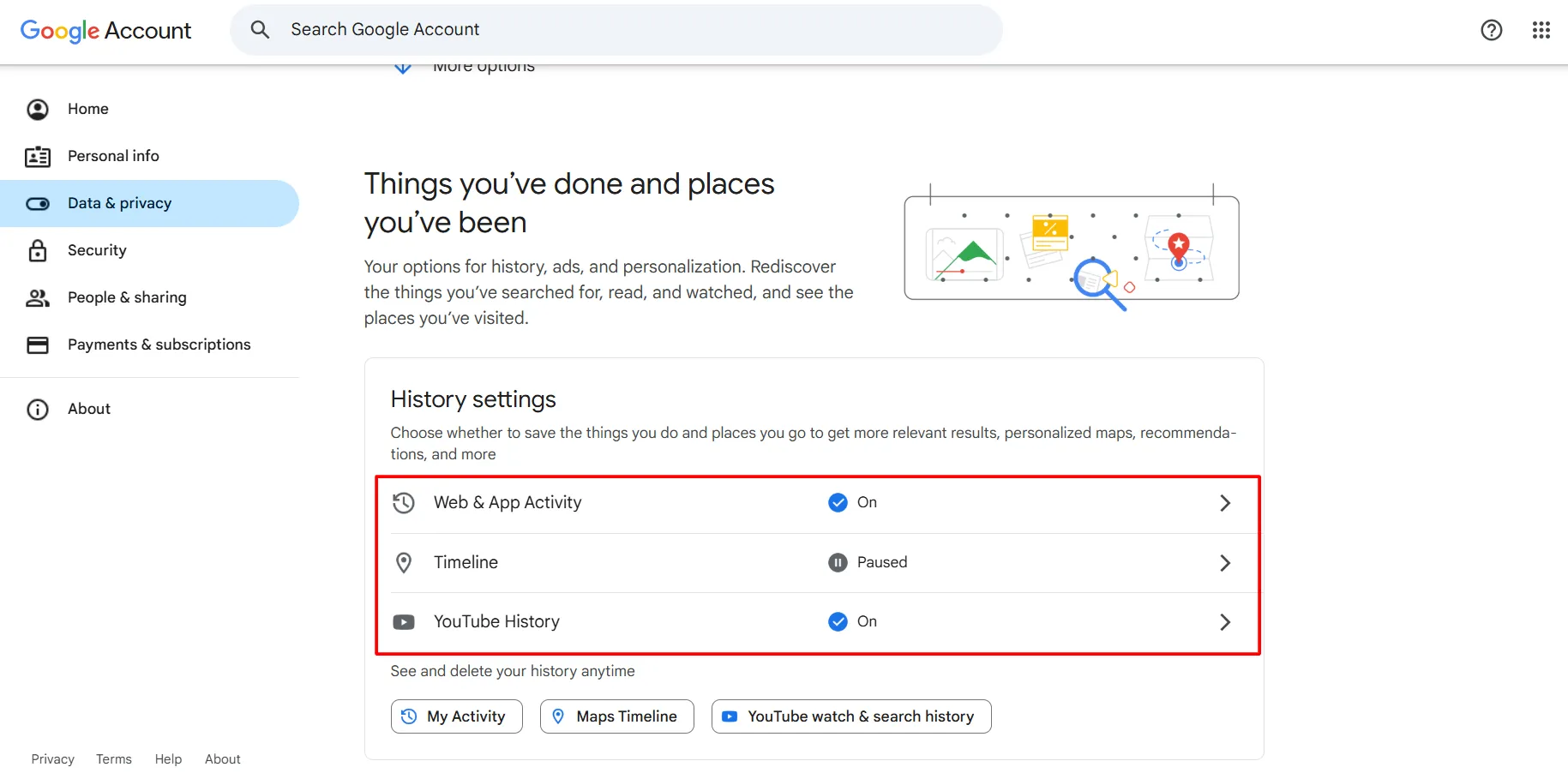
- Under History settings, choose the type of activity (such as Web & App Activity, YouTube History, or Location History).
- Click Auto-delete.
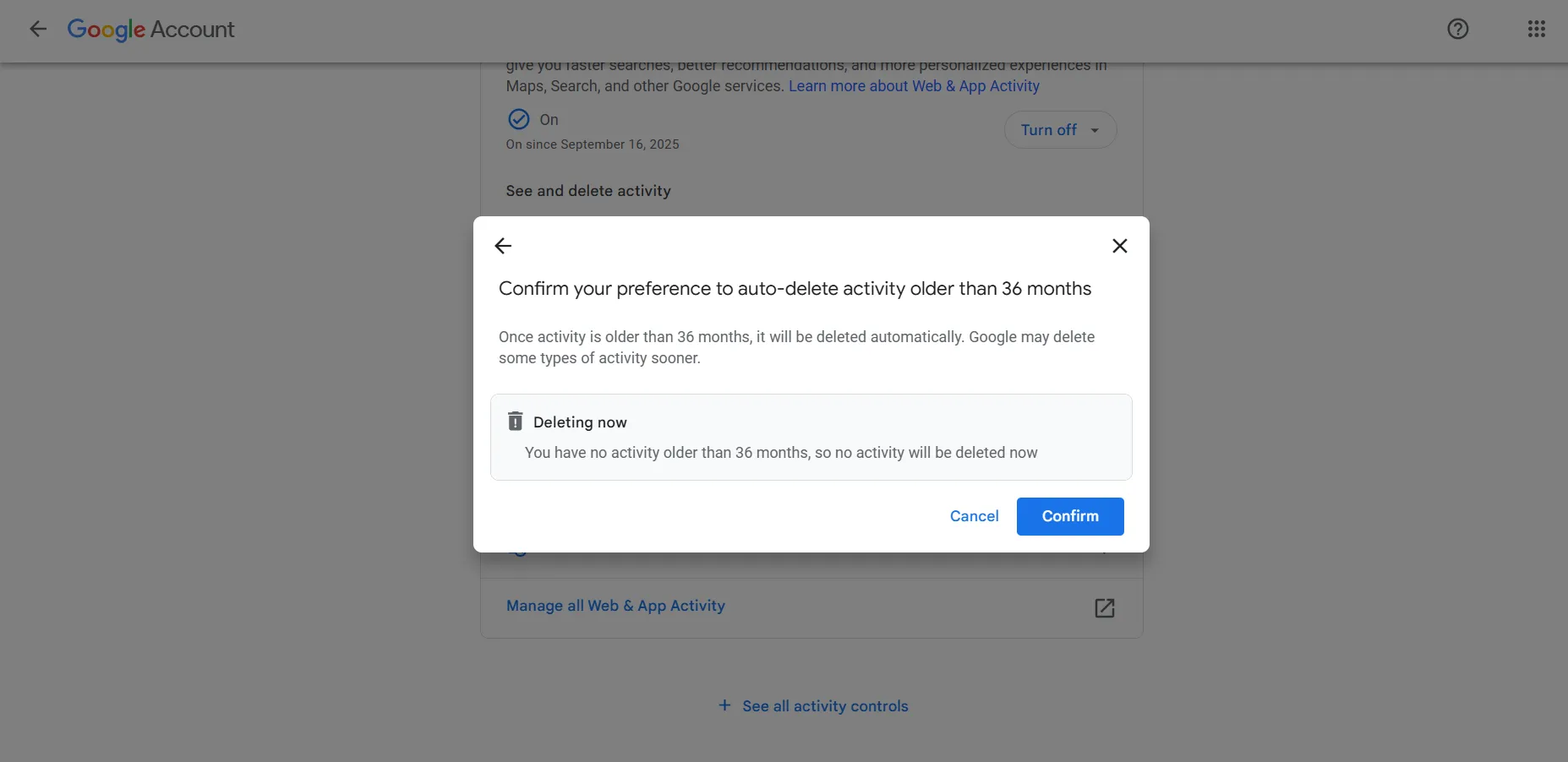
- Choose a duration (3, 18, or 36 months).
- Now click on Confirm button.
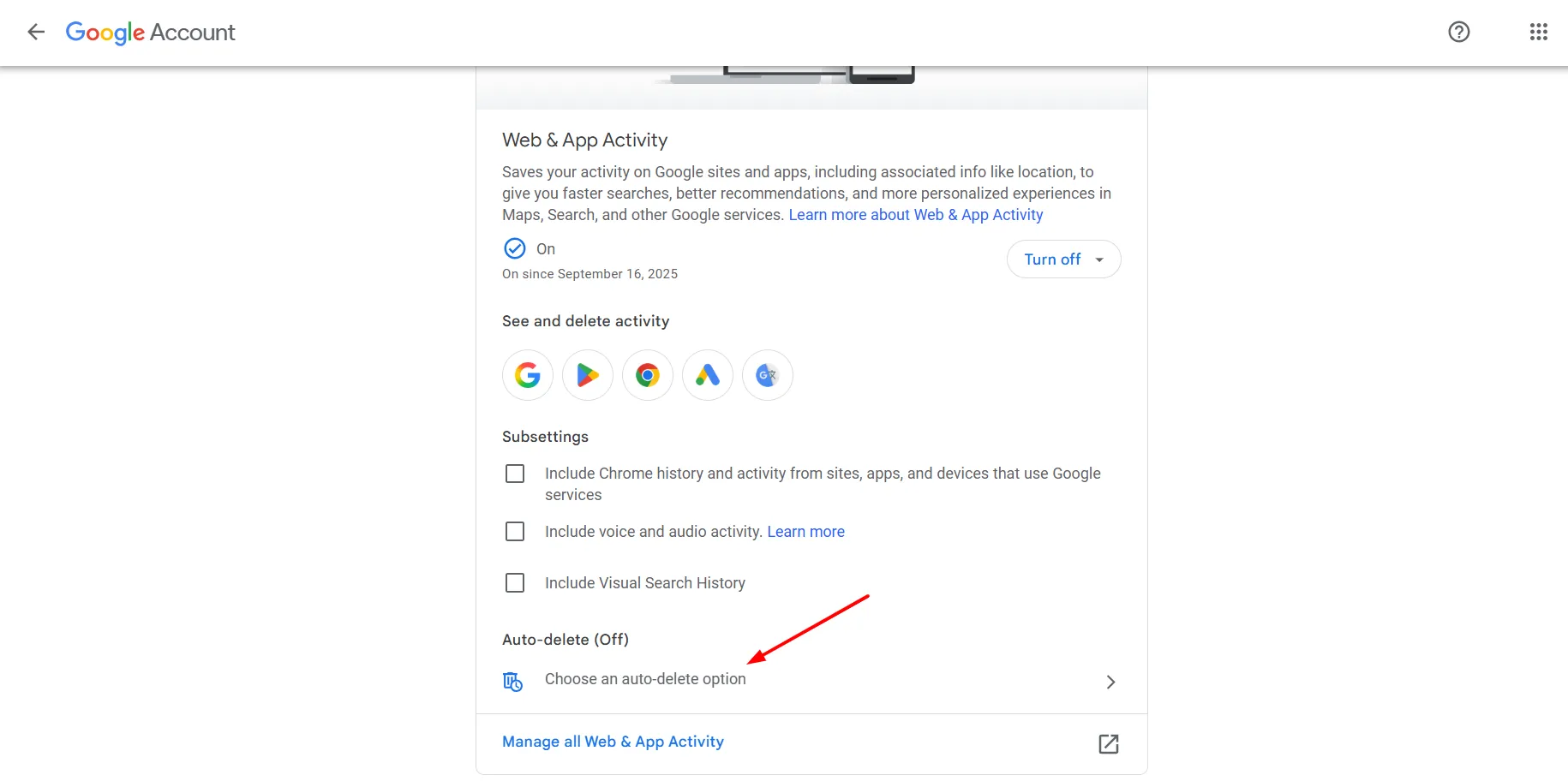
You can also turn off tracking for specific activity types by selecting Turn off or Turn off and delete.
While it will not make you invisible online, it will be an effective way to regain some privacy and reduce targeted advertising. Checking and updating these settings regularly to control your digital footprint.

A little discussion goes a long way.
Ask a question, share your experience, or help someone find an answer.
There is room for your perspective.
No discussions match this view yet.
Your voice belongs here
Keep it useful. Keep it kind.