Telecom regulator (PTA) and national identity authority (NADRA) in Pakistan have reinforced the use of biometric SIM verification to combat misuse, fraud, and the issuance of unauthorized SIMs. All citizens are advised to verify the registered SIMs on their national identity (CNIC) and ensure that only legally acquired SIMs are active in their name.
Not only will biometric SIM verification allow you to prevent identity abuse, but it will also help ensure compliance, as unverified or illegal SIMs can be blocked permanently under new enforcement drives.
Here’s how you can check and verify your SIM(s) online or via official services.
What is Biometric SIM verification?
Biometric SIM verification means that every time a SIM is activated or re-verified, the CNIC and biometric data of the user (fingerprint/ thumb impression) are verified using NADRA’s Biometric Verification System (BVS). This ensures that a SIM is only issued to the correct holder of a CNIC.
Since PTA & NADRA fully activated biometric SIM registration and verification systems across Pakistan, any new SIMs or re-verifications now require live fingerprint verification at authorized outlets or franchises.
How to check SIMs registered on your CNIC (Online / SMS)
You can check the number of SIMs registered on your CNIC without visiting a shop.
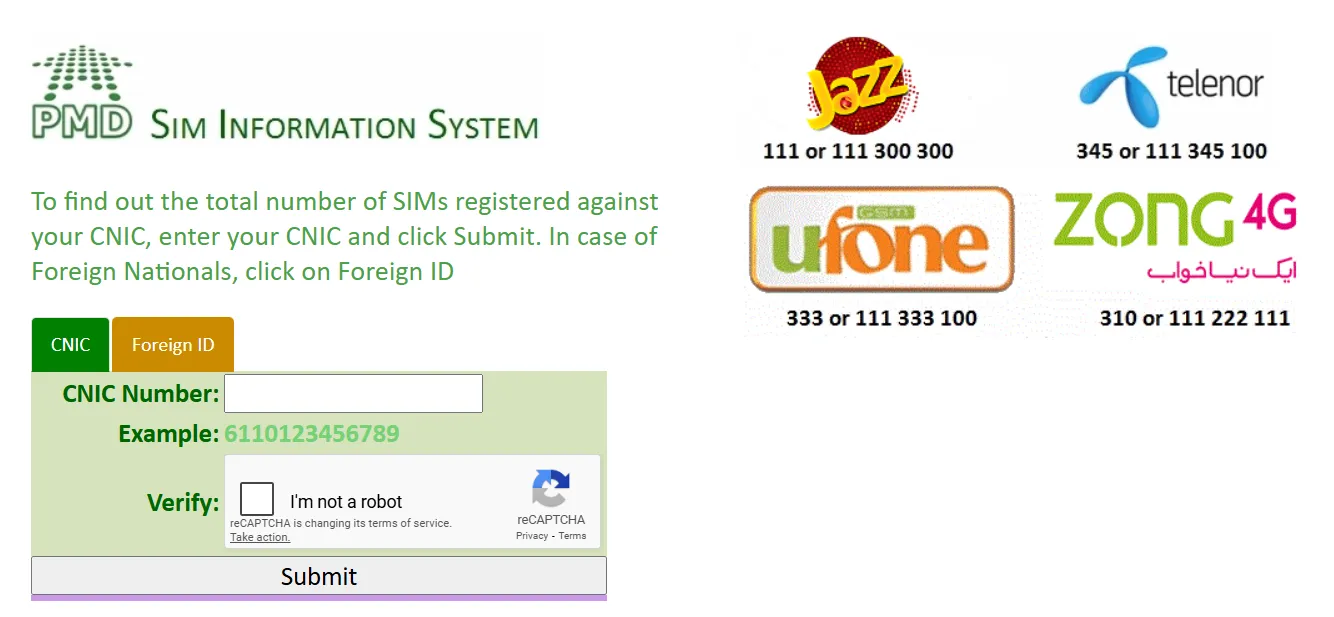
- Open your browser and go to the official SIM information portal (cnic.sims.pk). Enter your CNIC and click on the submit button.

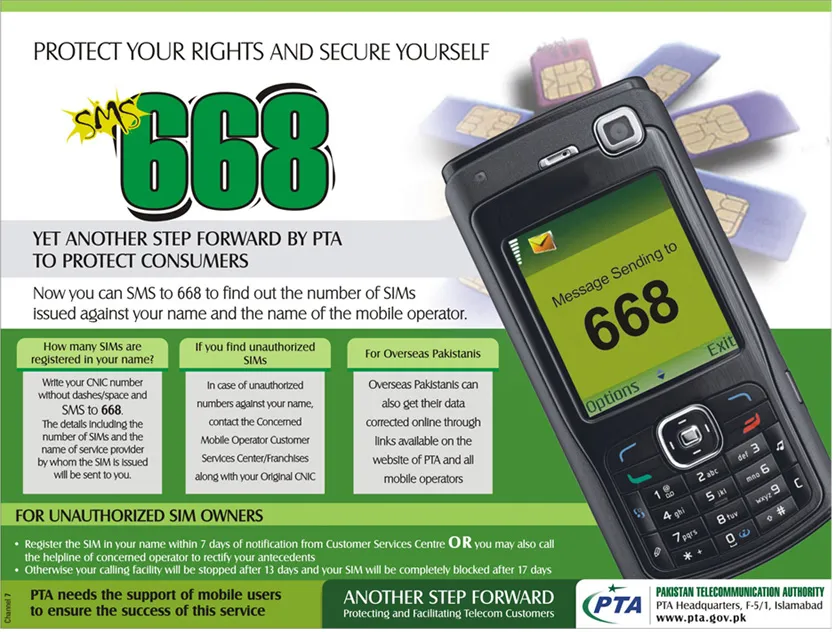
- Alternatively, you can send your CNIC number (without dashes) via SMS to 668. PTA will reply with the number of SIMs registered on your CNIC.

If the results show any SIM numbers you do not recognise, it means that they might be misused, you should block them immediately by calling your operator, visiting a franchise, or reporting to PTA.
What to do if SIMs are unrecognized or you suspect fraud
If you find unknown SIMs registered on your CNIC
- Visit a nearby authorized mobile operator franchise or customer-service center.
- Bring your original CNIC for verification. You will provide a thumb impression or a biometric scan to confirm your identity. Only with a valid CNIC and biometric match will the SIMs remain valid.
- Ask to block or deregister unknown SIMs immediately. This will prevent abuse, fraud, and even criminal exploitation.
Why is Biometric Verification important?
Recently, the PTA has taken strict action: They blocked hundreds of thousands of SIMs issued on expired or fake CNICs, cancelled SIMs of people who had died or had invalid identity cards, and also cracked down on illegal SIM-selling franchises.
That’s why verifying your SIMs now is important to ensure they are linked with your biometric identity. It reduces the risk of identity theft, helps prevent the use of hijacked SIMs for fraud, and protects against unexpected blocking and legal issues.