
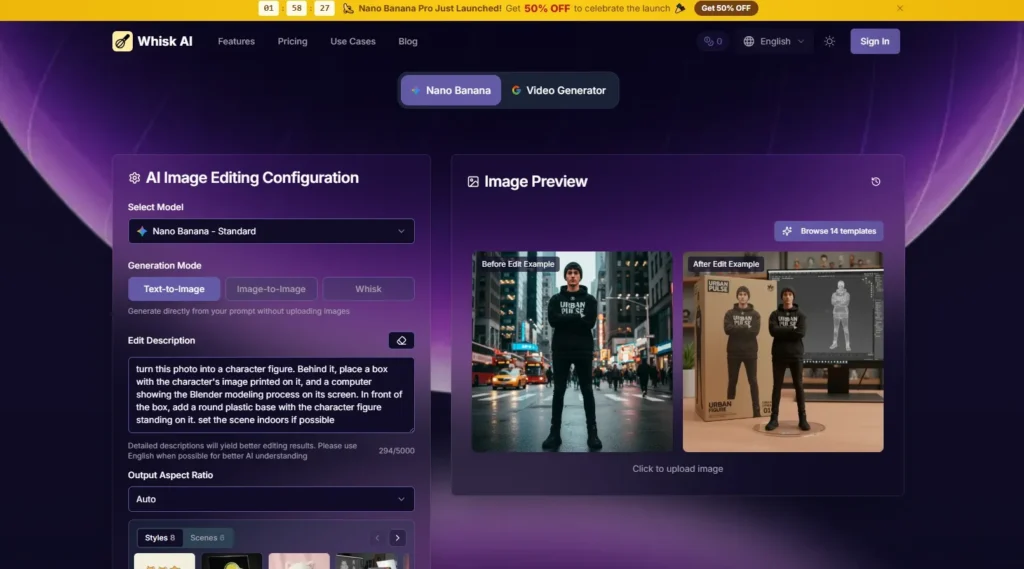
AI image tools often promise creativity, but many of them still place a heavy burden on the user. You need to know what to ask for, how to describe it, how to control style, and how to revise when the model misunderstands you. For people who think through images rather than paragraphs, that can feel backward. Whisk AI takes a more visual route, using uploaded images as the core material for creative remixing.
The homepage frames the product around a simple idea: upload images that represent the subject, scene, or style, then let AI interpret them and generate new creative results. It describes a workflow powered by Google Gemini and Imagen 3, where Gemini helps understand visual inputs and generate descriptions, while Imagen 3 creates the final image. The important point is not just the model names. The practical value is the workflow: users can begin with references and then refine the direction.
That makes the platform especially relevant in a moment when creators need more than isolated image generation. They need fast experimentation. A small brand may want product mockup ideas. A pet owner may want a sticker-style version of a photo. A content creator may want a vintage poster look. A designer may want to see whether a character works better as a plushie, a figure, or a watercolor concept. These are not always final-production tasks. They are decision-making tasks.
- Why The Workflow Feels Different
- The Product Begins With Visual Evidence
- The Tool Supports Remix Rather Than Exact Editing
- Official Steps From Reference To Result
- Step One Upload Subject Scene And Style
- Step Two Convert Images Into Descriptions
- Step Three Generate The New Image
- Step Four Refine Through Prompt Editing
- Testing The Tool Through User Intent
- For Creators Testing Shareable Visual Formats
- For Small Brands Exploring Product Presentation
- For Personal Users Making Fun Reinterpretations
- A Measured Comparison With Other Approaches
- Limitations That Make The Tool More Believable
- It Is Not A Guaranteed Precision System
- Who Will Get The Most Value
Why The Workflow Feels Different
The platform is not best understood as another prompt box with a nicer interface. Its homepage emphasizes images as prompts, which changes how the creative process begins. The user does not need to describe everything from memory. They can provide visual references that already contain part of the answer.
That distinction matters because prompt writing is often a bottleneck. A user may write “cute sticker style” and still receive results that feel too flat, too glossy, too childish, or too generic. A visual reference can communicate proportion, mood, color, texture, and composition more naturally than a short phrase.
The Product Begins With Visual Evidence
A reference image gives the system something concrete to interpret. The official page describes support for subject, scene, and style references, which means the user can separate what should appear, where it should appear, and how it should look.
This is a more intuitive structure than forcing every detail into one paragraph. It gives the user a way to build a visual brief from pieces, similar to how designers use reference boards before creating a finished direction.
The Three-Part Structure Reduces Confusion
When subject, scene, and style are treated separately, users can think more clearly about their intention. If the subject is right but the style feels wrong, they know which part to adjust. If the style is strong but the scene does not fit, they can change the scene reference or refine the prompt.
The Tool Supports Remix Rather Than Exact Editing
The platform should be judged as a remix tool, not a precision editing suite. It is designed to reinterpret visual inputs into new outputs. That makes it strong for exploration, but users should be careful not to expect the same level of manual control they would get from professional editing software.
From a practical user perspective, that is not a flaw. It simply defines the use case. The product is more useful when the goal is to explore creative directions than when the goal is to make tiny, exact corrections.
Official Steps From Reference To Result
The homepage presents a workflow that can be reduced to four realistic steps. These steps should not be exaggerated with unsupported claims about advanced settings or hidden controls. The official flow is about uploading references, letting AI interpret them, generating results, and refining through descriptions.
Step One Upload Subject Scene And Style
Users begin by providing images that represent the main creative ingredients. These may include a subject image, a scene reference, and a style image.
Each Image Has A Creative Job
The subject image tells the system what the output should center on. The scene reference can suggest the environment. The style reference can guide the visual treatment, such as sticker, plushie, watercolor, anime, vintage poster, product mockup, enamel pin, or collectible figure.
Step Two Convert Images Into Descriptions
The homepage explains that Gemini analyzes uploaded images and turns them into descriptive prompts. This is the step where visual material becomes language the generation system can use.
This Makes The Process More Transparent
Because the platform mentions prompt editing control, users are not fully locked into whatever the system first understands. They can review and adjust the description when the interpretation needs correction.
Step Three Generate The New Image
After the references and descriptions are prepared, Imagen 3 is used to generate the new visual output.
The Result Is A Creative Reinterpretation
This is important to phrase carefully. The output is not simply a copied version of the input image. It is a new image based on the interpreted subject, scene, and style. The final look may vary depending on the clarity of references and the chosen direction.
Step Four Refine Through Prompt Editing
If the first result is close but not quite right, users can refine the description and generate again.
Iteration Helps Improve Creative Fit
This is where Whisk AI becomes more practical for real use. A user can make small changes to the direction instead of starting over completely. For visual brainstorming, that can make the process feel faster and less frustrating.
Testing The Tool Through User Intent
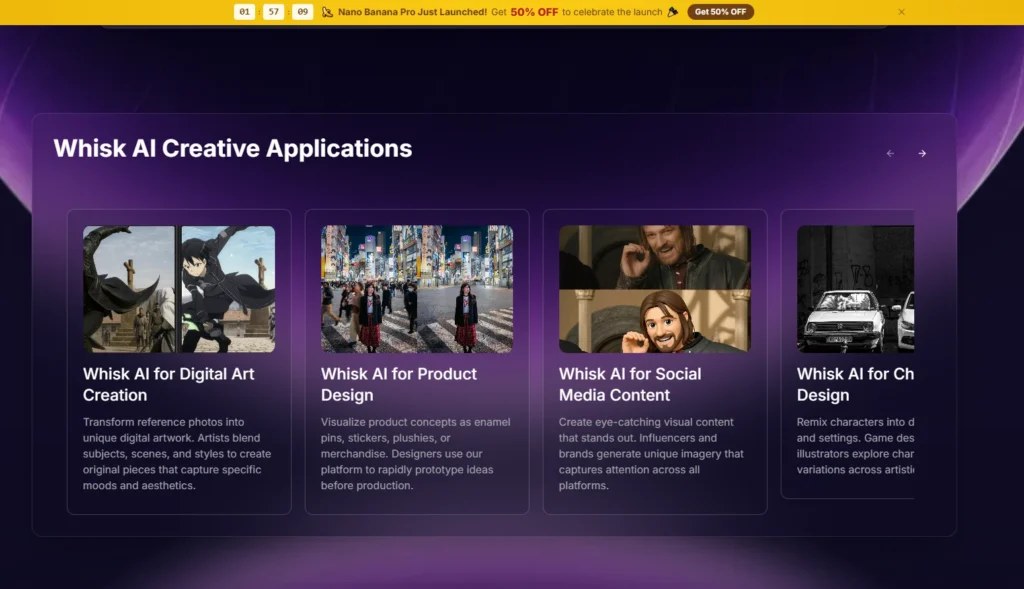
A strong review should ask what type of user benefits most. The homepage points toward several use cases, including digital art, product design, social media content, character design, concept visualization, and personal creative projects. These scenarios have different needs, so the tool should be evaluated through intent rather than hype.
For Creators Testing Shareable Visual Formats
A creator may want to turn an ordinary image into something more social-media-ready. Sticker packs, anime looks, watercolor images, and vintage posters can all serve this need.
The challenge is that social visuals need a clear hook. If the subject becomes too generic, the image may look polished but forgettable. If the style dominates too much, the original personality may be lost.
The Main Benefit Is Speed
The platform appears useful for quickly testing several visual identities. A creator can compare whether a subject works better as a poster, sticker, or illustration-inspired asset before choosing a direction.
For Small Brands Exploring Product Presentation
Small brands often need mockup ideas before investing in full creative production. Product mockup-style outputs can help teams imagine how an object might look in a more stylized or campaign-ready context.
The challenge is accuracy. Product details, labels, shapes, and brand elements must be checked carefully. AI-generated mockups may be helpful for ideation, but they should not automatically be treated as final commercial assets.
The Best Use Is Early Concept Planning
For early-stage planning, the workflow can be valuable. It helps teams see possible directions quickly, then decide which ones deserve more careful design work.
For Personal Users Making Fun Reinterpretations
Personal users may care less about production accuracy and more about charm. Turning a pet into a plushie concept, a personal photo into a stylized image, or a favorite object into a collectible figure can be enjoyable and accessible.
The challenge is expectation. The system may capture the general essence of a reference, but the result may not preserve every detail exactly.
The Experience Rewards Playful Iteration
For casual creative use, variation is part of the fun. Users who are willing to try multiple versions are more likely to enjoy the process than users expecting one perfect result immediately.
A Measured Comparison With Other Approaches
The clearest value of this product appears when compared with three common alternatives: writing prompts from scratch, using template-based design apps, and working manually in professional design tools.
| Criteria | This Reference-Based Workflow | Prompt-Only Generation | Template Design Apps | Professional Design Tools |
| Entry Point | Upload visual references | Write detailed text prompts | Choose preset layouts | Build manually |
| Creative Flexibility | Strong for remixing styles | Broad but prompt-dependent | Limited by templates | Very high |
| Learning Curve | Relatively approachable | Depends on prompt skill | Low | High |
| Best Scenario | Visual concept exploration | Text-driven image creation | Fast layout production | Final polished design |
| Control Level | Balanced visual and text control | Mostly language-based | Template-based | Manual precision |
| Main Limitation | Results may vary | Misunderstood prompts | Generic outcomes | Time and expertise |
Limitations That Make The Tool More Believable
The product becomes more credible when its limitations are acknowledged. The homepage describes an appealing workflow, but AI image remixing still depends heavily on input quality and user refinement.
If the subject image is unclear, the final result may drift. If the style reference is too dominant, the output may lose some of the original subject’s character. If the user’s goal is very specific, they may need several attempts and prompt edits. These are normal limits for AI generation, but they matter for setting realistic expectations.
It Is Not A Guaranteed Precision System
The platform should not be described as guaranteeing exact identity preservation, perfect brand accuracy, or production-ready design files. Its strength is creative reinterpretation and fast variation.
Human Review Still Matters
Any output intended for commercial use, product presentation, branding, or public posting should be reviewed carefully. AI can accelerate the draft stage, but it does not remove the need for taste, judgment, and quality control.
Who Will Get The Most Value
The product is best suited for users who already have visual material and want to explore what it could become. That includes content creators testing social visuals, small brands exploring product concepts, artists building moodboards, designers searching for early directions, and everyday users making playful image transformations.
It is less suited for users who need exact edits, strict consistency across many assets, or detailed manual control. Those users may still need professional editing tools after using the platform for early ideation.
The more realistic promise is simple: it helps users move from references to visual possibilities faster. When the goal is to discover a direction, not finalize every detail, that can be genuinely useful. The platform gives image-first thinkers a more natural way to communicate with AI, while still leaving room for prompt refinement and human judgment.





A little discussion goes a long way.
Ask a question, share your experience, or help someone find an answer.
There is room for your perspective.
No discussions match this view yet.
Your voice belongs here
Keep it useful. Keep it kind.