
For every person who successfully runs an open‑AI model on their own machine, there are probably a dozen others who gave up halfway through. The pattern is familiar: you find a promising repository, clone it, install the dependencies, run into a version conflict, spend an hour debugging, and eventually close the terminal with a quiet sigh. The promise of free, powerful AI comes with a hidden tax, your time, your patience, and often your hardware budget.
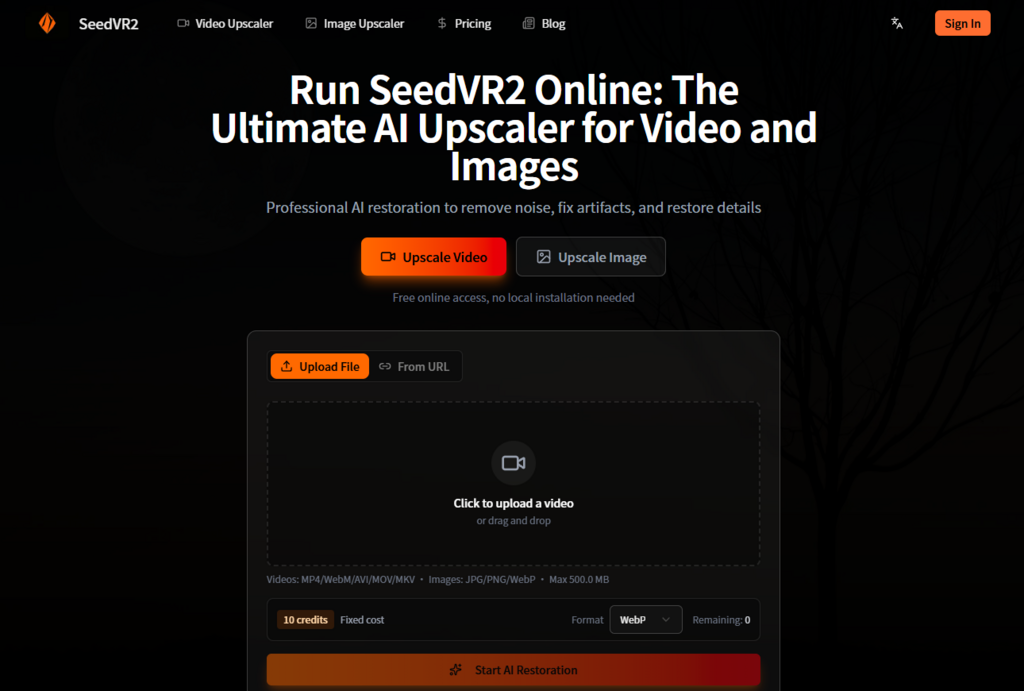
seedvr2 does not eliminate that trade‑off entirely, but it does reframe it. By offering the same underlying one‑step diffusion transformer through a browser interface, the platform acknowledges a simple reality: not everyone wants to be a machine learning engineer just to restore a few video clips.
- The Hardware Barrier That Nobody Talks About
- VRAM: The Invisible Gatekeeper
- The Setup Tax: Time as a Hidden Cost
- What the Online Platform Actually Delivers
- Processing That Respects Your Schedule
- Restoration That Matches Local Output
- Testing the Platform Against Local Deployment Expectations
- Quality Comparison
- Speed Considerations
- Control and Customization
- A Direct Comparison of Two Approaches
- Where the Online Model Makes the Most Sense
- Occasional Users
- Content Creators on Deadline
- Teams and Collaborative Work
- Users Exploring AI Restoration
- The Limitations Worth Acknowledging
- A Practical Perspective on AI Restoration Access
The Hardware Barrier That Nobody Talks About
The conversation around AI video restoration usually focuses on model quality, and for good reason. But the hardware requirements that accompany local deployment are equally important, and equally frustrating.
VRAM: The Invisible Gatekeeper
Why Memory Matters More Than Speed
Running a diffusion transformer at video resolution consumes significant GPU memory. The adaptive window attention mechanism that makes SeedVR2 effective at 4K and 8K upscaling also demands enough VRAM to hold multiple frames in memory simultaneously. Local users with consumer‑grade cards often find themselves dancing around out‑of‑memory errors, reducing batch sizes, or compromising on resolution to make the model fit.
The Upgrade Trap
The natural response to VRAM constraints is to upgrade hardware. But a new GPU represents a significant investment, particularly for users who only need occasional restoration work. The cost proposition changes dramatically when you calculate the per‑project expense of hardware amortization versus pay‑per‑use cloud processing.
The Setup Tax: Time as a Hidden Cost
Environment Configuration
Local deployment requires Python, CUDA, PyTorch, and a collection of supporting libraries. Each component has version requirements that shift over time, and the combination that works today may break tomorrow after a routine system update. The platform eliminates this entirely, no Python installation, no dependency management, no environment troubleshooting.
Workflow Complexity
ComfyUI has become the de facto standard for advanced AI image workflows, but its node‑based interface represents a learning curve that many users simply do not want to climb. The online platform replaces this with drag‑and‑drop simplicity , upload your file, wait for processing, download the result.
What the Online Platform Actually Delivers
The value proposition of the web interface extends beyond convenience. It fundamentally changes who can access professional‑grade restoration.
Processing That Respects Your Schedule
Cloud Infrastructure Advantages
The platform runs on optimized cloud GPUs that deliver results in seconds rather than minutes. This speed comes from infrastructure designed specifically for this workload, not from a general‑purpose cloud instance that shares resources with other tenants.
No Queue, No Waiting
The processing pipeline operates without queues, which means your upload goes straight to a GPU rather than waiting in line behind other users’ jobs. This responsiveness makes the tool practical for iterative work, you can experiment with different materials without committing to extended processing windows.
Restoration That Matches Local Output
Video Capabilities
The platform supports upscaling to 4K and 8K with motion consistency that maintains temporal coherence across frames. The restoration component addresses compression artifacts and general degradation, making it suitable for both archival footage and modern content that needs polishing.
Image Processing
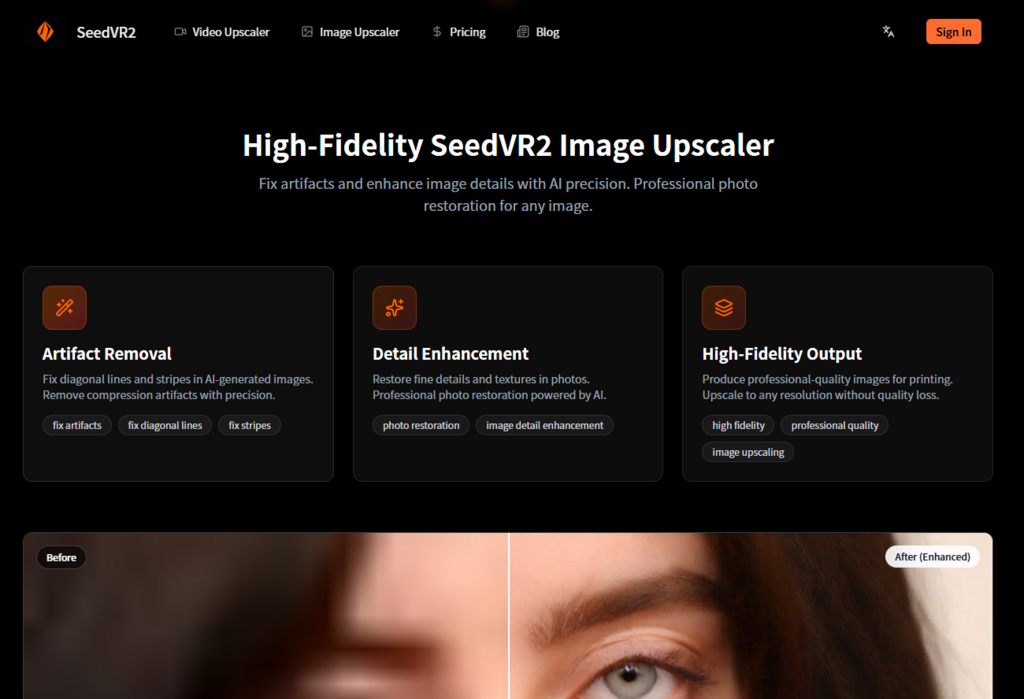
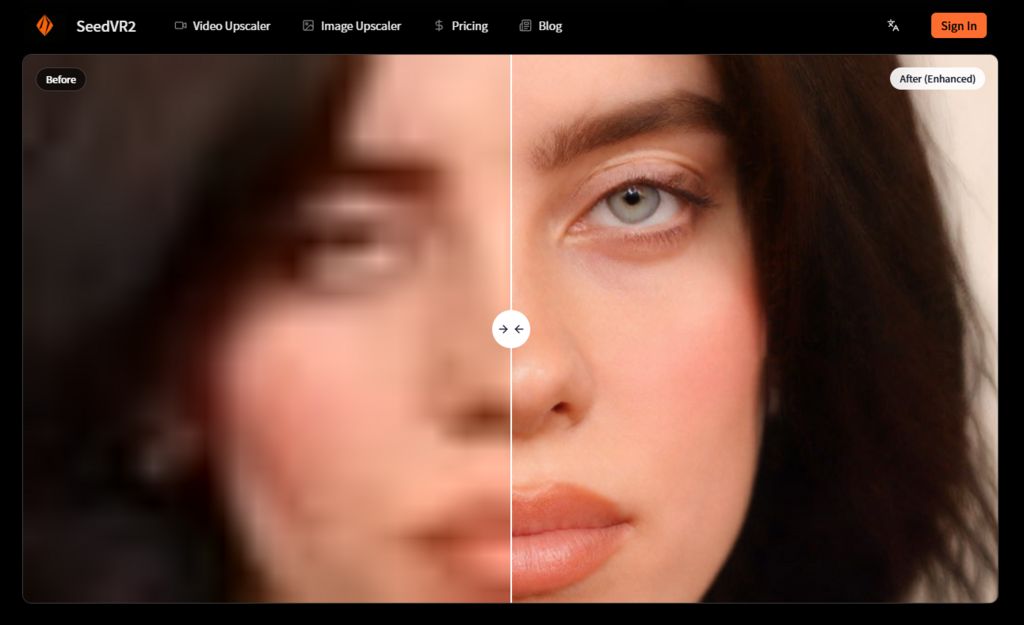
Photo restoration includes artifact removal for diagonal lines and stripes that commonly appear in AI‑generated images, along with detail enhancement that recovers fine textures. The high‑fidelity output mode produces results suitable for printing without the quality loss that accompanies traditional upscaling methods.
Testing the Platform Against Local Deployment Expectations
Rather than treating the online version as a compromised alternative, I approached it with the same criteria I would apply to a local setup: quality, speed, and control.
Quality Comparison
Test approach: Processed the same 1080p video clip through both the online platform and a local ComfyUI implementation using the same model weights. The comparison focused on visible differences in detail preservation, artifact removal, and motion consistency.
Observations: The output quality proved indistinguishable between the two approaches. The online platform produced the same level of detail enhancement and the same temporal coherence. This makes sense given that both run the identical model , the cloud infrastructure simply provides the compute rather than the user’s local GPU.
Implication: Users do not sacrifice quality for convenience. The trade‑off is purely about cost structure and control, not about output fidelity.
Speed Considerations
Test approach: Measured total time from upload to download completion, excluding network transfer for the local comparison to focus on processing duration.
Observations: The cloud infrastructure delivered consistently faster processing than my local RTX 3070, likely due to more powerful GPUs and dedicated resource allocation. The difference was most noticeable on longer clips, where the local system occasionally throttled due to thermal constraints.
Implication: For users with mid‑range hardware, the online platform may actually deliver faster results than local processing.
Control and Customization
Test approach: Evaluated the ability to influence processing parameters beyond the default settings.
Observations: This represents the clearest trade‑off. The online platform offers a fixed pipeline without parameter adjustments. Local deployment provides full control over sampling steps, CFG weights, and other advanced settings that can fine‑tune results for specific content types.
Implication: Users who need granular control over every aspect of processing will still prefer local deployment. The online platform serves those who trust the default settings to deliver consistent, high‑quality results.
A Direct Comparison of Two Approaches
| Aspect | SeedVR2 Online | Local Deployment |
| Hardware investment | None, use existing computer | Requires capable NVIDIA GPU |
| Setup time | Zero, upload immediately | Hours to days depending on experience |
| Technical knowledge | Basic computer literacy | Python, CUDA, ComfyUI familiarity |
| Processing control | Fixed pipeline, consistent results | Full parameter customization |
| Output quality | Identical to local deployment | Identical to online platform |
| Cost structure | Pay per upload | Free (after hardware investment) |
| Troubleshooting | None, platform handles everything | Self‑managed debugging |
Where the Online Model Makes the Most Sense
The decision between online and local deployment ultimately depends on usage patterns and priorities.
Occasional Users
Anyone who restores videos or images infrequently will find the pay‑per‑use model more economical than investing in hardware or spending time on setup. The platform’s fixed cost structure means you pay only for what you use.
Content Creators on Deadline
When a project needs restoration now, the last thing you want is to debug a dependency conflict. The online platform delivers consistent, predictable results without the variability that comes from local environment differences.
Teams and Collaborative Work
The browser‑based interface eliminates the need for each team member to maintain their own local installation. Everyone accesses the same tool with the same capabilities, reducing the coordination overhead that plagues distributed creative work.
Users Exploring AI Restoration
If you are curious about what SeedVR2 can do but uncertain about committing to a local setup, the online platform provides a low‑risk entry point. Run a few test clips, evaluate the results, and decide whether the investment in local deployment makes sense for your workflow.
The Limitations Worth Acknowledging
The online platform does not pretend to be everything to everyone. Users who require extensive batch processing may find the credit‑based cost structure adds up quickly. Those who need to integrate restoration into automated pipelines will prefer API access or local deployment. And users working with sensitive content may have compliance requirements that preclude cloud processing.
The quality of results depends on the input quality, heavily compressed or extremely low‑resolution sources may not recover fully. The platform processes what you give it, and the restoration cannot invent detail that was never captured.
A Practical Perspective on AI Restoration Access
The conversation about AI tools often frames local deployment as the pure, authentic experience and cloud services as convenient compromises. That framing misses the point. The best tool is the one you actually use, and for many users, the online platform removes the barriers that would otherwise prevent them from accessing professional‑grade restoration.
SeedVR2 Online does not replace local deployment for power users. It serves a different audience, people who value their time, who lack the hardware budget, or who simply prefer not to become system administrators. The seedvr2 platform delivers the same model through a different access model, and that access model makes all the difference for the users it serves.




A little discussion goes a long way.
Ask a question, share your experience, or help someone find an answer.
There is room for your perspective.
No discussions match this view yet.
Your voice belongs here
Keep it useful. Keep it kind.