
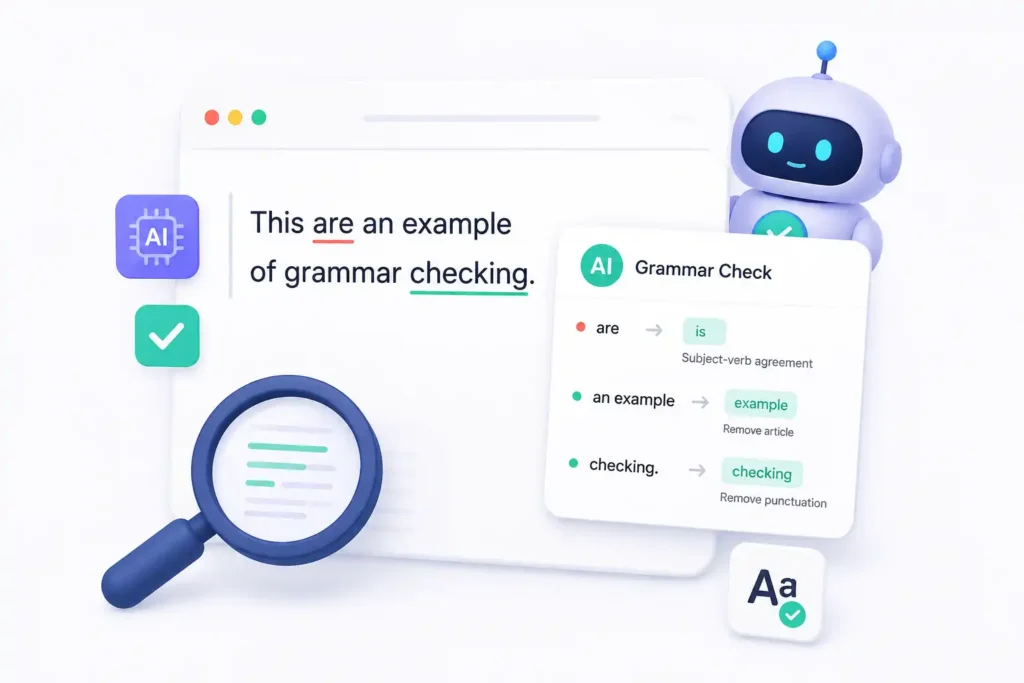
I write a lot. Emails. Blog drafts. Random notes that somehow turn into longer pieces. Typos and awkward sentences still sneak in. So I decided to put two free tools through a proper real-world test: GrammarChecker and GrammarCheck.net. Both claim to act as an AI Grammar Checker. I wanted to see how they actually feel when you’re under time pressure.
No fancy lab setup. Just me, a few messy drafts, and a cup of coffee.
- Why These Two Tools Caught My Attention
- First Contender: GrammarChecker
- First Impressions and Core Strengths
- How It Handled My Test Drafts
- Practical Notes from Daily Use
- Second Contender: GrammarCheck.net
- First Impressions and Core Strengths
- How It Handled My Test Drafts
- Practical Notes from Daily Use
- Side-by-Side Moments That Stood Out
- Who Might Prefer Which Tool
- The Bigger Picture for Everyday Writers
- Final Takeaway After Real Testing
Why These Two Tools Caught My Attention
Free tools keep popping up. Some feel bloated. Others feel too basic. I picked Grammar Checker and GrammarCheck.net because both run in the browser and need zero sign-up for a basic check. That already made them easy to try during a normal workday.
I fed each tool the same three pieces of writing: a short client email, a half-finished blog paragraph, and a student-style essay intro full of common slips. Then I watched what happened.
First Contender: GrammarChecker
First Impressions and Core Strengths
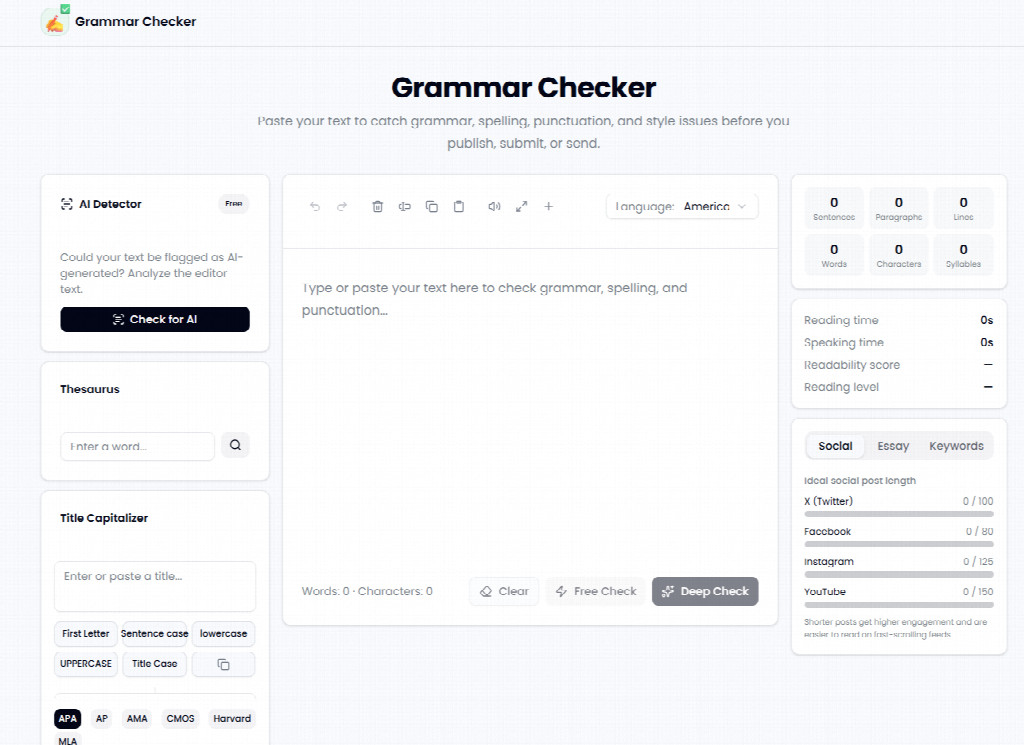
GrammarChecker opens clean and modern. You paste text and hit Free Check or Deep Check. The system flags grammar, spelling, punctuation, and some style issues. It also offers sentence-level AI suggestions instead of isolated word fixes.
What surprised me was the extra toolkit. An AI detector sits right there. A thesaurus and title-case converter join the party. Citation style helpers appear too. The whole page feels like a small writing station rather than a single-purpose checker.
How It Handled My Test Drafts
On the client email, GrammarChecker caught a missing comma and a subject-verb mismatch within seconds. The AI suggestion rewrote one clunky sentence while still keeping my original tone. I accepted only half the changes. That control felt good.
The blog paragraph got clearer flow suggestions. The tool highlighted a run-on sentence and offered a cleaner split. For the essay intro, it spotted tense shifts that I had missed after staring at the screen too long.
Practical Notes from Daily Use
I started dropping short emails into it before hitting send. The process stayed fast. No account wall slowed me down. One small downside showed up with longer text. I had to break a 1,200-word draft into sections for smoother results. Still, the AI grammar checker approach here felt helpful rather than bossy.
Second Contender: GrammarCheck.net
First Impressions and Core Strengths
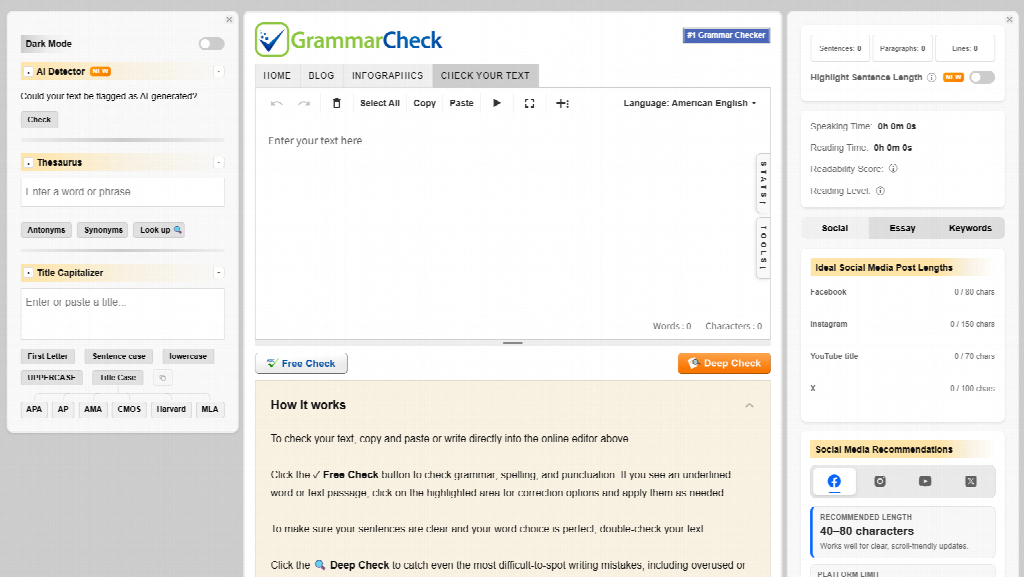
GrammarCheck.net feels more classic. The design is straightforward, almost old-school. Paste your text, run the check, and review the results. It focuses hard on spelling and basic grammar rules. The site also pushes learning. Blog posts and infographics explain common mistakes in plain language.
This educational angle stood out. Instead of only fixing errors, the tool seems built to help you understand them. That matches its long-running position as a free online proofreading helper.
How It Handled My Test Drafts
On the same client email, GrammarCheck.net caught the obvious spelling slips and a few punctuation issues. It missed one subtle agreement error that GrammarChecker had flagged. The interface felt simpler. You click through suggestions one by one.
The blog paragraph received solid basic corrections. The essay intro improved on surface-level mistakes. Deeper style or flow comments stayed limited. According to independent tests such as those published by Scribbr, tools in this category often fix around half of planted errors in controlled samples. My experience lined up with that range for GrammarCheck.net.
Practical Notes from Daily Use
I liked the zero-friction start. No login. No upsell screens during the basic check. When I needed a quick confidence boost before sending a message, it delivered. The learning resources on the site added quiet value. I actually clicked a couple of their grammar explainers after seeing repeated mistakes in my own writing.
Side-by-Side Moments That Stood Out
Both tools work as free AI grammar checker options in the browser. Both respect the “you stay in charge” principle. You decide which suggestions to accept.
Differences appeared in depth and extras. GrammarChecker leans into modern AI sentence suggestions plus side tools like an AI detector and thesaurus. GrammarCheck.net stays focused on core proofreading and pairs it with educational content.
Speed felt similar on short text. On longer pieces, GrammarChecker’s deeper scan gave more context-aware notes. GrammarCheck.net stayed lighter and faster for pure spelling sweeps.
Real scenario: I once sent a rushed email with a dangling modifier. Both tools would have caught the surface issue. Only one offered a smoother rewrite that still sounded like me. That small difference mattered on a busy afternoon.
Who Might Prefer Which Tool
Busy professionals who fire off many short messages may enjoy GrammarChecker’s extra features and sentence-level help. Students who want to learn while they fix mistakes could lean toward GrammarCheck.net and its supporting articles.
Writers who hate creating accounts will like both. People who need heavy style coaching or plagiarism scanning will probably outgrow either free version and look at paid platforms later.
Industry reports from recent years keep showing the same pattern. Demand for quick writing support keeps rising as more work happens in email, chat, and online drafts. Free AI grammar checker tools fill the gap for everyday users who do not need enterprise features.
The Bigger Picture for Everyday Writers
I used to proofread everything manually. It slowed me down and still let errors through. Adding a quick digital pass changed the rhythm. Studies on workplace communication have long linked clear writing to better professional impressions. One often-cited observation is that small grammar slips can quietly hurt credibility even when the ideas are strong.
Neither tool replaces careful reading. Both reduce the chance of obvious mistakes reaching the reader. That alone makes them useful.
Final Takeaway After Real Testing
GrammarChecker and GrammarCheck.net both deliver free, no-signup grammar help. One feels more modern and feature-rich. The other feels classic and learning-focused. Your choice depends on whether you want extra AI suggestions and side tools or a simpler proofreading experience with educational backup.
I still keep both bookmarked. Some days I need the deeper scan. Other days I just want a fast spelling sweep. An AI grammar checker works best when it stays a helper, not a dictator. Test a messy paragraph of your own. See which one matches your writing rhythm.





A little discussion goes a long way.
Ask a question, share your experience, or help someone find an answer.
There is room for your perspective.
No discussions match this view yet.
Your voice belongs here
Keep it useful. Keep it kind.