
Close Menu
    Facebook X (Twitter) Instagram Pinterest YouTube Bluesky WhatsApp TikTok Threads RSS
    WikiTechLibrary
    • Converters & Media
    • Web Tools
    • Finance & Tax
    • Utility & Bills
    • Vehicle Tax
    WikiTechLibrary

    How to Lock Facebook Profile Picture?

    By Muqadas FatimaNovember 8, 2022Updated:September 8, 2026No Comments3 Mins Read
    Facebook Twitter WhatsApp Threads Copy Link
    lock facebook profile

    Guys, no one needs to tell you how popular the social media platform Facebook. There would be no such internet user today. According to a recent survey conducted for those who do not have a Facebook account, there have been 3 billion Facebook users.

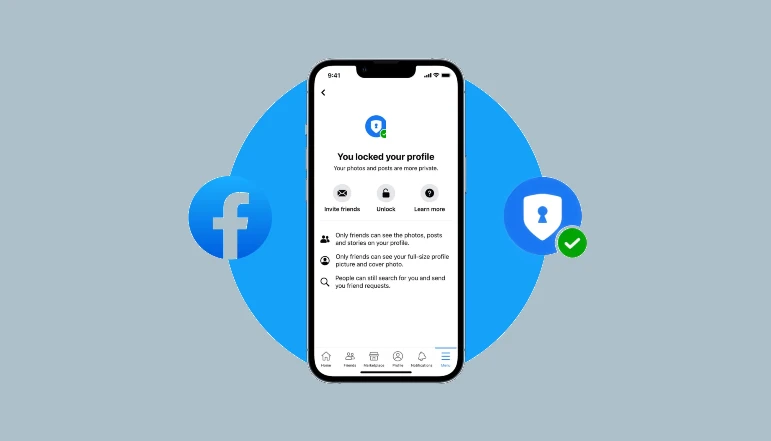
    Along with this, Facebook is continuously providing multiple features for its users. Recently, Facebook has introduced such a feature to protect the privacy of its users. Through this users can lock their Facebook profile picture lock. This will prevent anyone from downloading the user’s profile photo. Nor will he be able to share it anywhere.

    What is Facebook Profile Picture Lock Feature?

    The feature to lock Facebook profile picture lock is quite good. Now users can lock their profile picture. Which no one will be able to download. Nor will he be able to share it. Earlier some illegal users used to download profile photos. And used to share some editing etc in it. Users also had to be quite humiliated regarding this. And faced other kinds of problems.

    Facebook has launched this feature, especially keeping women in mind. So that their privacy can be protected.

    How to Use Facebook Profile Picture Lock Feature on Browser

    Friends, locking your Facebook profile pictures is quite easy. To lock your Facebook profile picture lock, you need to follow some simple steps mentioned below.

    • First login to your Facebook account.
    • Now you have to click on your profile picture. After that click on the option shown in the image.
    • Here you will find the option to turn on the profile picture card. Click on it.
    • After clicking on this option, you will be given some information about this option. and will be asked to confirm.
    • You can turn on this option by clicking Save. Thus now your profile picture is completely safe.

    How to use Facebook profile picture lock feature in app?

    If you use the Facebook mobile app. So you can follow these below mentioned steps to turn on Facebook profile picture lock feature in your mobile.

    • First open your app. If you haven’t updated the Facebook app yet. So update it first.
    • After opening the app, you will go to your profile picture.
    • Here you will find the option of Tri-Profile Picture Guard on top of your image. Click on this option.
    • Now you will get turn on profile picture card option. Click on this option.
    • Here you will be given some information about this feature. And the Save button will appear. Save it by clicking Save.
    • Your profile picture is now saved. No one will be able to download your profile picture anymore.

    Friends, this is how you can protect your Facebook profile picture lock from online fake users. And you can avoid future problems. If you like it, share it with others.


    Share. Facebook Twitter Pinterest LinkedIn Email WhatsApp Threads
    Muqadas Fatima

      Muqadas Fatima is a dedicated writer at WikiTechLibrary, focusing on creating insightful "how-to" tutorials related to social media, tech, and life hacks. With a keen interest in simplifying the complexities of digital world, she creates content that helps readers improve their social media skills and adopt practical solutions for everyday challenges.

      Related Articles

      image

      TCL’s 75-Inch QD-Mini LED Art TV Is $600 Off for Black Friday

      Rockchip Motherboard Suppliers in China: Buyer Checklist and Uniwin-Global Overview

      A Lip-Synced Rap Clip From Face Photos You Already Have

      Why Shopping For Quotes Online Could Save Your Business Time and Money

      tcl-60xe-nxtpaper-5g-puts-a-different-screen-at-the-center-of-its-169-99-offer

      TCL 60XE NXTPAPER 5G puts a different screen at the center of its $169.99 offer

      A Practical Workflow for Managing a Multilingual Restaurant Menu

      JOIN THE CONVERSATION

      A little discussion goes a long way.

      Ask a question, share your experience, or help someone find an answer.

      0 comments
      NewestOldestMost helpfulUnanswered
      ◇

      There is room for your perspective.

      No discussions match this view yet.

      +

      Your voice belongs here

      Keep it useful. Keep it kind.

      Cancel reply

      Your email address will not be published.


      MOST VIEWED
      google assistant shutdown android gemini takeover Latest News

      Google Assistant’s Nine-Year Run on Android Ends September 4

      By Waqas Amjad
      get and farm free packs in pokemon tcg pocket Gaming

      How to Get & Farm Free Packs in Pokemon TCG Pocket

      By Ali Raza
      excel How To

      How to Remove Every Other Row in Excel

      By Ali Rehman
      enable youtube dark mode on iphone How To

      How to Turn on YouTube’s Dark Mode on iPhone

      By Waqas Amjad
      What's New

      AI Video Generator Clips Need a Real Compression Preview

      November 12, 2026
      image

      Made in America and Priced at $7,999: StarBot Launches Spark Humanoid Robot

      November 5, 2026
      tiktok adds voice notes and image carousels in comments

      TikTok Adds Voice Notes and Image Carousels in Comments

      September 4, 2026
      google messages adds ai detection to chat photos

      Google Messages Adds AI Detection to Chat Photos

      September 3, 2026
      © 2026 WIKITECHLIBRARY | All Right Reserved
      • About Us
      • Contact Us
      • Privacy Policy
      • Terms & Conditions
      • Disclaimer

      Type above and press Enter to search. Press Esc to cancel.
