
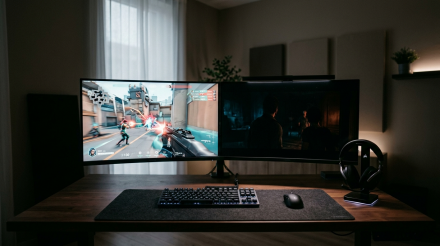
OLED is the best pure gaming panel in 2026, IPS is the safest all-around buy, and VA still makes sense when you want deeper blacks than IPS without paying OLED prices.
If you have ever jumped from a fast shooter to a dark single-player game and felt like your monitor was excellent at one and disappointing at the other, you are not imagining it. Current 2026 monitor picks span everything from 240 Hz IPS value models to 540 Hz OLED flagships and budget-friendly VA ultrawides with several times the contrast of a typical IPS screen. This guide will help you pick the panel that fits your games, room, and daily use without paying for the wrong strengths.
- The Short Answer: What Each Panel Type Does Best
- Motion Clarity and Speed
- Contrast, Blacks, and HDR
- Viewing Angles, Color Consistency, and Everyday Usability
- For Competitive Gaming, OLED Leads but IPS Still Has a Strong Case
- Why OLED Is the Fastest Gaming Choice
- Why IPS Is Still the Smarter Buy for Many Players
- For Dark-Room Gaming and HDR, OLED Is Best and VA Is the Budget Alternative
- OLED Delivers the Most Dramatic Image Upgrade
- VA Still Makes Sense When Budget Matters
- For Bright Rooms, Mixed Use, and Long Desktop Hours, IPS Is Usually the Safest Choice
- IPS Handles Daylight and Productivity More Gracefully
- The OLED Tradeoffs Are Real in Mixed Use
- Panel Type Alone Does Not Decide Gaming Performance
- Refresh Rate, Overdrive, and VRR Can Matter More Than the Logo on the Box
- Match the Monitor to Your GPU and Your Games
- Practical Next Steps
The Short Answer: What Each Panel Type Does Best
| Panel type | Best fit | Real 2026 strengths | Main tradeoffs |
| IPS | Mixed-use gaming, bright rooms, balanced value | Fast IPS around 1 ms, common 240 Hz to 360 Hz options, wide viewing angles, strong color consistency, better text clarity | Typical contrast around 1,000:1, IPS glow, blacks look gray next to VA or OLED |
| VA | Budget immersion, curved ultrawides, dark-room value | Typical contrast around 3,000:1 to 6,000:1, better blacks than IPS, often lower pricing | Dark-level smearing, slower 3 ms to 8 ms transitions, fewer true top-tier esports options |
| OLED | Premium gaming, HDR, motion clarity | Near-instant 0.03 ms to 0.1 ms response, perfect blacks, 240 Hz to 540 Hz gaming models, outstanding HDR | Burn-in risk, VRR flicker on some content, text fringing, lower full-screen brightness, higher price |
Motion Clarity and Speed
For pure pixel response, OLED is the clear leader. Newegg’s 2026 panel guide puts Fast IPS at roughly 1 ms, while OLED is effectively below 0.1 ms, and current gaming models now stretch from 240 Hz all the way to 540 Hz. That matters because motion blur on modern high-refresh monitors is not only about refresh rate; it is also about how quickly pixels settle between frames.
IPS is still strong here, especially for buyers who want speed without OLED pricing. Fast IPS has closed the gap enough that TN is now mostly a niche esports choice, and well-tuned 240 Hz or 360 Hz IPS screens feel genuinely sharp in competitive play. VA remains the weakest of the three for fast motion because slow dark transitions are still visible in panning scenes and shadow-heavy games.
Contrast, Blacks, and HDR
This is where the order flips. OLED is the black-level king because each pixel can turn fully off, so it delivers effectively infinite contrast with no blooming around bright objects. VA is the best LCD option, typically landing around 3,000:1 to 6,000:1 contrast, while standard IPS usually sits near 1,000:1.
That gap is easy to see in actual use. In a dark room, an IPS monitor can make black bars and night scenes look charcoal gray, while VA looks much deeper and OLED looks truly black. Newer IPS Black panels narrow the gap somewhat, with Newegg reporting roughly twice the black depth of standard IPS, but when you look closely at an IPS monitor vs a VA panel side-by-side in low light, the VA panel’s native contrast advantage remains immediately apparent.
Viewing Angles, Color Consistency, and Everyday Usability
IPS and OLED both hold color and brightness better when you move off-center, which matters more than many buyers expect on 27-inch and 32-inch screens. It matters even more on ultrawides, where the edges of the panel sit at noticeably different angles from your eyes.
VA is fine head-on, but it is less consistent toward the edges, especially on large flat panels. If your monitor also handles browsing, streaming, editing, or work during the day, IPS is usually the easiest panel to live with because it combines good motion, stable color, and predictable text rendering.
For Competitive Gaming, OLED Leads but IPS Still Has a Strong Case
Why OLED Is the Fastest Gaming Choice
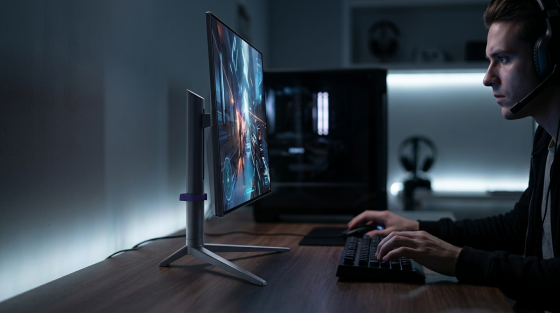
If your priority is the cleanest motion on a premium setup, OLED is currently ahead. RTINGS’ current recommendations include a 27-inch 1440p ASUS OLED at 540 Hz, an LG OLED alternative at 480 Hz, and Dell’s 360 Hz QD-OLED option. PC Gamer’s speed-focused 1440p pick, the MSI MPG 271QRX, pairs 360 Hz with a rated 0.03 ms response time.
That combination gives OLED two advantages at once: very high refresh and almost no pixel transition blur. In practice, that means cleaner edges on moving targets, less smear in flick shots, and fewer overdrive artifacts than LCD panels usually need to control blur. For a player who spends most nights in Valorant, Counter-Strike 2, or Apex Legends, that is a real upgrade, not a spec-sheet trick.
Why IPS Is Still the Smarter Buy for Many Players
IPS remains the value sweet spot for competitive gaming because the speed gap has narrowed while the price gap remains large. RTINGS’ lower-cost LCD recommendations are both IPS: the LG 27GR83Q-B at 1440p and 240 Hz, and the ViewSonic XG2431 at 1080p and 240 Hz. Newegg also notes that Fast IPS has pushed the practical gap to under 1 ms versus older speed-first LCDs.
There is another wrinkle: panel type does not fully decide motion clarity. Experienced Blur Busters users noted that in frame-rate-limited games, a well-implemented strobed LCD such as the XG2431 can look clearer than sample-and-hold OLED. That does not make IPS universally better, but it is a useful reminder that tuning matters. If you want strong esports performance at a sane price, a good 240 Hz or 360 Hz IPS monitor is still a very rational purchase.
For Dark-Room Gaming and HDR, OLED Is Best and VA Is the Budget Alternative
OLED Delivers the Most Dramatic Image Upgrade
The biggest visual jump from IPS to OLED is not color. It is black depth, shadow separation, and highlight control. OLED can show a bright muzzle flash or HUD element against a truly black background without haloing, which is why single-player games, horror titles, and cinematic RPGs benefit so much from it.
The benchmark data backs that up. In RTINGS-based summaries, QD-OLED averaged about 1,010 nits on tiny 2% HDR highlights, while WOLED averaged about 845 nits. PC Gamer’s recommended MSI MPG 321URX QD-OLED, a 32-inch 4K 240 Hz model, also offers a 1,000-nit highlight mode and often sells around $899, which is notably lower than many rival 32-inch OLEDs sitting around $1,100 to $1,300.
VA Still Makes Sense When Budget Matters
VA remains relevant because it gets much closer to OLED on perceived black depth than IPS does, while costing far less. In a dim room, a good VA panel can make open-world nights, space scenes, and dungeon environments look far richer than a similarly priced IPS display. That is one reason VA is still common in curved ultrawide monitors aimed at immersive gaming.
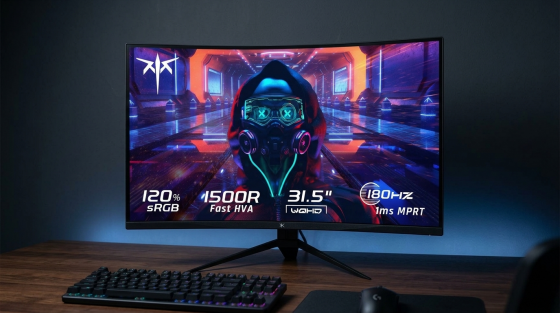
The catch is motion. Those same dark scenes that look better on VA can also smear more when the camera moves quickly. Corsair and Newegg both point to VA’s slower response behavior as the main compromise, and that matches real-world experience: it is a great panel for slower single-player titles and general immersion, but a weaker fit for twitch-heavy competitive play.
For Bright Rooms, Mixed Use, and Long Desktop Hours, IPS Is Usually the Safest Choice
IPS Handles Daylight and Productivity More Gracefully
If your monitor sits in a bright office, next to a window, or doubles as a work screen for eight hours before gaming starts, IPS deserves more respect than the current OLED hype cycle gives it. RTINGS-based summaries covering 97 tested monitors found that IPS is brighter on average in both SDR and HDR than OLED, and broader monitor data from 175 tested models showed full-array IPS averaging about 561 nits in SDR real-scene brightness versus roughly 251 nits for QD-OLED and 224 nits for WOLED.

That matters because OLED’s brightness advantage often shows up on small highlights, not full white documents, spreadsheets, or browser windows. IPS also keeps a standard RGB subpixel layout, which makes text rendering cleaner in Windows and macOS. If you spend long hours reading, writing, coding, or managing static desktop apps, IPS is simply easier to recommend.
The OLED Tradeoffs Are Real in Mixed Use
OLED has improved, but the ownership compromises have not disappeared. RTINGS and monitor forum summaries both point to burn-in risk from long-term static elements, while QD-OLED and WOLED subpixel layouts can create visible color fringing around text. That is easier to notice on lower pixel density screens, especially around 109 PPI, and less obvious on sharper panels closer to 140 PPI.
There are also behavior quirks that do not show up on a basic spec sheet. Some users report VRR flicker in dark scenes when frame rate swings hard, and one QD-OLED owner in the Blur Busters discussion said it was most noticeable below roughly 40 fps with frame generation in play. Another practical issue is room light: RTINGS notes that some QD-OLED screens can make blacks look slightly purple in bright conditions. None of this makes OLED bad for mixed use, but it does make IPS the lower-risk buy.
Panel Type Alone Does Not Decide Gaming Performance
Refresh Rate, Overdrive, and VRR Can Matter More Than the Logo on the Box
A mediocre OLED can still be the wrong choice, and a well-tuned IPS can absolutely beat a sloppy VA. Panel type sets the ceiling for things like contrast and pixel response, but your actual gaming experience depends just as much on refresh rate, input lag, overdrive tuning, strobing support, and VRR behavior.
LG’s summary of RTINGS testing is useful here: high refresh helps smoothness, quick response cuts blur, and VRR reduces tearing, but input lag still has to be checked separately. That is why the market now includes very different “good” options, from a budget IPS 4K monitor like the Asus ROG Strix XG27UCG at 160 Hz with a 1080p 320 Hz dual mode, to premium OLEDs at 240 Hz, 360 Hz, 480 Hz, and 540 Hz.
Match the Monitor to Your GPU and Your Games
PC Gamer’s current guidance is blunt and correct: 4K high refresh is pointless if your GPU cannot feed it. A mid-range system often makes better use of 1440p at 144 Hz to 240 Hz, while 1080p remains the smartest route to stable 240 Hz-plus esports performance. For 4K at 144 Hz or more, you are typically looking at hardware in the RTX 4080, RTX 4090, or RX 7900 XT class.
This is also where VA can still win a buying decision. If your machine is aimed more at story games than ranked shooters, and you want a large curved ultrawide without spending OLED money, a good VA panel can be the better overall fit. Likewise, if you mostly play competitive games and want every frame to count, a 24-inch to 27-inch IPS or OLED at the right resolution will usually beat a larger, slower panel regardless of contrast.
Practical Next Steps
If you want one simple rule, buy for your use case first and panel type second.
· Choose OLED if gaming is the priority, you play a lot in dark rooms, and you are willing to pay more for the best motion clarity, black levels, and HDR.
· Choose IPS if you want the best balance of speed, price, bright-room usability, text clarity, and all-day comfort across gaming and desktop work.
· Choose VA if you want deeper blacks than IPS on a tighter budget, especially for curved ultrawides and immersive single-player gaming.
· Do not pay extra for panel type alone if refresh rate, tuning, and GPU fit are wrong for your system. A good 240 Hz IPS is a better gaming buy than a mismatched 4K OLED your PC cannot drive.
· For competitive play, prioritize refresh rate, response behavior, and input lag. For cinematic play, prioritize contrast, HDR behavior, and room lighting. For mixed use, prioritize brightness, text clarity, and burn-in tolerance.
In 2026, OLED is the best gaming panel overall, but it is not automatically the best monitor for every desk. IPS remains the safest recommendation for most buyers, and VA still has a real place when contrast-per-dollar matters more than absolute speed.





A little discussion goes a long way.
Ask a question, share your experience, or help someone find an answer.
There is room for your perspective.
No discussions match this view yet.
Your voice belongs here
Keep it useful. Keep it kind.