
I’ll be honest, when my old host decided to double my renewal price overnight without so much as an email warning, I went hunting for something cheaper. Everyone kept pointing me toward Hostinger. Every third YouTube ad, every “best web hosting” listicle, every Reddit thread about budget hosting, Hostinger, Hostinger, Hostinger.
So I did what any skeptical person should do before trusting a marketing budget: I bought a plan, moved a real WordPress site onto it, and left it running for three months to see what actually happens once the confetti of the signup page settles down.
This is that experience: what worked, what annoyed me, what the pricing page doesn’t make obvious, and whether I’d actually recommend it to a friend.
- Quick verdict
- How I tested it
- Performance: Is Hostinger fast?
- Pricing: What you will pay (Not just the homepage number)
- The hPanel Dashboard, My honest take
- AI Tools: useful or just marketing?
- Support: What happens when something breaks
- Pros and Cons, The unfiltered list
- What I liked
- What bothered me
- Who Hostinger is good for
- Who should look elsewhere
- Hostinger vs. the Alternatives
- Final Verdict
- Frequently Asked Questions
Quick verdict
If you want the short version: Hostinger is one of the better budget hosts you can buy in 2026. The performance is real, not just marketing, NVMe storage, LiteSpeed servers, and a control panel (hPanel) that doesn’t feel like it was designed in 2009. It’s an easy recommendation for first-time website owners, bloggers, freelancers, and small business sites.
Where it stops being a great fit is if you’re running a high-traffic online store, you need phone support, or you hate the idea of your monthly bill jumping several times over once the introductory period ends. That renewal jump is real, and I’ll break down the numbers below so there are no surprises.
How I tested it
I didn’t just click around the dashboard for twenty minutes and call it a review. Over 90 days, I:
- Migrated a real WordPress + WooCommerce test site onto the Premium/Business shared plan
- Monitored uptime continuously
- Checked load times and Time to First Byte (TTFB) from multiple regions
- Opened support tickets and live chats at different times of day (including 3 a.m., because that’s when things usually break)
- Tracked what actually happened to my bill when the first invoice landed
- Poked at the AI website builder and the Kodee AI assistant to see if they’re gimmicks or genuinely useful
Everything below comes from that experience, cross-checked against independent benchmarking data from other long-term testers, since 90 days on one server in one region is a decent sample but not the whole picture.
Performance: Is Hostinger fast?
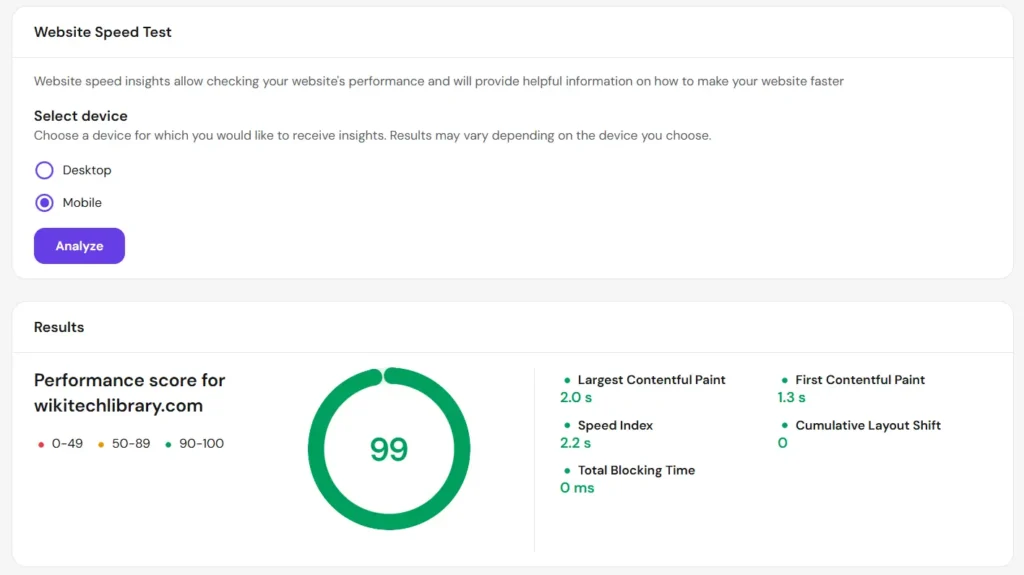
This is where Hostinger earns most of its reputation, and in my experience, it’s deserved.
My test site consistently loaded in under a second, and uptime sat comfortably above 99.9% across the test window, with only two brief blips of a few minutes each, nothing that would meaningfully hurt a small business site. Independent long-term monitoring services that track Hostinger across hundreds of thousands of checks report similarly strong numbers, generally in the 99.94%–99.99% range.
A few things are doing the heavy lifting here:
- NVMe SSD storage on every plan, noticeably faster than the older-style SSDs a lot of budget hosts still quietly use
- LiteSpeed web servers instead of plain Apache, paired with the free LSCache plugin for WordPress
- Global data centers, so picking the one closest to your actual visitors matters a lot, choosing a distant location will hurt your numbers, so don’t skip this step during setup
If your audience is mostly in the US or Europe, you’ll get response times that genuinely compete with hosts charging two or three times as much.
Pricing: What you will pay (Not just the homepage number)
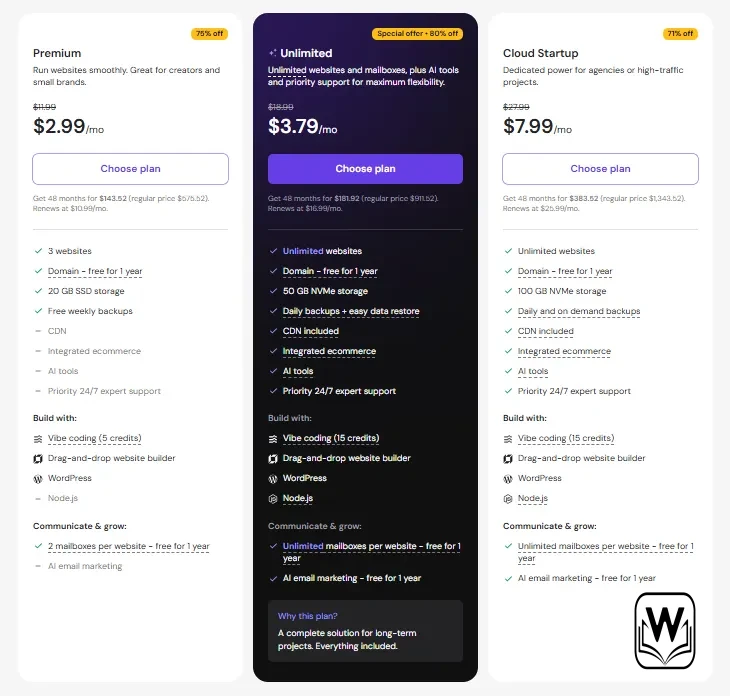
This is the part every Hostinger review needs to be blunt about, because the pricing page is designed to show you the smallest possible number.
Hostinger’s real pricing structure looks roughly like this in 2026:
| Plan | Intro Price (long-term) | Renewal Price | Best For |
|---|---|---|---|
| Premium | ~$2.49–$2.99/mo (48-month term) | ~$7.99–$10.99/mo | New blogs, single websites |
| Business | ~$3.29–$3.99/mo | ~$14.99–$16.99/mo | Small business sites, light stores |
| Cloud Startup | Higher intro tier | Scales up further | Growing traffic, more resources |
The pattern to notice: the eye-catching price you see in ads assumes you commit to the longest possible term (often 48 months), and it’s not the price you’ll pay once that term ends. Renewal rates typically land 3–5x higher than the promotional rate. That’s not unique to Hostinger, but it catches people off guard because the homepage doesn’t lead with it.
My honest advice: pick the term based on the renewal price, not the flashy intro number. If $8–11/month at renewal still beats your alternatives, go for it. If that number would annoy you in year two, factor it in now rather than being surprised later.
One genuinely nice touch, a free domain is included on the first year of Premium and Business annual+ plans, plus free SSL, and you don’t have to pay extra for basic security features like DDoS protection or malware scanning, which some competitors do charge for separately.
The hPanel Dashboard, My honest take
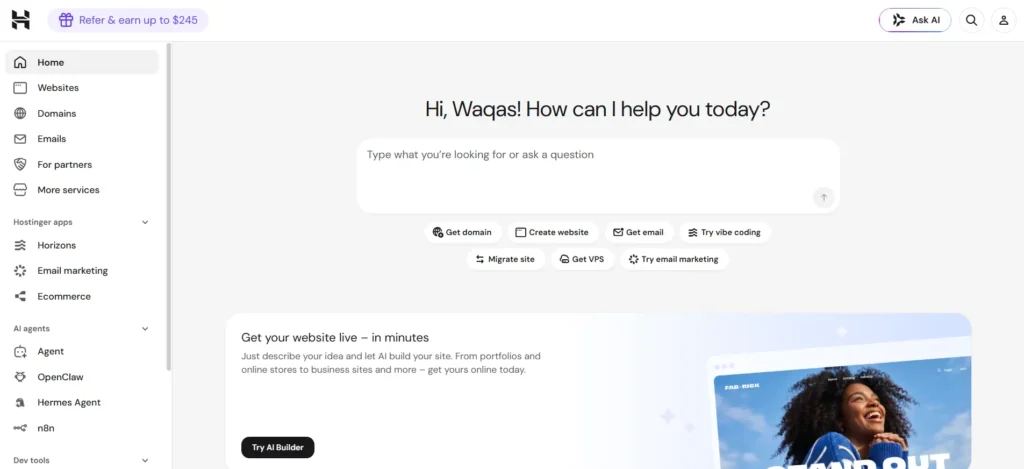
Hostinger ditched cPanel years ago in favor of its own dashboard, hPanel, and I went in expecting to miss cPanel. I didn’t, really.
It’s laid out around what you’re trying to do rather than a grid of forty icons you have to learn to decode. Setting up a site, installing WordPress, checking resource usage, or adding an email account all happen in a handful of clicks. The resource monitor showing live CPU, RAM, and bandwidth usage is a small feature I ended up appreciating more than expected, it flags when you’re approaching a limit before it becomes a problem.
If you’re someone who’s used cPanel for a decade and refuses to relearn anything, this will feel unfamiliar for the first day. If you’re new to hosting entirely, hPanel is honestly easier to pick up than cPanel ever was.
Note: cPanel isn’t available on shared plans at all. You can install it on a VPS plan yourself, but it requires a separate license.
AI Tools: useful or just marketing?
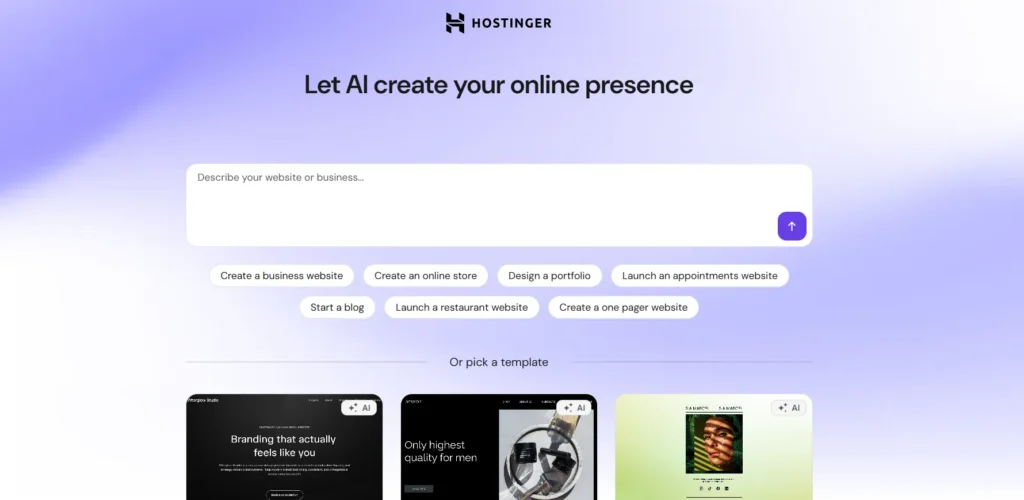
Hostinger leans hard into AI in its 2026 marketing, with an AI website builder, an AI logo maker, and “Kodee,” an AI assistant baked into hPanel for troubleshooting.
My take after using them: the AI website builder is legitimately decent for someone who wants a simple site up in under an hour with zero coding. It won’t replace a custom-designed site, but for a small business landing page or a personal portfolio, it does the job faster than fiddling with a page builder plugin. Kodee is hit-or-miss, sometimes it points you to the right settings page instantly, sometimes it gives a generic answer you could’ve gotten from a help article. Treat it as a nice-to-have, not a reason to buy.
Support: What happens when something breaks
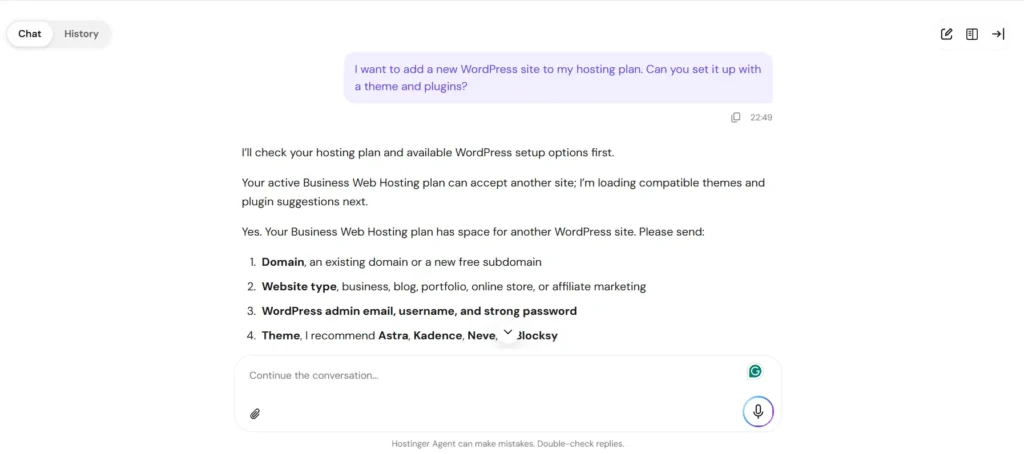
Support is 24/7 live chat, and in my testing, response times were fast, usually under a couple of minutes, even at odd hours. Quality varied depending on how technical the issue was: basic account and setup questions got handled quickly and correctly, while a more unusual server-configuration question took a couple of chat escalations to resolve properly.
The one real gap: there’s no phone support. If you’re the type who wants to talk to a human voice when your site is down, that’s a genuine limitation, not a nitpick.
Pros and Cons, The unfiltered list
What I liked
- Genuinely fast performance for the price (NVMe + LiteSpeed makes a real difference)
- hPanel is one of the more intuitive dashboards in budget hosting
- Free domain, SSL, and core security features included, not upsold separately
- 30-day money-back guarantee, so you can actually test it risk-free
- Wide product range “shared, cloud, VPS, WordPress-managed, email, domains” all under one account
- Strong uptime track record, backed by both my own test and independent monitoring
What bothered me
- Renewal pricing jumps hard, plan your budget past year one, not just for it
- No phone support, chat/email only
- Daily backups are locked behind the Business plan; Premium only gets weekly
- CPU resources on entry VPS tiers can feel tight under real load
- Not built for large, high-traffic e-commerce stores
Who Hostinger is good for
- First-time website owners who don’t want to overpay to learn the basics
- Bloggers, freelancers, and portfolio sites
- Small businesses running a simple WordPress site or a modest WooCommerce store
- Anyone who wants hosting, domain, and email bundled under one login
- Developers or agencies managing several smaller client sites who need it to just work without babysitting it
Who should look elsewhere
- Established online stores with real order volume and traffic
- Anyone who needs guaranteed phone support as a baseline
- Teams that need predictable pricing year over year without renegotiating or re-budgeting
- Users who specifically need cPanel on shared hosting
Hostinger vs. the Alternatives
Quick honest comparisons, since “best host” always depends on what you actually need:
- Hostinger vs. Bluehost: Hostinger is faster and cheaper at the entry tier; Bluehost tends to win on phone support and predictable pricing for WordPress-specific users.
- Hostinger vs. SiteGround: SiteGround edges it out on daily backups and long-standing reliability reputation, but you’ll pay noticeably more for it.
- Hostinger vs. Kinsta/WP Engine: These are managed WordPress specialists built for serious traffic, if you’re past the “small site” stage, that’s the direction to look, not budget shared hosting at all.
Final Verdict
After 90 days of actually depending on it, my opinion of Hostinger landed somewhere pragmatic: it does exactly what a budget host should do, it’s fast, it’s easy to use, and it doesn’t nickel-and-dime you on basics like SSL or security. The catch isn’t hidden maliciously, it’s just easy to skim past on the pricing page. Plan for the renewal rate, not the promo rate, and you won’t feel misled six months in.
For a first website, a blog, or a small business site, I will point a friend toward Hostinger without hesitation. For a serious, high-traffic online store, I’d steer them toward something built specifically for that scale instead.
Frequently Asked Questions
Is Hostinger good for beginners?
Yes. The hPanel dashboard, one click WordPress install, and AI website builder make it one of the easier hosts to start with, even with zero technical background.
Does Hostinger have a free plan?
No, Hostinger discontinued its free plan a couple of years back. Paid plans currently start around $2.49 to $2.99 per month on long term promotional pricing.
What happens to the price after the first term?
It renews at a noticeably higher rate, often 3 to 5 times the promotional price, depending on the plan and term length. Always check the renewal price before committing.
Is Hostinger better than Bluehost?
For raw speed and starting price, Hostinger tends to come out ahead. Bluehost has an edge for users who want phone support or deeper WordPress.org integration.
Does Hostinger offer a money back guarantee?
Yes, a 30 day money back guarantee applies to hosting plans, so you can test it without much risk.
Is Hostinger good for eCommerce?
For small to medium WooCommerce or PrestaShop stores, yes. For high traffic, high order volume stores, you'll want to move up to Cloud, VPS, or a specialized eCommerce host eventually.





A little discussion goes a long way.
Ask a question, share your experience, or help someone find an answer.
There is room for your perspective.
No discussions match this view yet.
Your voice belongs here
Keep it useful. Keep it kind.