

For those of you born during and after the millennium, chances are that you may or may not have ever used a fax machine or even seen one. The rise of emails and file-sharing services has been the main reason for faxing falling into disuse. However, it is still important for healthcare, legal, and government sectors, where secure document transmission is the only way to deal with it.
The good thing is that you do not have to carry a bulky fax machine with you to send or receive faxes anymore. Your iPhone can do the job through the use of specialized fax apps. Here is a list of the best fax apps for iPhone and iPad.
Municorn FAX from iPhone – Best Overall Fax App
Municorn’s FAX from iPhone is a highly demanded fax app in the App Store, with over 300K positive ratings. It enables users to send and receive quality faxes in more than 90 countries.
Features
- Fully HIPAA-compliant for secure document transmission.
- Encryption is done using 256-bit AES and TLS protocols.
- State-of-the-art document scanner supports various formats such as PDF, DOC, JPG, PNG, and others.
- A dedicated fax number is also provided for the receipt of faxes.
- ‘Interoperated with cloud services such as iCloud, Google Drive, Dropbox, and Box.
- Real-time fax tracking and an in-app support bot for assistance.
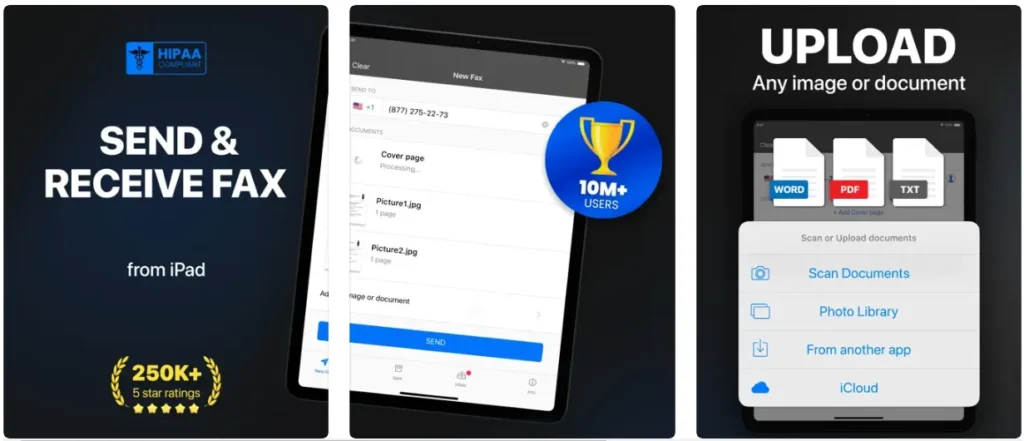
Pricing: Rates are as follows: $9.99 weekly, others are for monthly, and yearly plans.
Pros & Cons
Pros
- Easy to use
- Supports multiple file formats
- Integration of clouds without any hitch
- Can fax 90 countries on a real-time basis
- Real-time tracking
Cons
Only demo faxes are not free
iFax – Best Fax App for Short-Term Use
If you are looking for a short fax sending and receiving solution, try iFax. It offers a 7-day completely free trial with all access to the service.
Features
- Send and receive faxes for free during the trial.
- Provides a free local fax number with the paid plan.
- Supports faxing via email.
- Allows editing and signing of faxes within the app.
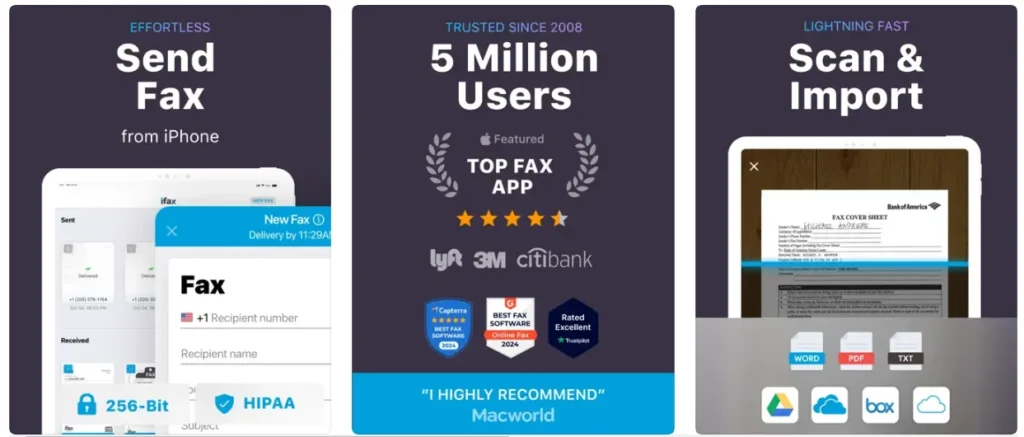
Pricing: $24.99 per month for unlimited faxing.
Pros & Cons
Pros
- In-place signing of documents and free daily local fax number availability to them.
- Free local fax number
- 7-day free trial
Cons
- Starting plan is much more expensive, and paying extra for more pages is necessary.
FaxFree – Best Fax App with Image Processing
If you prefer a secure business communication solution, FaxFree is the golden middle of an integrated document scanner and a collection of advanced image processing features.
Features
- Enhances scanned documents with color correction and noise removal.
- Converts files to PDF or JPEG.
- Supports international faxing to 90+ countries.
- Allows adding logos and cover pages to faxes.
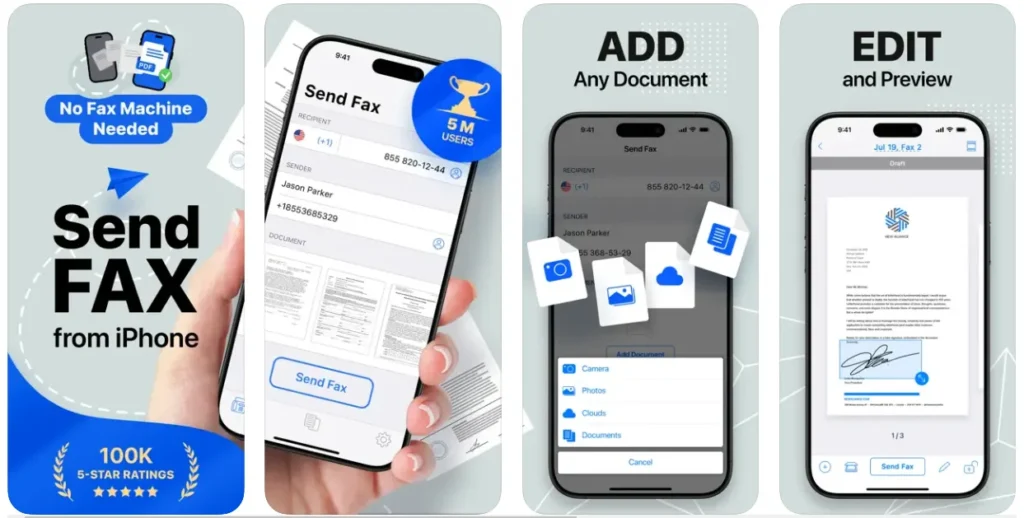
Pricing: $4.99 per week for unlimited faxes.
Pros & Cons
Pros
- Clean and minimal UI
- Advanced image processing
- Supports PDF and JPEG file conversion
- International faxing
Cons
The free model is limited and requires a paid plan to expand the reach.
Tiny Fax – Best Minimalist Fax App
Minimalism is the goal of Tiny Fax, with its simple and emotionless product, is one of the very best for happy users.
Features
- Supporting either one or multi-page faxing.
- Allows you to sync with Google Drive, Dropbox, and Box for cloud storage.
- Sending fax status notifications.
- Includes sample cover pages of different designs.
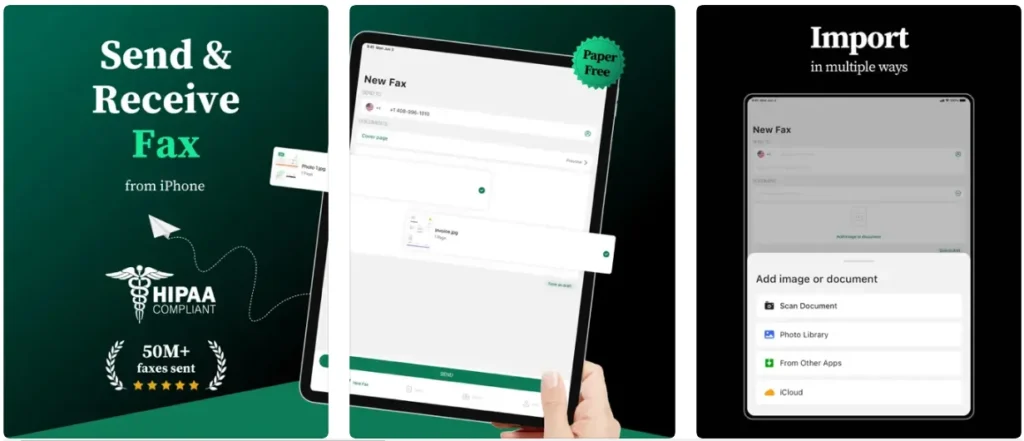
Pricing: $6.99 a week for unlimited faxes.
Pros & Cons
Pros
- Multiple cover page designs
- Cloud integration
- Real-time tracking
Cons
- No free plan
- Supports only 50 countries for faxing
If a user wants the most powerful and fully-featured fax app, Municorn’s FAX from iPhone should be the choice. At the same time, the costs and functionality of iFax are for those who want something free. It is worth noting that the Tiny Fax free version is also available.



A little discussion goes a long way.
Ask a question, share your experience, or help someone find an answer.
There is room for your perspective.
No discussions match this view yet.
Your voice belongs here
Keep it useful. Keep it kind.