

I have built websites manually over the years. Buting hosting, installing WordPress, choosing themes, fixing layouts, and hours to make a homepage look decent. When AI website builders started claiming that they could build a complete website in minutes, I was genuinely doubtful.
So I decided to test them myself.
I registered, answered their questions, created real websites, and checked their usability. Some surprised me. Some failed badly. Below are the five AI website builders that genuinely worked, based on real testing, not hype.
| Tool Name | Best For | Ease of Use | Design Quality | Customization Level | SEO Support | Free Plan |
|---|---|---|---|---|---|---|
| Wix ADI | Small businesses, portfolios | Very easy | Good | Medium | Strong | Yes |
| Durable | Fast business websites | Extremely easy | Decent | Low | Basic | Yes |
| Hostinger AI | Budget friendly sites, blogs | Easy | Clean | Medium | Good | No |
| Framer AI | Designers, landing pages | Moderate | Excellent | Medium to High | Limited | Yes |
| 10Web AI | WordPress, SEO focused sites | Moderate | Good | High | Very strong | No |
- 1. Wix ADI (Artificial Design Intelligence)
- 2. Durable AI Website Builder
- 3. Hostinger AI Website Builder
- 4. Framer AI
- 5. 10Web AI Website Builder (WordPress-Based)
- What I learned after testing all five
- Which AI website builder should you choose?
- FAQs
- Are AI website builders good for SEO?
- Can AI website builders replace web developers?
- Are AI websites mobile friendly?
- Are free AI website builders worth it?
- Which AI builder is best for beginners?
1. Wix ADI (Artificial Design Intelligence)
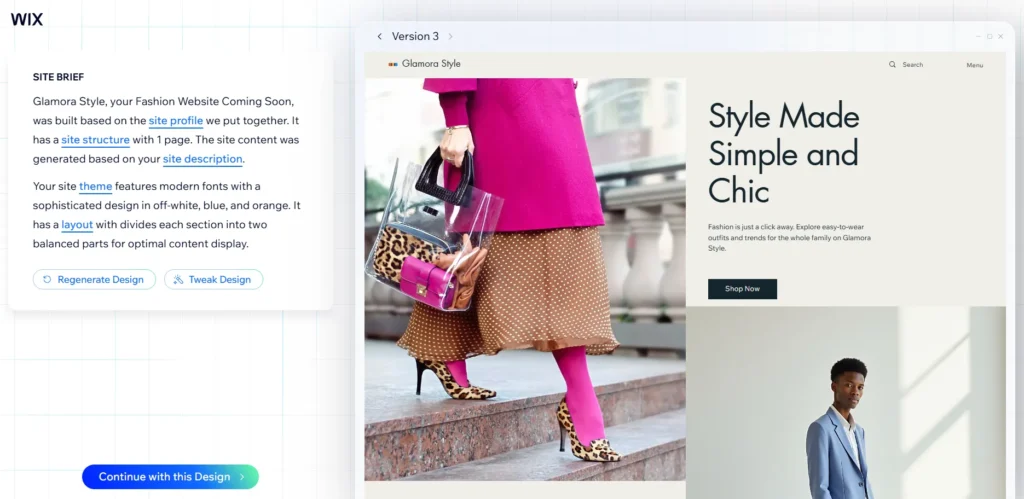
Wix ADI was the first AI builder I tested, and it felt the most polished.
It posed easy questions instead of technical questions. Which type of website do you want? What is your business name? Do you want bookings, contact forms, or galleries? After answering some questions, it generated a full website with pages, text, images, and layout.
The design was not perfect, but it was shockingly usable. The best part was that it was very easy to edit later. I could edit text, replace images, and adjust sections without breaking anything.
Wix ADI is the choice if you want a professional-looking site quickly, especially for small businesses, portfolios, or service websites.
| Pros | Cons |
|---|---|
| Very easy to use for beginners | Limited design freedom after setup |
| AI creates a complete website quickly | Not ideal for advanced users |
| Built in SEO tools included | Layout changes are restricted |
| Good templates for small businesses | Can feel generic for large brands |
2. Durable AI Website Builder
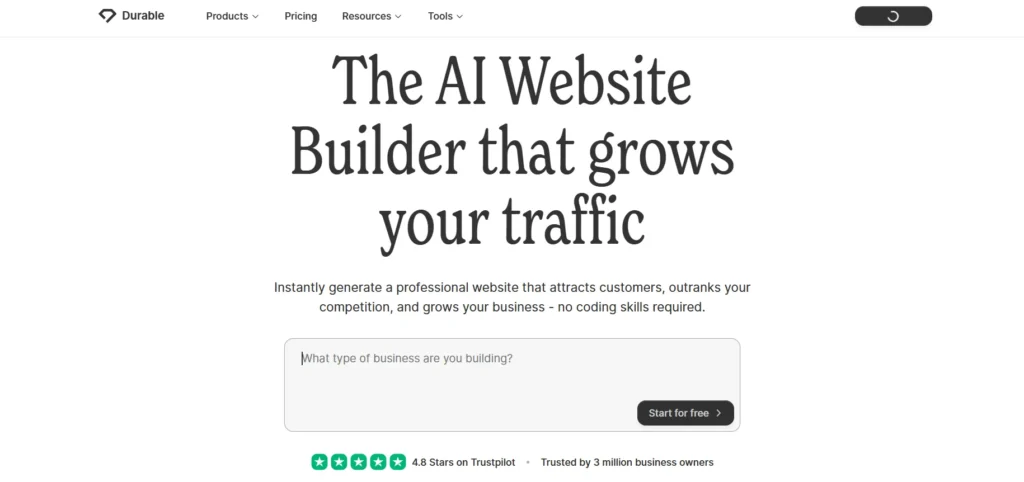
Durable felt almost unreal when I first tried it.
I just entered my business type and location, and in less than 30 seconds, it created a complete webpage. There were already a homepage, services, a contact page, and even placeholder testimonials.
The writing itself was surprisingly natural, and the layout made sense. It also has integrated features like CRM and invoicing, which make it useful for freelancers and local businesses.
The disadvantage is limited design freedom. You can edit the content, but you do not get full creative control. However, when speed matters more than perfection, Durable delivers.
| Pros | Cons |
|---|---|
| Creates a website in under one minute | Very limited customization |
| Best for quick business websites | Weak SEO controls |
| Includes CRM and invoicing tools | Not suitable for content heavy sites |
| Simple and clean interface | Designs feel basic |
3. Hostinger AI Website Builder
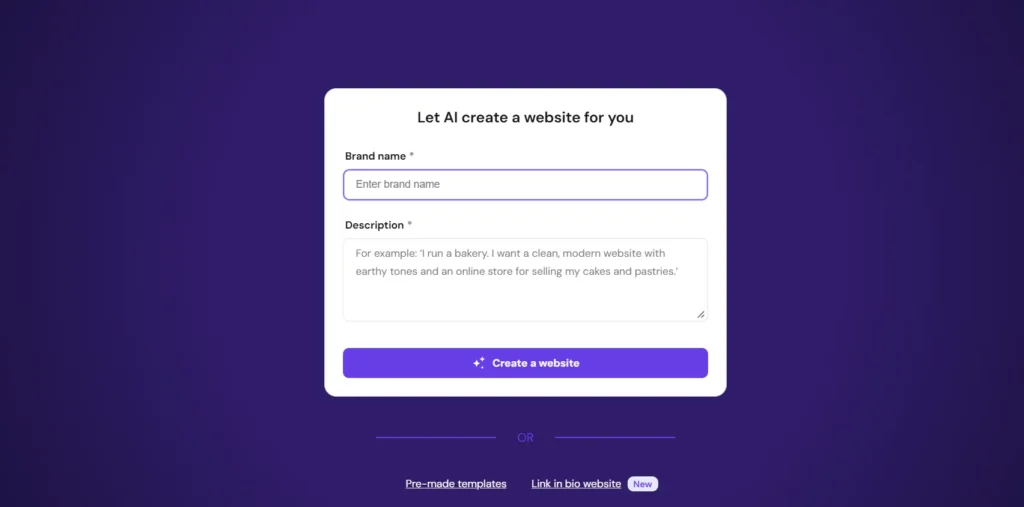
Hostinger’s AI builder felt more practical than flashy.
After selecting a category and writing a short description, it created a clean website with good copy and structure. I personally liked it most because it focused on performance. Pages loaded fast, and the design remained lightweight.
It is not as visually creative as Wix, but it is reliable. Editing is easy, and it is compatible with hosting and domain setup.
This is a good option if you want an affordable AI builder that does not overwhelm you and works well for blogs, startups, or personal websites.
| Pros | Cons |
|---|---|
| Affordable pricing | Design options are limited |
| Fast loading websites | Templates can look generic |
| Good SEO basics included | Requires some hosting knowledge |
| Ideal for blogs and startups | No true drag and drop freedom |
4. Framer AI
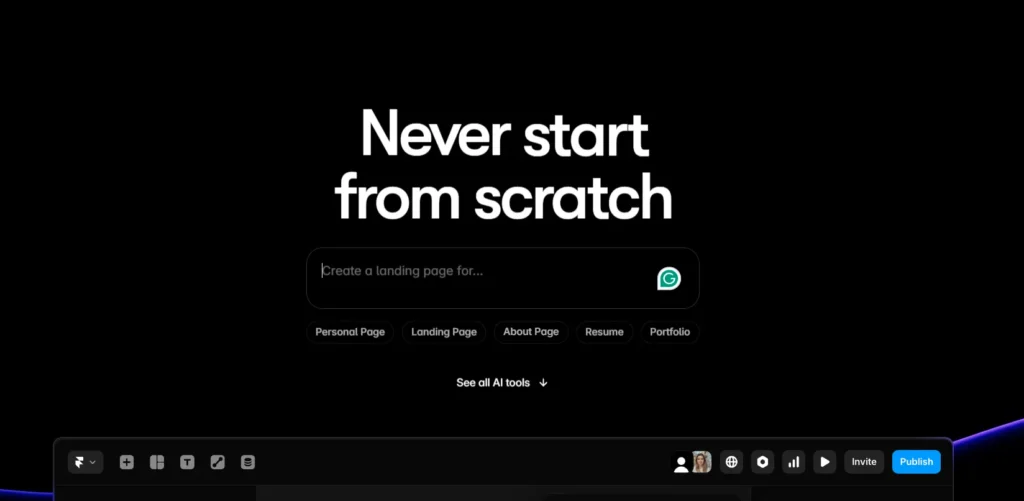
Framer AI felt different from the others. It’s clearly aimed at designers and creators.
I did not use clicking options but explained the website in plain language. Something like, “A modern landing page for a tech startup with a dark theme and call to action.” Framer generated a visually impressive website within minutes.
The animation, design, and typography looked premium. However, it is not beginner-friendly. If you are comfortable with design concepts, it can be confusing.
Framer AI is better when you are more focused on the appearance and a modern design than ease of use
| Pros | Cons |
|---|---|
| Excellent modern designs | Not beginner friendly |
| Best for landing pages | Limited SEO tools |
| High quality animations | Less suitable for blogs |
| Creative prompt based control | Learning curve is higher |
5. 10Web AI Website Builder (WordPress-Based)
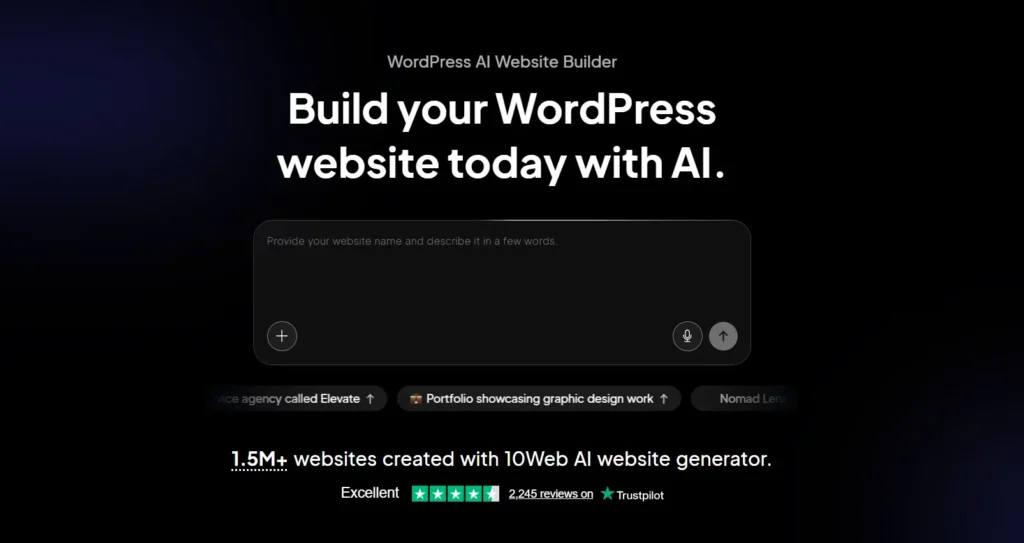
10Web took a different approach. It builds WordPress websites using AI.
I entered a business type, and it created a complete WordPress website with pages, images, and content. Because it is WordPress, I can install plugins, SEO tools, and customize it deeply.
This builder is powerful, but it’s not instant simplicity. You need some WordPress knowledge to get the most out of it.
For bloggers, SEO focused websites, or long-term projects, this is one of the most powerful AI builders available.
| Pros | Cons |
|---|---|
| Built on WordPress | No free plan |
| Strong SEO and plugin support | Requires WordPress knowledge |
| High customization control | Slightly complex setup |
| Best for long term scaling | Not ideal for beginners |
What I learned after testing all five
AI website builders actually work now. They are no longer demos or toys. However, none of them can replace human judgment fully. You still need to
- Edit content for accuracy
- Adjust branding
- Optimize for SEO
- Customize layout
Think of them as a fast starting point, not a finished product.
Which AI website builder should you choose?
If you want the easiest experience, Wix ADI is the best choice.
- If speed matters most, Durable is unbeatable.
- If budget and performance matter, Hostinger is solid.
- If design matters more than simplicity, Framer AI shines.
- If you want full control and SEO power, 10Web is worth the effort.
FAQs
Are AI website builders good for SEO?
Yes, but only if you optimize content, headings, and metadata manually after generation.
Can AI website builders replace web developers?
No. They speed up the process but don’t replace custom development.
Are AI websites mobile friendly?
Most modern AI builders automatically create mobile-responsive layouts.
Are free AI website builders worth it?
Free plans are useful for testing, but serious projects require paid plans.
Which AI builder is best for beginners?
Wix ADI and Durable are the most beginner-friendly.





A little discussion goes a long way.
Ask a question, share your experience, or help someone find an answer.
There is room for your perspective.
No discussions match this view yet.
Your voice belongs here
Keep it useful. Keep it kind.