Author: Muqadas Fatima

Muqadas Fatima is a dedicated writer at WikiTechLibrary, focusing on creating insightful "how-to" tutorials related to social media, tech, and life hacks. With a keen interest in simplifying the complexities of digital world, she creates content that helps readers improve their social media skills and adopt practical solutions for everyday challenges.

You all know everything about WhatsApp. Nothing needs to be said about it. WhatsApp is one such messaging app that every internet user today has an account on. WhatsApp is an app where new features are being added. Due to this people like WhatsApp more. Similarly, a new feature has been added to WhatsApp in the recent update. With which you can pin any of your WhatsApp chats. That means you can keep this chat on top of your WhatsApp dashboard. How to Pin WhatsApp Chat Pinning friends whatsapp chat is very easy. To pin a WhatsApp chat, you need…

Read More

Whenever you are listening to any DJ song. Then you would be told the name of a person together in this song. The name is mixed with a DJ effect in the song. In such a situation, you should also think if your name is associated with a song. And whenever you played it, your name would be heard along with the song. If you also want your name to be associated with a song. And every time you play that song. So everyone should hear your name along with it. So today I am going to tell you here…

Read More

Multitasking App – Friends sometimes we have to do many things simultaneously on our mobile. This means multi-tasking becomes necessary. But if you are not on the 7.1 Nougat operating system. So you can’t multitask on your mobile. But today we are going to tell you about one such multitasking app. Using this you can open multiple windows simultaneously on your mobile just like a computer laptop. Also, you can do many different things at the same time. What is a multitasking app? When you do many things at once. So this is called multitasking. Earlier, only a computer laptop…

Read More

Everyone is using WhatsApp nowadays because it has only so many amazing features. And there are also many different tricks you can use on it. If you want to have fun with your friends. And want to send them your fake location. So you can tell where you are today. So how do I send you a fake location on WhatsApp for today? And frankness with friends? I’m going to tell. Through which you can frank with any of your friends. And you can have fun. How to share fake location on WhatsApp? Sending fake locations of friends on WhatsApp…

Read More

As soon as you turn on your mobile data. So many notifications start coming on your mobile. These notifications keep coming unnecessarily. Sometimes these notifications disturb us a lot. That we are not even able to do anything important. If you are also worried about such unnecessary notifications. So today we are going to tell you how you can turn off these unnecessary notifications on your mobile. How to stop unwanted notifications on mobile Friends, not only do we get annoyed by unnecessary notifications on mobile. Rather, our data is also being lost without meaning. And if you have a…

Read More

What is Google Chat? Google Chat is developed by Google. It is communication software. Direct message (private conversation) or Group chat can do. Also, it helps in teamwork in business work. Vacancies (i.e. room) provide facility for making. Where people can group chat, share files, and Assign tasks. can do. Initially, this Google Workspace was Built for users. But 2021 was also made available to other Google users. Google Hangouts to whom March 2017 I Hangouts chat and replaced Hangouts Meet. Later in April 2020, Hangouts Chat was rebranded Google Chat has been Using the Google Chat app on Android…

Read More

Android operating system is a very good operating system. Here you will find an Android app for almost everything you need. But there are many such apps. That as soon as you turn on your data, or connect to Wi-Fi. They start having auto-update apps. And with that, all your data is gone. Apart from this, your mobile also slows down due to this. And sometimes hangs. So today we are going to tell you how to avoid such trouble. How can you prevent these apps from becoming auto-update apps? And you can save your data. How to turn off…

Read More

Today, we have one or more online services to suit your needs. Let’s create a Gmail account, but forget your created email ID after some time. Or if the mobile is lost or stolen, the login also goes to our Gmail account. And we own it. I do not know the email address. How do you find an email ID from a mobile number? Your old email address You can easily find out if you want. You have the mobile number with which you created the Gmail ID. So follow the steps to find the email ID created from this number.…

Read More

In today’s world of technology, anyone who owns a smartphone surely uses WhatsApp. There will be very few people who don’t use WhatsApp. In today’s daily life, WhatsApp is used to chat with others, send photos and videos, view statuses, make video calls, and make voice calls. But among all these features of WhatsApp, the question remains in the minds of many people: How can we send messages on WhatsApp without saving the number? Many users want to send a message to another WhatsApp user but don’t want to save their number on their smartphone. So, the question remains for…

Read More

Today almost every internet in the world is using WhatsApp. Because there are many great features available on WhatsApp. However, some features are not available on WhatsApp. Like Facebook, you must display messages as notifications at the top of the mobile screen. By the way, messages are not displayed on the mobile head as a notification in WhatsApp. But if you want your WhatsApp message to be displayed on your mobile screen, I will tell you here. This way, you can display it in the message head of WhatsApp on your mobile screen. Display WhatsApp Messages on the Home Screen…

Read More

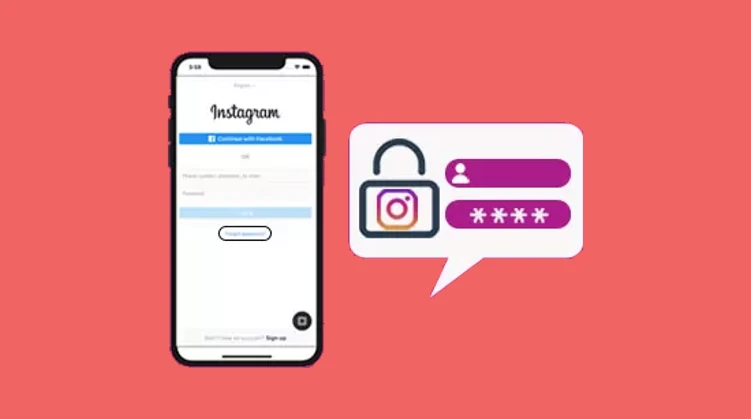
Today Instagram is very popular for photo and video sharing. Instagram or Instagram Lite To use the app, we need to create our Instagram ID. A new password has to be created and entered. Yours Insta ID It has been a long time coming. So, to secure your Instagram account, you should change your Instagram password. If you think someone has found your Instagram account password. So in such a situation, change your IGID password immediately. So let’s find out!… How to change your Instagram password Friends! Big Instagram celebrities with Instagram accounts with Millions I followers Huh, if their Instagram…

Read More

How to know a phone hack, how to prevent a mobile hack, how to hack a phone, and mobile hack symptoms Today, I will tell you how to know if someone has hacked your Android phone and how to fix it. By the way, Android comes with various security updates. Like a security patch that gets a different update every month (How to fix hacked phone), You are given an update to avoid this month’s viruses and malware. How do you know if the phone has been hacked? So how do you know if your phone has been hacked in…

Read More

Have you also forgotten your Facebook ID password? For that reason, my Facebook account Cannot log in. So you are reading the right article. We are on Facebook Line to make new friends and stay connected with our family members. Create a Facebook ID, but don’t write your password anywhere. We are never mobile Or want to run your Facebook account on the computer. So, the FB password cannot be used to log in to Facebook due to a lack of memory. Due to this, we face difficulties regaining access to our Facebook account. If something similar is happening to…

Read More

In today’s article, you will learn that. Who will install full DP on WhatsApp?, we keep changing Whatsapp DP i.e. profile photo, from time to time. You will want to put your full picture in WhatsApp DP. But if you don’t know Who to put my full photo on WhatsApp? then this article will be very useful for you. Have you ever put a DP on WhatsApp? So you must know that in WhatsApp, you can apply DP only in square i.e. 1:1 ratio. If you are on WhatsApp. Introduction picture In addition to my face, I also choose a…

Read More

To keep your Facebook ID secure, you should change your password periodically. And no common password should be used at all. Because anyone can easily access your FB account by guessing such a password. You’re here to find out how to change your Facebook password. So I will also share with you some important password-related tips that you need to know before changing your Facebook password. To learn these password creation tips, read this article how to create a strong Password You must read this. So let’s find out if you are new or old How to Change your Facebook…

Read More