
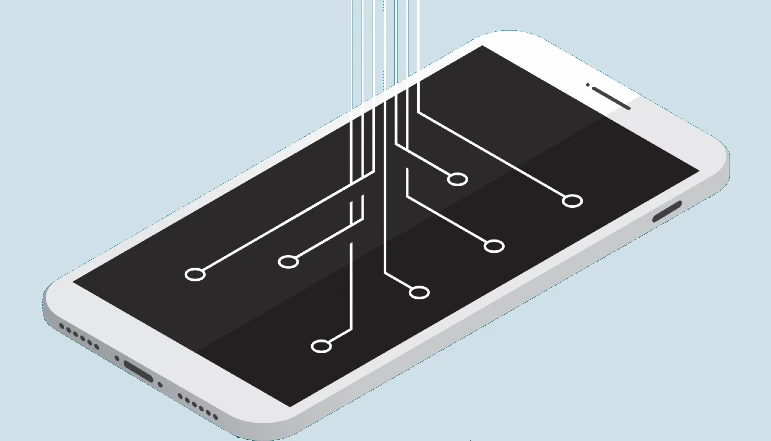
Today, more than 70% of people in India are using Android phones; it is the most popular operating system in the world so far; it was preceded by Symbian, Java, and many other operating systems, but still, no operating system is more popular than Android. The system could not be created. Running You must have heard about sensors in the Android operating system. But if you are using Android. If you don’t know about mobile sensors, read this post until the end.
What is a mobile sensor?
We can also call the sensor Gyanandri or Sensor in Hindi. You can also say the technology that the mobile uses to understand your gestures. His mobile is called a sensor.
Every Android phone has some features using which we start liking the phone more.
For example, when we make a call, we put the phone to our ear as soon as possible. The phone’s display turns off, and as soon as we remove the phone from our ear, the light turns on again.
All this is done only by the mobile sensor.
So today, we will discuss all the mobile sensors on Android phones and also learn which mobile sensor does what.
Types of Android Mobile Sensors
1. Light Mobile Sensor—The Light Mobile sensor is a very good sensor. It controls the phone’s brightness. With a light sensor, your phone’s display automatically dims whenever you’re in low light or the dark, and as soon as you go back to a sunny or bright spot, the phone’s light rises again. This will not strain your eyes due to high brightness in the dark and will also make the phone battery last longer.
2. Fingerprint Mobile Sensor—This mobile sensor is found in very few phones. However, nowadays, it is found in some cheap phones, as it was previously found only in expensive mobiles. This sensor is very good in terms of security. It helps you keep your phone more secure. For example, you can lock your phone with your fingerprint, after which the phone will unlock only with your fingerprint.
This lock is very secure; no one else can ever open it with their finger.
3. Proximity Mobile Sensor – Like the light sensor, the proximity sensor also controls the light in the phone, but here, it does not dim or dim the light but turns it on or off.
Whenever you call someone and hold the phone to your ear to talk, this sensor turns off the phone’s light so it doesn’t stay on for no reason, draining its battery.
4. Universal Remote Sensor—This mobile sensor is very good. You will find many apps on the Google Play Store that let you control the TV from your mobile. You may also want to control your TV and AC from your phone. You can do all this with just one universal remote sensor. Everything we do in our home is remote-controlled. You can control it from your mobile, like television or AC, Set U Box, etc.
5. Accelerometer mobile sensor—The accelerometer detects which direction your phone is turning. This sensor is very helpful when using the phone.
Like every time you watch a video, this sensor rotates the phone.
6. Gyroscope Mobile Sensor—The gyroscope sensor works like an accelerometer, but this sensor is more advanced than the accelerometer. The accelerometer can only rotate your phone’s display, but the gyroscope sensor can also detect the degree to which you are tilted. You can use this sensor mostly to play games.
7. magnetometer – Almost all new phones today have a magnetometer so that you can find the direction. It works like a direction indicator. You can use it in the wild. Since all the forest roads are the same, this yantra is often used by people roaming or hunting in the forests.
Also, if you have installed a metal detector in your phone, this sensor attracts iron. So you can also use your phone as a metal detector.
8. Thermometer Mobile Sensor—You all must know about the thermometer because every doctor has one for you, but the thermometer sensor on the Android phone is a little different. It doesn’t tell your temperature, but it can detect your heart rate and tell you how your health is.
Nowadays, you can also manage your health from your Android phone. Sensors like these help maintain your health.
9. Air Humidifier Mobile Sensor—You will only find this sensor in a few phones. It tells you the weather around you, how hot and how cold it is. No one uses this sensor much.
10. Measure Distance Mobile Sensor—This sensor has started to appear in some devices nowadays. With the help of this sensor, you can check the length or width of the room by standing in a corner of it. This sensor is often used for measurement purposes; we have seen some interior designers using it as well.
So, guys, it would be best if you liked this article of ours. What is a mobile sensor, and what are its uses? Let us know how you feel, and also share with your friends.





A little discussion goes a long way.
Ask a question, share your experience, or help someone find an answer.
There is room for your perspective.
No discussions match this view yet.
Your voice belongs here
Keep it useful. Keep it kind.