
Pakistan Post, the oldest and most reliable postal service in the country, is currently providing online parcel tracking to allow its customers to check their domestic and international parcels easily. You have sent a document, a package, or a money order, and you can track it anywhere in Pakistan in real time.
In this guide, we will explain how you can track Pakistan Post parcels online, tracking status meaning, and what to do if your parcel is delayed.
What is Pakistan Post tracking?
Pakistan Post has also updated its services with a digital tracking system that provides senders and receivers with full transparency about their parcels.
Every shipment is assigned a unique tracking number that can be used to
- Check current parcel status
- View delivery progress
- Confirm successful delivery
The online tracking system is available 24/7 and supports both domestic and international shipments.
How to track Pakistan Post parcels online
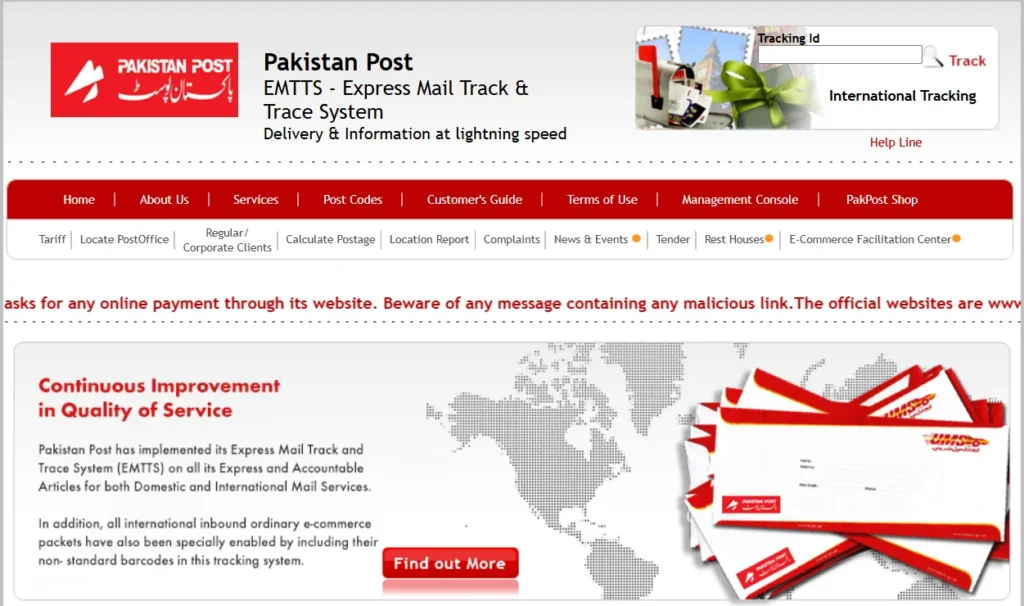
You can track your parcel online via the official Pakistan Post tracking portal.
- Visit the official website: https://ep.gov.pk/
- Enter your tracking number.
- Click Track or press Enter.
- The system will display
- Parcel origin and destination
- Dispatch date
- Current location
- Delivery status
Your tracking number starts with R, C, E, L, or V (e.g., RL123456789PK).
Pakistan Post tracking by SMS
You can also check your parcel status via SMS.
- Open your phone’s message app.
- Type your tracking number (e.g., CP123456789PK).
- Send it to 8899.
- You will receive a reply with your parcel’s latest update.
Standard SMS charges may apply and depend on your network provider.
Pakistan Post Tracking Status
Once you enter your tracking number, you will see a status update.
| Status | Meaning |
|---|---|
| Posted / Dispatched | Parcel has been received at the origin post office. |
| In Transit | Parcel is on its way to the destination. |
| Arrived at Office of Exchange | Parcel reached the sorting or transit center. |
| Out for Delivery | Delivery delayed or parcel returned due to an address issue. |
| Delivered | The parcel has been successfully delivered. |
| Held / Returned | Delivery delayed or parcel returned due to address issue. |
How to contact Pakistan Post for help
If your parcel shows no update, you can contact Pakistan Post’s customer support.
Customer Service Options
- Helpline: 051-111-111-117
- Email: customercare@pakpost.gov.pk
- Website: https://pakpost.gov.pk
- Office Hours: Monday to Saturday, 9 AM – 5 PM
- Address: Director General Pakistan Post Office, G-8/4, Islamabad
FAQs about Pakistan Post tracking
Q1: How long does Pakistan Post delivery take?
Local deliveries require 2–4 days, while international parcels can require 7–15 working days.
Q2: Can I track an international parcel?
Yes, Pakistan Post tracking system supports international parcel tracking via EMS and UPU databases.
Q3: My parcel is stuck in transit. What should I do?
Wait a few days or contact customer support for an update using your tracking number.
Q4: Is Pakistan Post tracking service free?
Yes, both the online and SMS tracking services are free, with small charges for SMS.


A little discussion goes a long way.
Ask a question, share your experience, or help someone find an answer.
There is room for your perspective.
No discussions match this view yet.
Your voice belongs here
Keep it useful. Keep it kind.