
Losing your cell phone is not only stressful due to the expense, but also due to the personal information stored in it. Luckily, Pakistan offers multiple online and official methods to trace, locate, and block lost or stolen mobile phones.
We will share with you a step-by-step guide on how you can check, report, and trace your lost mobile phone online in Pakistan, using PTA’s official system and other trusted methods.
Why mobile lost check is important
If you lose your phone, anyone can misuse your SIM card, access your social media accounts, or even steal your financial data. To avoid this, you must block or trace your lost mobile immediately.
Pakistan Telecommunication Authority (PTA) has an official portal known as DIRBS (Device Identification, Registration, and Blocking System), where users can easily and securely report and block stolen devices.
PTA mobile lost check
You can trace or block lost phones in Pakistan using their IMEI number.
- Call at PTA helpline: 0800-25625 or email at imei@pta.gov.pk
- Provide your personal details
- CNIC number
- Mobile number
- IMEI number(s) of the lost device
- Description of the incident
- Attach a copy of your CNIC and FIR (optional but recommended).
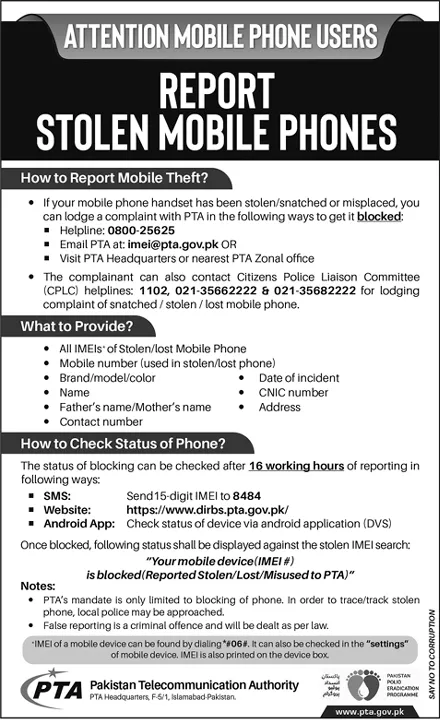
After verification, PTA will block your device within 16 working hours.
How to find your mobile IMEI number
Before you lose your phone, you should always know your IMEI number.
- Dial *#06# from your phone (before it’s lost).
- Check your mobile box, you will see an IMEI number on it.
- If your phone is linked to your Google account, visit Google Find My Device, and you can find IMEI under “Devices”.
- iCloud (for iPhone): Go to https://appleid.apple.com/ > Devices section.
If you have reported your phone lost, keep your IMEI safe for future reference.
Track lost Android phones with Google
Google offers a built-in service to help you find and secure your Android phone remotely.
- Visit https://www.google.com/android/find.
- Sign in with the same Google account linked to your lost phone.
- You will see
- Your phone’s last known location on Google Maps.
- Options to Play sound, Secure device, or Factory reset device remotely.
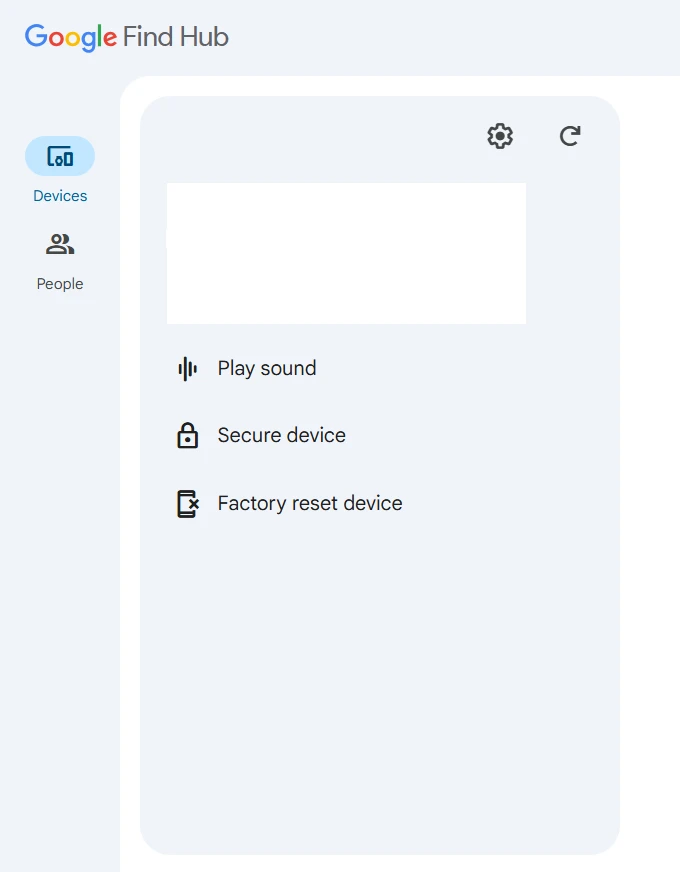
Note: This method only works if your device is connected to the internet and GPS.
Track lost iPhones using iCloud
For iPhone users, Apple’s Find My iPhone service allows real-time tracking.
- Visit https://www.icloud.com/find.
- Log in with your Apple ID.
- Select your device from the list.
- You can choose
- Play Sound (to locate nearby devices)
- Mark as Lost (locks the phone remotely)
- Reset iPhone (delete all data remotely)
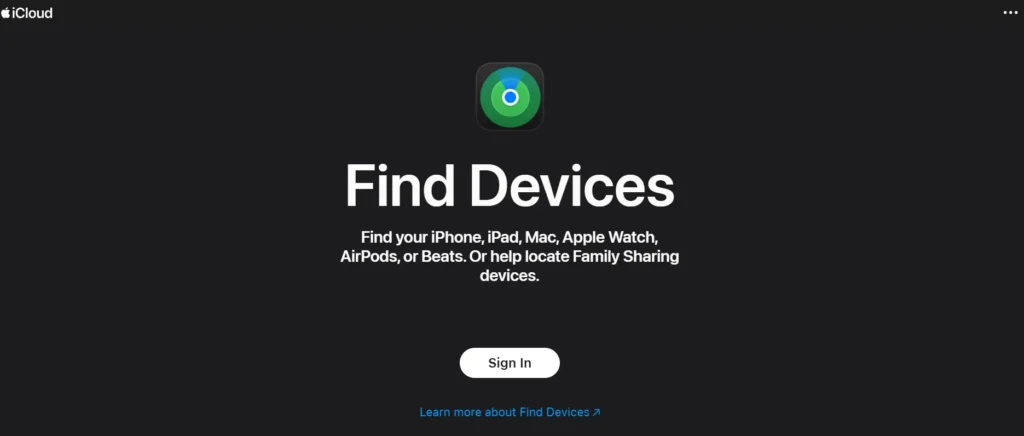
Apple will notify you via email with its latest location if your device goes online.
Report to your network operator
Once you have reported your phone to PTA, it’s also important to report your mobile network provider (Jazz, Zong, Ufone, Telenor).
They can
- Block your SIM card to prevent misuse.
- Help trace calls or data usage after the phone was stolen.
Helpline Numbers
| Network | Helpline |
|---|---|
| Jazz | 111 |
| Zong | 310 |
| Ufone | 333 |
| Telenor | 345 |
File an FIR for lost mobile
Visit your nearest police station and file an FIR if your phone was stolen.
Mention your
- IMEI number
- Device brand and model
- Date and location of theft
An FIR helps strengthen your PTA claim and is helpful for insurance or legal protection.
Check mobile block status online
After submitting your complaint to PTA, you can verify whether your phone has been blocked or not.
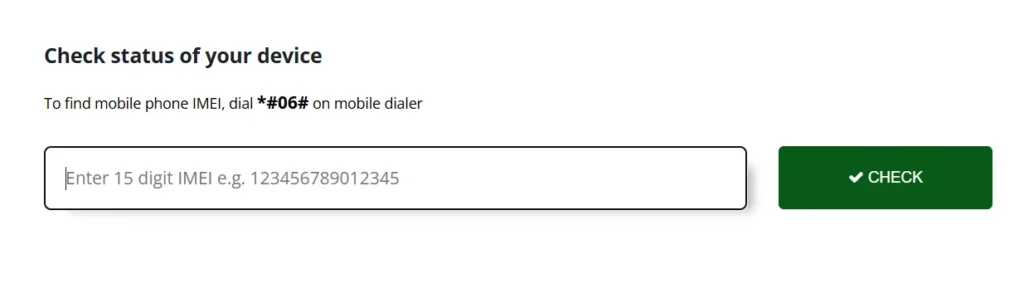
- Visit https://www.dirbs.pta.gov.pk/.
- Click on “Device Verification”.
- Enter your IMEI number.
- The portal will show
- Blocked: The phone is reported lost and cannot be used.
- Compliant: The device is registered and active.
- Non-compliant: The device is not registered in DIRBS.
FAQs for Mobile Lost Check Online Pakistan
Q1: Can PTA track the exact location of my phone?
No, PTA only blocks the device using IMEI, and it does not provide live tracking.
Q2: How long does PTA take to block a reported mobile?
Normally, within 16 working hours after verification.
Q3: Can I recover my lost phone without IMEI?
IMEI is required for blocking, without it, tracking becomes extremely difficult.


A little discussion goes a long way.
Ask a question, share your experience, or help someone find an answer.
There is room for your perspective.
No discussions match this view yet.
Your voice belongs here
Keep it useful. Keep it kind.