
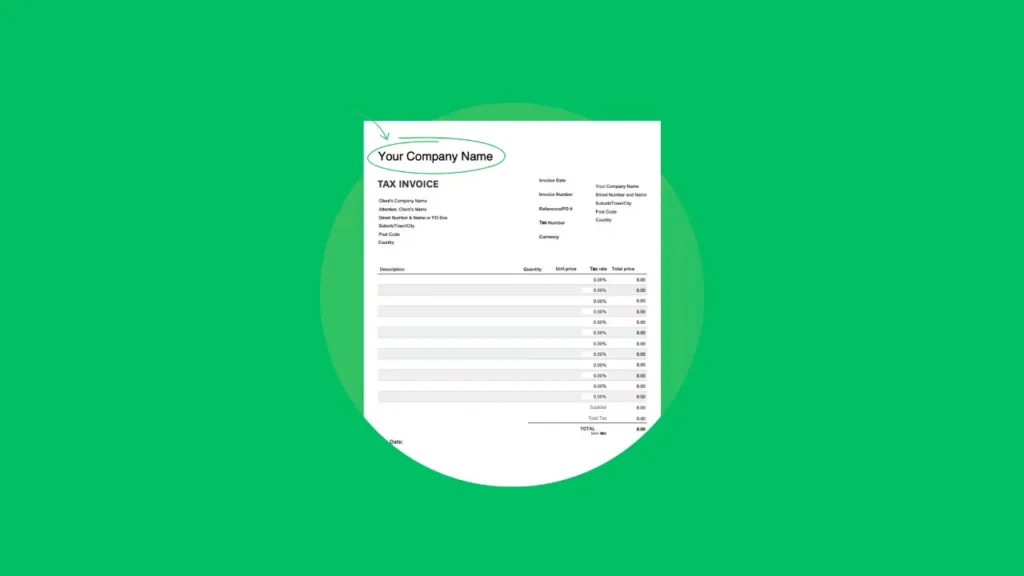
Invoice Generator
INVOICE
From:
To:
Invoice #:
Date:
Payment Terms:
Due Date:
PO Number:
| Item | Quantity | Price | Amount |
|---|
Subtotal: $0.00
Tax: $0.00
Discount: $0.00
Shipping: $0.00
Total: $0.00
Amount Paid: $0.00
Balance Due: $0.00
Notes:
Terms:
Dealing with client bills often requires a lot of time, particularly for small businesses, independent freelancers, and service providers. That is why we offer our Free Invoice Generator Tool. You can easily create and customise invoices online, and everything downloads automatically without the need for any software.
What Is an Invoice Generator Tool?
An invoice generator is an online tool that allows you to enter important details, such as company name, client’s name, payment conditions, service list, and the grand total. It only takes seconds to make printable and downloadable invoices with our tool.
Features of Our Invoice Generator
- Logo Upload
Personalize your invoice with your company’s logo to maintain a professional identity. - Business and Client Details
Enter your company’s name, address, and the recipient’s billing info for a complete invoice format. - Invoice Details
Specify invoice numbers, issue dates, due dates, purchase order (PO) numbers, and payment terms for accurate record-keeping. - Line Items with Calculations
Add unlimited items with quantity and unit price; the tool will auto-calculate the total for you. - Tax, Discount, and Shipping
Include additional costs or deductions to reflect the accurate payable amount. - Notes and Terms Section
Add comments or important billing policies in the notes and terms section. - Instant Invoice Preview
See a real-time preview of your invoice as you fill in the form. - Downloadable PDF Invoice
Generate a PDF version of your invoice that can be downloaded, printed, or emailed to your client.
Who Should Use This Tool?
- Freelancers
- Startups and small business owners
- Consultants
- Service providers
- Agencies
If regularly making invoices for clients is part of your work, this service is easy.
Why Choose Our Invoice Generator?
- 100% free and easy to use
- No sign-up required
- Customizable and professional layout
- Supports business branding with logo upload
- Compatible with desktop and mobile browsers
How to Use It?
- Upload your business logo.
- Fill in sender and recipient information.
- Add invoice number, dates, and payment terms.
- List the services or products, including their quantity and price.
- Include tax, discount, or shipping (if applicable).
- Add any custom notes or terms.
- Click “Generate Invoice” to preview it.
- Hit “Download” to save your invoice in PDF format.
Our free Online Invoice Generator lets you save time and be paid more quickly. Our tool can handle one invoice or a hundred, always making the process simple and fast.



A little discussion goes a long way.
Ask a question, share your experience, or help someone find an answer.
There is room for your perspective.
No discussions match this view yet.
Your voice belongs here
Keep it useful. Keep it kind.