
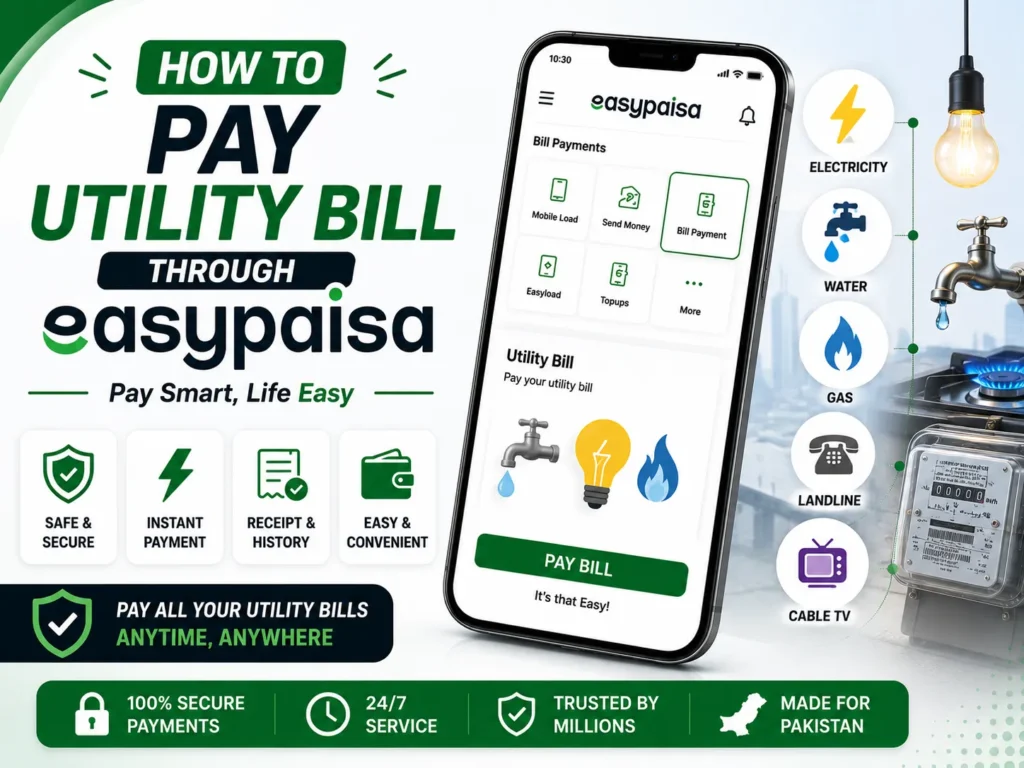
Every individual has to handle the chores of clearing utility bills, and again, the efforts that used to be made manually have been greatly enhanced by technology. EasyPaisa is a payment solution for Pakistan, where customers can pay their utility bills using a smartphone and an existing account.

How to pay Utility Bill through Easypaisa
The following are the steps to learn how to pay utility bills through Easypaisa.
- Open Easypaisa and log in to your account.
- Scroll to the ‘Bill Payment’ option.
- Click on the ‘Utility Bill’ option.
- Enter your customer number or account ID.
- Check your bill details.
- Click on the “Confirm” option to confirm the payment.
- Now, enter your Easypaisa account PIN.
You will receive a confirmation message after making a successful payment.
Citizens use services such as the EasyPaisa application to avoid the tedious process of physically remitting utility payments. As explained above, it is easy to take charge of your bill payments, whether when you are at home or even when you are out. Besides being time-effective, it also brings an extra layer of assurance and independence to your monetary dealings.



A little discussion goes a long way.
Ask a question, share your experience, or help someone find an answer.
There is room for your perspective.
No discussions match this view yet.
Your voice belongs here
Keep it useful. Keep it kind.