

Want to create some funny, cool, or personalized videos with swapped faces? You can swap faces in a video online, with the help of AI, and it is free as well, without any download. Whether you want to create social media posts, memes, or professional edits, these tools offer unlimited face swapping.
Here is a complete guide on best AI face swap video tools you can use.
Face Swap Video AI Free Tools for Photos & Videos
1. Remaker AI Face Swap Free
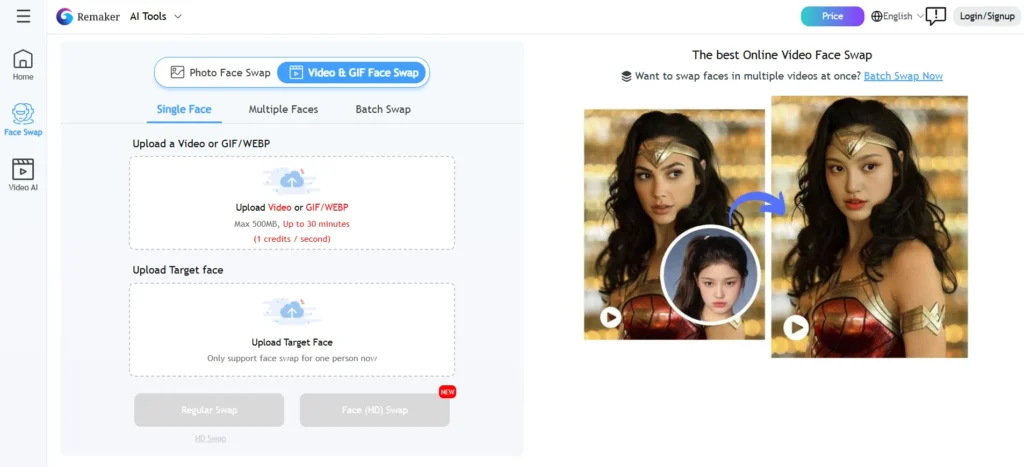
Remaker AI is one of the most powerful online tools that offers free face swapping of both photos and videos. And its most standout feature is its accuracy, natural blending, and multi-mode support. You can swap one face, multiple faces in the same picture, or even swap a face in a video from your browser.
Key Features
- Swap faces in photos & videos.
- Supports Single Face, Multiple Faces, and Video Face Swap.
- Produces highly realistic results.
- No watermark in free version (if downloaded in 24 hours).
Perfect for creating memes, reels, and stories, or just having fun.
Pros
- Advanced facial alignment & natural blending.
- No downloads or installations needed.
- 100% free with basic options.
Cons
- Interface might take time to learn for new users.
- Upload restrictions for NSFW content.
2. Reface Web
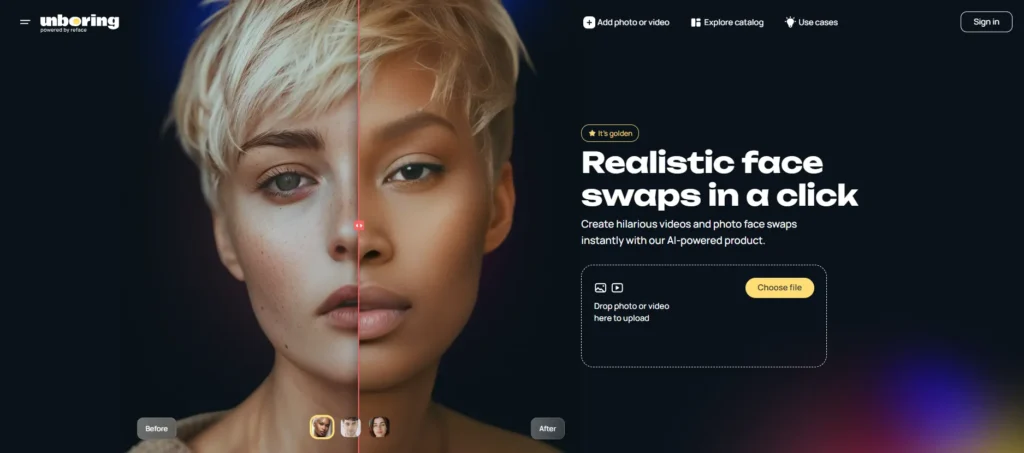
Reface Web brings the magic of the popular mobile application to the browsers. It is known as an easy drag-and-drop interface with real-time previews and fun content types. It allows the user the ability to easily replace his or her face in viral videos, film snippets, or popular GIFs.
Key Features
- Huge library of ready-made templates.
- Supports photo and video face swaps.
- Allows download and sharing instantly.
Perfect for social media posts, viral memes, and reels.
Pros
- Simple interface and perfect for beginners.
- Offers instant previews of swapped clips.
- Supports fun content creation.
Cons
- Advanced features require premium subscription.
- May not perform well with high-resolution footage.
3. DeepSwapper
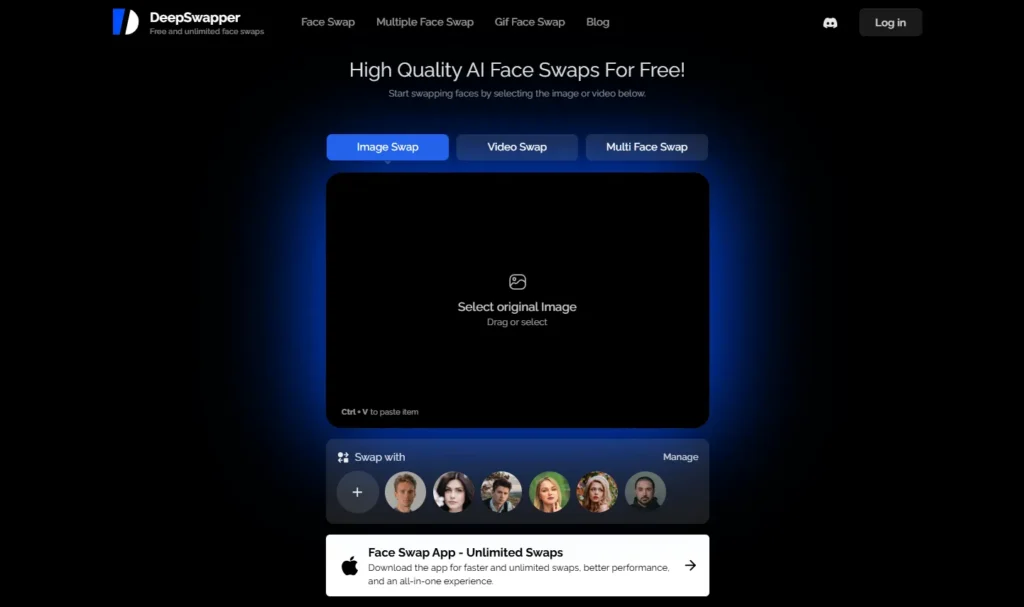
DeepSwapper is an AI face swap tool used in a browser that focuses on providing clear and smooth face swaps concerning videos and images. It is user-friendly and offers good results without having to sign up your an account to do some basic tasks.
Key Features
- Swap multiple faces in the same video.
- Works online with no software needed.
- Quick generation with deepfake-like realism.
Perfect for social media creators, parody videos, or spoof content.
Pros
- Works fast with accurate facial mapping.
- Does not need registration for basic use.
- Reliable for both casual and professional use.
Cons
- Free version may include watermark.
- Limited control over advanced customizations.
4. FaceMagic Online
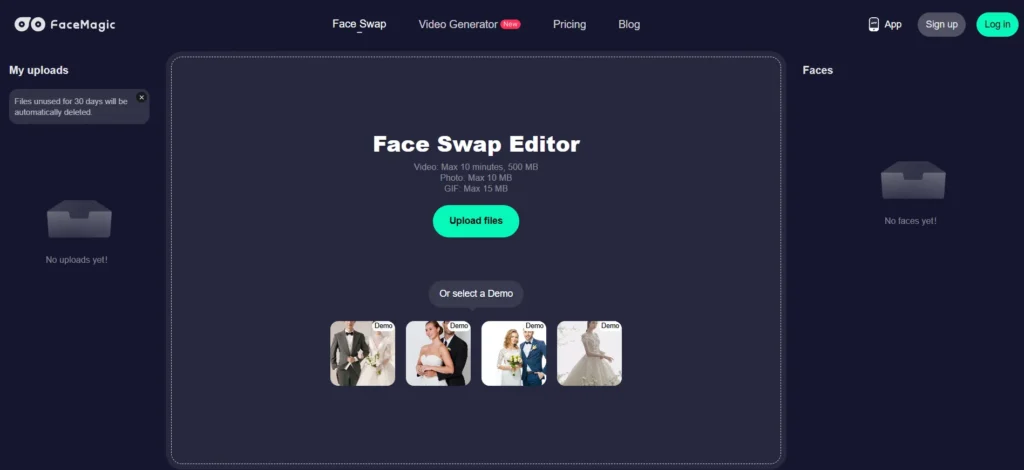
FaceMagic has unlimited face swapping, both in video and photo files, and is a fan favorite of people who do not want to log in or be subscribed. It is light, quick, and perfect for frequent users who make a lot of short videos.
Key Features
- Unlimited daily use for photo and video face swaps.
- Supports drag-and-drop uploads.
- No mandatory sign-up for basic usage.
Perfect for creators who want speed and advanced editing easily.
Pros
- User-friendly interface with no daily usage limit.
- Works well for casual video creators and meme-makers.
- Good balance between speed and quality.
Cons
- Slower processing in free mode.
Making something special or funny is as easy as you can imagine with the help of these free face swap video AI apps. Do you want to laugh, be creative, or even get a professional result? Services such as Remaker, DeepSwapper, and Reface provide outstanding results.
FAQs About Face Swap Video Online Free
1. How does face swap video AI work?
AI-based tools compare the facial features in deep learning and apply deep skin to create a new face that fits the same expressions, lighting, and tone.
2. Can I use Face Swap AI for both photos and videos?
Yes, swapping faces in both image and video is possible with a lot of tools, such as Remaker or DeepSwapper.
3. What’s the best free AI face swap video tool?
Remaker AI Face Swap Free is unique in that it has a perfect balance of good quality, usability, ease-of-use, and convenience in working with photos and videos.


A little discussion goes a long way.
Ask a question, share your experience, or help someone find an answer.
There is room for your perspective.
No discussions match this view yet.
Your voice belongs here
Keep it useful. Keep it kind.