Close Menu

    Subscribe to Updates

    Get the latest creative news from FooBar about art, design and business.

    What's Hot

    250+ Cool Minecraft Names Ideas (Funny & Unique)

    June 4, 2026

    150+ Cute and Funny Nicknames for Boys

    June 4, 2026

    150+ Best Funny WiFi Names – Unique, Cool & Good

    June 4, 2026
    Facebook X (Twitter) Instagram
    Trending
    • 250+ Cool Minecraft Names Ideas (Funny & Unique)
    • 150+ Cute and Funny Nicknames for Boys
    • 150+ Best Funny WiFi Names – Unique, Cool & Good
    • Best WhatsApp Group Names Ideas [Updated]
    • Clever, Private Story Names Ideas For Snapchat Stories
    Facebook X (Twitter) Instagram Pinterest YouTube Bluesky WhatsApp TikTok Threads RSS
    WikiTechLibrary
    • How To
    • Technology
    • Gaming
    • Freebies
    • Reviews
    • Names Ideas
    WikiTechLibrary
    Home»Reviews»Best PDF Readers You Should Try

    Best PDF Readers You Should Try

    Muqadas FatimaBy Muqadas FatimaJanuary 14, 2026No Comments4 Mins Read
    Facebook Twitter Pinterest Telegram LinkedIn Tumblr WhatsApp Email Bluesky Reddit Threads Copy Link
    best pdf readers
    Share
    Facebook Twitter LinkedIn Pinterest Telegram Email WhatsApp Threads Copy Link

    PDF files are an important part of digital workflows, and they are generally related to software manuals, technical documentation, contracts, academic papers, and eBook reading.

    Picking up an appropriate PDF reader could be the turning point in the ability to browse, note, edit, and arrange your files. Here are five of the best PDF readers to consider.

    Table of Contents show
    1 Sumatra PDF – Best Lightweight Reader
    1.1 Features
    2 SodaPDF – Best for Editing & Conversion
    2.1 Features
    3 Adobe Acrobat Reader DC – Industry Standard
    3.1 Features
    4 Foxit Reader – Feature-Rich & Fast
    4.1 Features
    5 Web Browsers (Chrome, Firefox, Edge) – Quick PDF Viewing
    5.1 Features

    Sumatra PDF – Best Lightweight Reader

    Sumatra PDF is best suitable for scenarios where you are the person desiring something less cumbersome but still manages quite effectively in your system.

    There is no doubt that unlike their feature-rich counterparts, Sumatra uses speed and simplicity. It not only loads PDF files in a fraction of seconds, but you can also almost feel that it is the only program on your PC that needs no other features like annotation, editing, and signing.
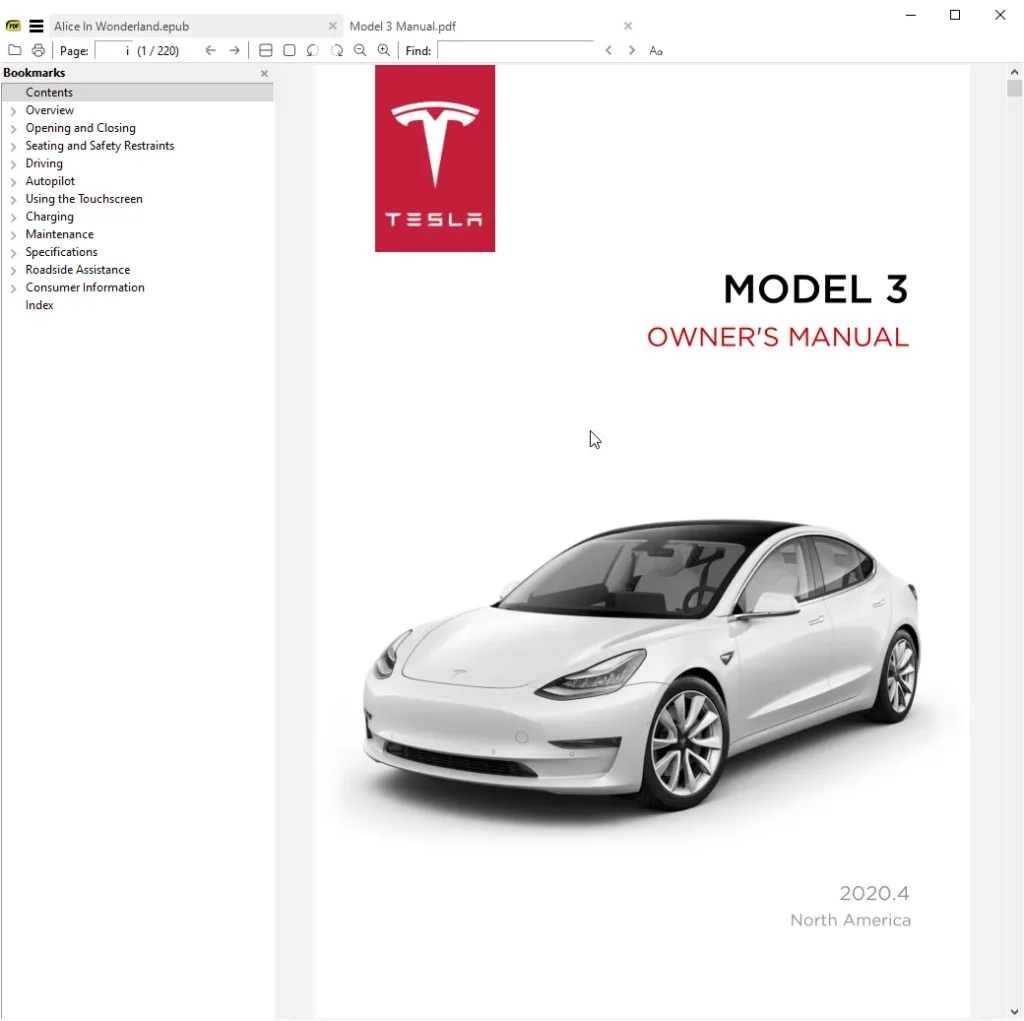
    sumatrapdfreader

    Features

    • Supports multiple formats, including PDF, EPUB, MOBI, CHM, DJVU, and CBR.
    • Ultra-lightweight and portable version available.
    • Various viewing modes, including single-page, continuous scrolling, and book view.
    • Bookmark support for quick access to important pages.
    READ ALSO:  A quick review of YouTube Shorts Downloader by Y2Mate.is

    Best for: Users who need a fast and lightweight PDF reader.

    Platform: Windows

    Price: Free

    Try It

    SodaPDF – Best for Editing & Conversion

    SodaPDF is a PDF reader and comes with various features such as editing and modifying the PDF. Apart from full-fledged viewing, it also facilitates PDF document management.

    With the help of our free SodaPDF Solitaire, one can access, edit, and sign PDFs within a fraction of the time, be it at home, in the office, or any other place. It also includes OCR (Optical Character Recognition) technology, making converting scanned documents easily into editable text.
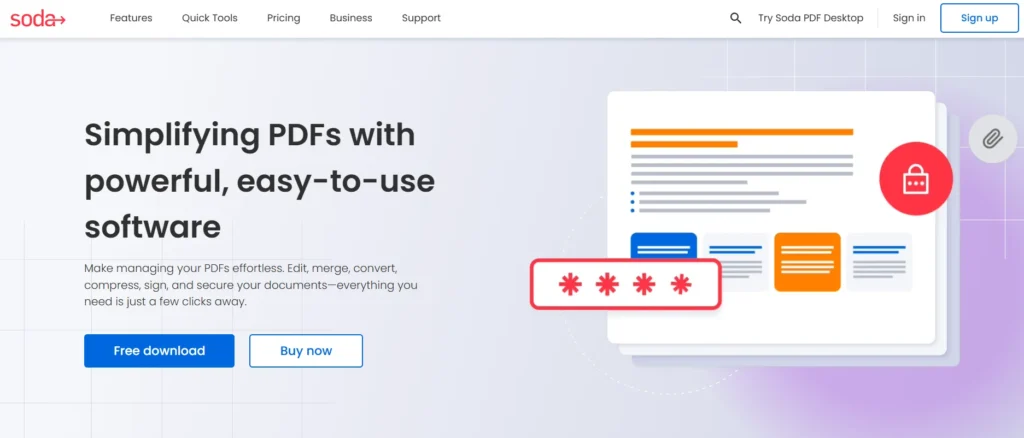
    sodapdf

    Features

    • Simple editing tools, such as cut, copy, paste, etc., to change PDFs.
    • Batch conversion to multiple formats (Word, Excel, HTML, etc.).
    • OCR technology is used to extract text from images and scanned PDFs.
    • Digital signature technology to protect your files.

    Best for: Professionals who need a PDF editor with conversion and OCR features.

    Platform: Windows

    Price: Paid (Starts from $48/year)

    Try It

    Adobe Acrobat Reader DC – Industry Standard

    Adobe Acrobat Reader DC is the gold standard for PDF reading. As the creator of the PDF format, Adobe provides one of the best PDF readers with features like great viewing, annotation, and security. It allows users to open, print, sign PDF documents, and even handle password-protected files.
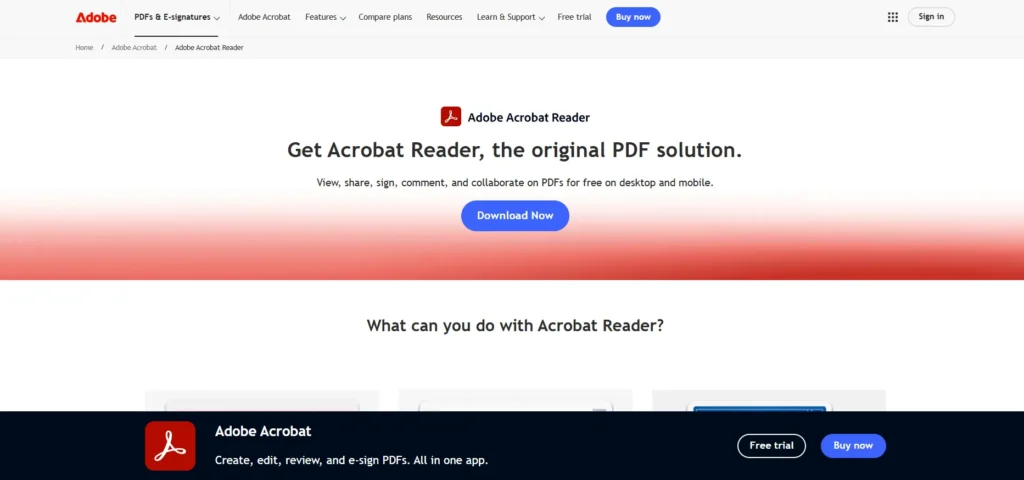
    adobe pdf reader

    Features

    • Tabbed viewing for multiple documents.
    • Cloud storage integration with Adobe Document Cloud.
    • Form-filling and electronic signature support.
    • Read Aloud feature for text-to-speech functionality.
    READ ALSO:  HomeworkAI Review: An Advanced Homework AI

    Best for: Users who need a reliable, full-featured PDF reader with cloud integration.

    Platform: Windows, macOS

    Price: Free (Paid version available for advanced editing)

    Try It

    Foxit Reader – Feature-Rich & Fast

    The Foxit Reader definitely stands out as one of the preferred PDF readers, equipped with a wide range of features such as annotation and collaboration tools. It includes a modern user interface allowing for good performance.

    This is not a basic PDF reader; Foxit has much more functionality, and you can edit, annotate, and share files. It has a tabbed interface, so you can open several PDFs simultaneously.
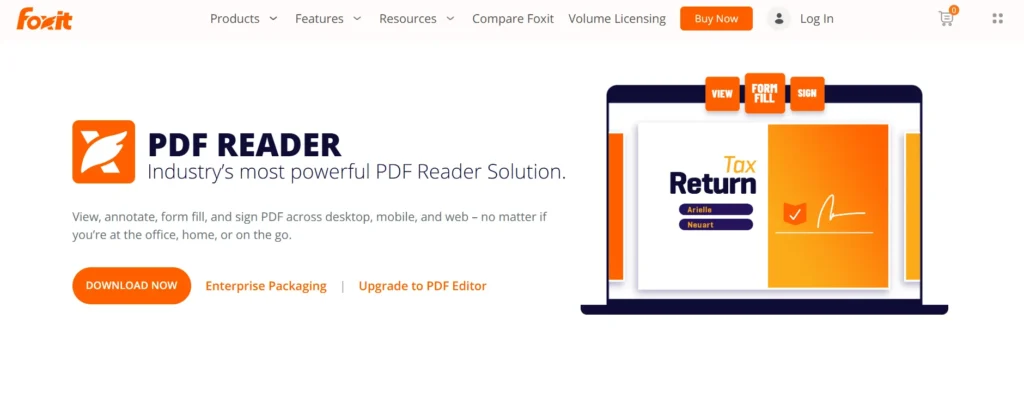
    foxit pdf reader

    Features

    • Ribbon-style UI, just like in Microsoft Office.
    • Advanced annotation tools: you can add comments, highlights, and callouts.
    • Document security is guaranteed with a password and encryption.
    • Unlimited cloud integration like Evernote, Google Drive, and OneDrive make sharing files easier.

    Best for: Users who need an all-in-one PDF viewer with the ability to edit, and with the security feature.

    Platform: Windows, macOS, Linux

    Price: Free

    Try It

    Web Browsers (Chrome, Firefox, Edge) – Quick PDF Viewing

    An easy and fast way to open PDF files without installing additional software is by using the web browsers themselves.

    Did you know that apart from browsing through the internet, your web browser is also a PDF reader? You will likely be able to open and view these web browsers for free through these web browsers. Similarly, Microsoft Edge has annotation and editing options.

    READ ALSO:  RoxyBrowser Antidetect Browser Review 2026: Pros, Cons, and Features

    Features

    • No need to install extra software.
    • Supports basic annotations (Edge).
    • Fast and secure PDF viewing experience.
    • Works on multiple platforms.

    Best for: Users who need a simple, no-installation PDF viewer.

    Platform: Windows, macOS, Linux

    Price: Free

    Download Chrome | Download Firefox | Download Microsoft Edge

    Each of these PDF readers has its strengths, so choose the one that best fits your workflow. Which PDF reader do you use? Let us know in the comments


    Related Posts
    Hostinger Review 2026: Is It a Good Option for You?
    hostinger review
    RoxyBrowser Antidetect Browser Review 2026: Pros, Cons, and Features
    roxybrowser-review-antidetect-browser
    QuillBot Review 2024: The Ultimate Writing Assistant
    quillbot
    Face Swap Video Online Free: Best AI Tools to Try
    face swap video online free tools
    Jpgtotext.io Review: A Detailed Guide to Its Features, Prices and Uses
    jpgtotext
    Best VPNs For Italy
    vpn working
    Share. Facebook Twitter Pinterest LinkedIn Tumblr Email
    Muqadas Fatima

    Muqadas Fatima is a dedicated writer at WikiTechLibrary, focusing on creating insightful "how-to" tutorials related to social media, tech, and life hacks. With a keen interest in simplifying the complexities of digital world, she creates content that helps readers improve their social media skills and adopt practical solutions for everyday challenges.

    Related Posts

    Best AI Girlfriend chatbot tools

    Best free Solitaire games for Android

    I ditched Adobe Acrobat. Here’s the free tool I use everyday now

    Best AI Girlfriend Apps 2026: Chat, Flirt & Build Virtual Relationships

    The Best AI Anime Image Generators to Try

    Best Cheap Web Hosting in Pakistan with Free Domain

    Add A Comment

    Leave a ReplyCancel reply

    Latest Post
    Names

    250+ Cool Minecraft Names Ideas (Funny & Unique)

    By Muqadas Fatima
    Names

    150+ Cute and Funny Nicknames for Boys

    By Muqadas Fatima
    Names

    150+ Best Funny WiFi Names – Unique, Cool & Good

    By Farah Qaiser
    Names

    Best WhatsApp Group Names Ideas [Updated]

    By Farah Qaiser
    Most Viewed

    Threads: A Complete Guide on Downloading and Using the Threads App

    July 6, 2023

    Jazz Ramadan Offer

    February 18, 2026

    How to Delete Your LinkedIn Resume

    January 26, 2024

    How to mute Groups, Channels, and Chats on Telegram

    November 8, 2022

    WikiTechLibrary is the Digital Library covering Content Primarily Related to Tech, How-To, Tips & Tricks, Social Media, Gaming, Education, Business & Finance, Telecom, Crypto, and Much More. We always try to provide new information to our visitors.

    Email: [email protected]

    Facebook X (Twitter) Instagram Pinterest YouTube Bluesky WhatsApp TikTok Threads RSS
    Our Picks

    Zong 4G Internet Setting Code – Zong Internet Setting 2025

    August 15, 2023

    Roblox One Fruit Simulator Codes 2024

    January 24, 2024

    WhatsApp launches AI-Powered ‘Writing Help’ feature for smarter messaging

    August 28, 2025
    Top Reviews

    Metadoro Reviews: The Perfect Blend of Trading and Investment Opportunities

    October 15, 2023

    NordVPN Review 2024: Best VPN for Streaming and Torrenting?

    October 15, 2023

    I Tested the 5 Best AI Website Builders That Actually Work

    January 6, 2026
    © 2026 WIKITECHLIBRARY | All Right Reserved
    • About Us
    • Contact
    • Disclaimer
    • Privacy Policy
    • Terms
    • Cookies Policy
    • Editorial Policy

    Type above and press Enter to search. Press Esc to cancel.

    Join Now

    Loading Comments...