

AI Hug Video Generators are gaining popularity because they enable users to create heartwarming, touching, or nostalgic videos that simulate a hug between two people using AI. With these tools, it will be possible to recreate every sentiment and say goodbye with tearful eyes, as well as bring characters together out of fiction.
Best Free AI Hug Video Generators
If you are a viewer, creator, or just curious, here are the best free AI hug video generator tools, along with their details and a guide to using them.
1. Pollo AI – Hug Video Creator from Photos

Pollo AI is one of the most popular hug video generators. It allows you to share two pictures of people with you and your loved one or favorite celebrity, and it uses artificial intelligence to develop a video in which both faces seem to be hugging. It is best for emotional narration, making it effective in tribute narration or for conveying feelings in long-distance relationships.
Key Features
- Advanced face recognition for natural hugs
- Optional emotional background music
- High-resolution video output (even free)
- Custom characters and styles
How to Use
- Upload two clear, front-facing photos.
- Select optional music.
- Click “Create” to render your hug video.
2. AI Hugging – Deep Emotional Hug Scenes
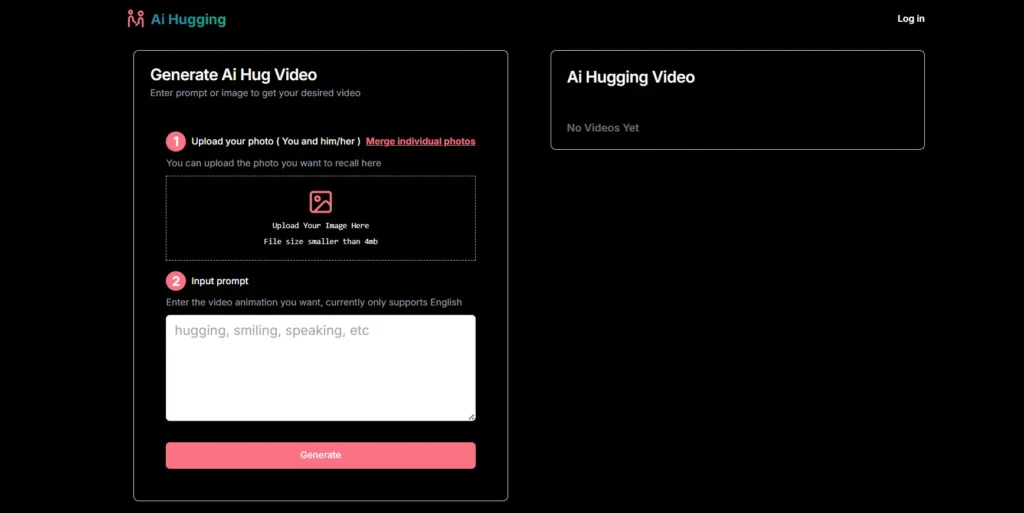
AI Hugging lets users select the type of emotional interaction they want to present. The platform supports multiple styles and intensities of the hug, whether it is a happy reunion or a comforting embrace. It is ideal for those who want emotional realism.
Key Features
- Multiple animation moods
- Emotion control: sad, joyful, peaceful
- Minimal setup required
How to Use
- Visit the site and click “Get Started.”
- Upload two photos under 4MB.
- Input animation prompt.
- Click generate and download.
3. Video AI Hug (Web-Based Tool)

The tool does not require registration and is designed exclusively for providing hugging animations. It is easy to use: just upload your image, describe the situation (optional), and generate a short AI video clip. It is one of the few platforms offering a free experience on your first try.
Key Features
- No account needed
- Scene personalization with prompts
- Fast rendering
- Works on both mobile and desktop
How to Use
- Visit the site and upload two images.
- Provide prompt (e.g., “emotional hug in sunset”).
- Click generate, and preview your result.
4. iMyFone DreamVid – Mobile AI Hug App
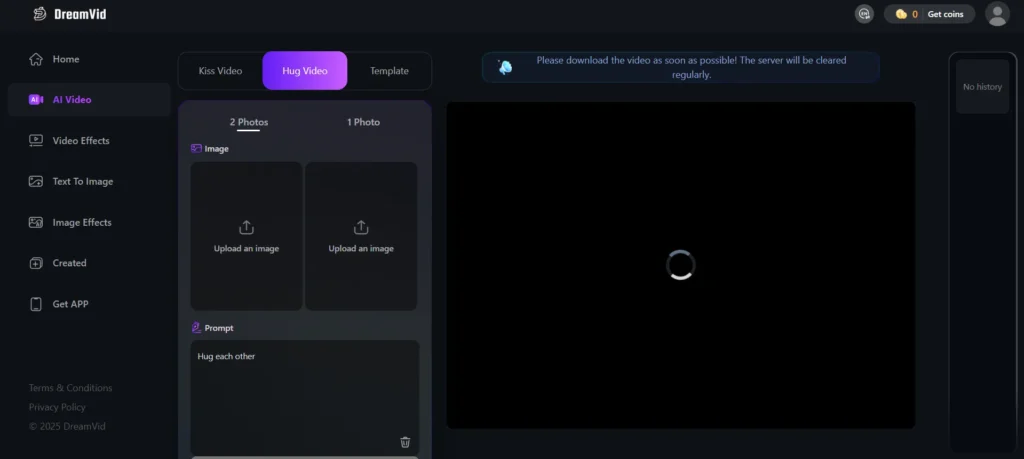
iMyFone DreamVid is created for fast, mobile-friendly AI animation generation. It enables users to upload two clear photos and create a hug scene animation, perfect for reels and TikTok. It has a coin-based system, but users get some free credits to start.
Key Features
- Android & iOS app available
- Multiple animation templates
- Fast processing even on mobile
- Safe and secure face processing
How to Use
- Visit DreamVid on web or app.
- Upload your front-facing photos.
- Choose hugging animation.
- Click generate and download.
5. JoyTu – AI Hug Video App for Creative Users
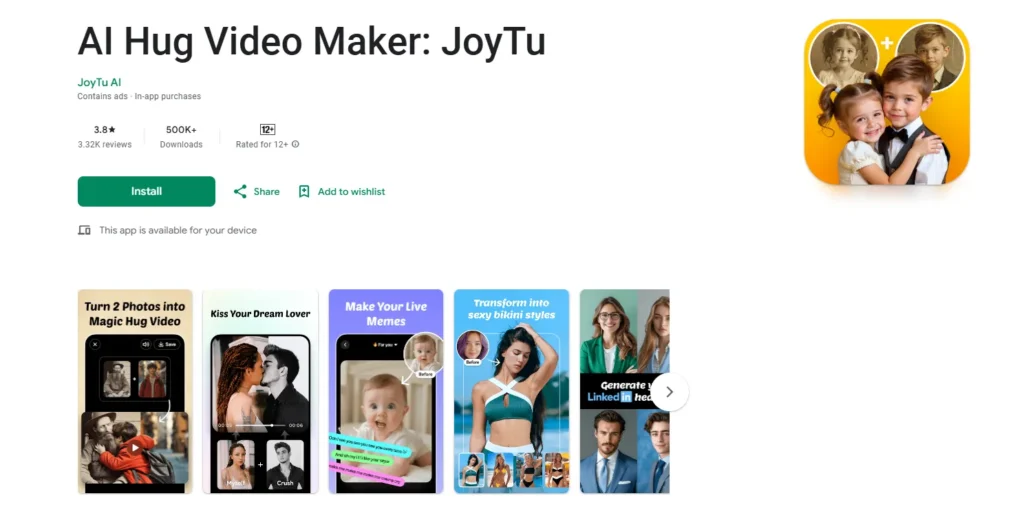
JoyTu is a community-based and fun video app that promotes stylized and more anime-looking hugging videos. It also gives one some creative freedom as the style can be chosen between romantic and cartoonish. It is popular with Gen Z on Instagram Reels.
Key Features
- Anime or realistic art styles
- Custom duration and output quality
- Free + premium styles available
How to Use
- Download JoyTu on your device.
- Upload your images or use examples.
- Choose the animation style (e.g., hugging).
- Tap “Continue” to generate the video.
Tips for Better Hug Videos
- Use High-Quality Photos: Do not use blurry or angled faces.
- Match Lighting: Both photos have similar lighting conditions.
- Choose Emotional Prompts: Words like “reunion” or “goodbye” add depth.
- Use Head-On Portraits: Best for face detection and realistic motion.
AI hug video generators are growing fastly. They enable anyone to express emotions creatively using digital pictures and share them through social media.
When you are ready to explore and create more ways to engage emotions with AI-powered storytelling, try any of the tools above and let your creativity shine.
Frequently Asked Questions
Q1: Can I use AI Hug Video Generators on my phone?
Yes, JoyTu and iMyFone DreamVid offer mobile apps to create AI hug videos.
Q2: Are these platforms safe?
Yes, but always check their privacy policy before uploading personal photos.
Q3: Can I do more than hugging videos?
Yes, some platforms also support kissing, dancing, and vintage-style animations.
Q4: Can I change the background or clothing?
Some premium tools offer customization of tool outfits, background, and hug style.



A little discussion goes a long way.
Ask a question, share your experience, or help someone find an answer.
There is room for your perspective.
No discussions match this view yet.
Your voice belongs here
Keep it useful. Keep it kind.