
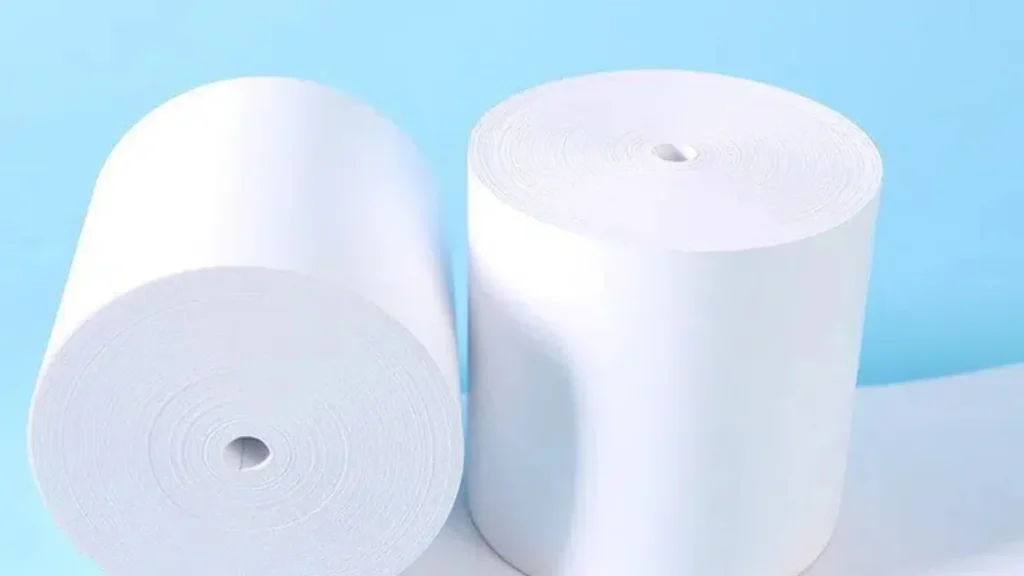
Thermal paper rolls are essential for quick, clean, and reliable printing in retail shops, restaurants, pharmacies, banks, and many other workplaces. A thermal paper roll uses heat-sensitive paper to produce sharp text without ink, which makes thermal paper rolls cost-effective and easy to maintain. Because of their speed and convenience, thermal paper rolls are the most trusted choice for modern POS systems.
Understanding Thermal Paper Rolls
Rolls Thermal paper rolls are specifically coated with heat-reactive compounds. When the printer head touches the thermal paper roll, it creates a clear print instantly. This is why thermal paper rolls are used in machines that require fast printing, such as billing counters, ticket booths, and credit card machines. Businesses prefer thermal paper rolls because they reduce errors, save time, and keep operations smooth.
Why Businesses Need Thermal Paper Rolls
Each business needs printing that is fast and accurate. Thermal paper rolls are important because they offer:
- Quick printing without ink
- Clean and readable billing
- Long-lasting print quality
- Smooth workflow during rush hours
These advantages make thermal paper rolls a reliable choice for high-traffic environments where every second matters.
Key Benefits of Using Thermal Paper Rolls
Thermal paper rolls bring several benefits that improve business efficiency.
1. No Ink or Toner Needed
There is no need for ink tanks because a thermal paper roll uses heat to print. This reduces cost and makes thermal paper rolls a clean and simple printing solution.
2. Fast and Sharp Printing
When using thermal paper rolls, the print appears instantly. There is no drying time, smudging, or delay, which makes thermal paper rolls perfect for POS counters.
3. Low Maintenance
Because thermal paper rolls do not require ink, printers using thermal paper rolls have fewer parts to clean or replace. This increases machine life and reduces repair costs.
4. Professional Presentation
Thermal paper rolls give a clean, sharp, and professional print, helping businesses present receipts and tickets neatly to customers.
Various Sizes of Thermal Paper Rolls
Depending on the type of equipment, thermal paper rolls are available in a variety of sizes. Choosing the right size ensures the thermal paper roll fits properly and prints smoothly.
Common thermal paper roll sizes include:
- 80mm x 80m – Suitable for supermarkets, big retail stores
- 80mm x 60m – Used in medium POS counters
- 57mm x 38m – Popular for credit card machines
- 57mm x 50m – Used in handheld POS devices
- Shipping label rolls (4×6 inches) – Used in logistics and courier printing
These options allow thermal paper rolls to work with many different printers used across industries.
Thermal Paper Roll-Using Industries
Nearly everywhere, thermal paper rolls are utilized.. Their versatility makes thermal paper rolls valuable for:
- Retail stores – Billing and barcode labels
- Restaurants – Kitchen orders and customer receipts
- Pharmacies – Prescription labels and receipts
- Banks – ATM slips and transaction proofs
- Logistics companies – Shipping labels and tracking stickers
- Hospitals – Patient slips and queue tickets
Since every transaction requires documentation, thermal paper rolls remain essential in many sectors.
How to Pick the Best Rolls of Thermal Paper
1. Verify compatibility
Every POS printer requires a specific width and diameter. Always confirm that the thermal paper roll matches your machine.
2. Choose High-Quality Coating
The print quality of thermal paper rolls depends on the coating. Better coating protects the print from fading quickly.
3. Pick BPA-Free Rolls
Businesses prefer BPA-free thermal paper rolls because they are safer and environmentally friendly.
4. Consider Roll Length
Longer thermal paper rolls reduce the need for frequent refills, especially in busy stores.
5. Buy in Bulk
Buying thermal paper rolls in bulk reduces cost and ensures continuous supply.
Maintaining Thermal Paper Rolls for Best Results
- Keep thermal paper rolls in a cool, dry place
- Avoid direct sunlight to prevent fading
- Do not bend or crush the thermal paper roll
- Clean the printer head regularly to maintain print sharpness
Proper care increases the lifespan and performance of both the printer and the thermal paper roll.
Conclusion
Thermal paper rolls are a simple yet essential part of smooth business operations. They deliver fast, clear, and reliable printing for daily use. By choosing high-quality rolls, you improve customer service and reduce printing issues. No matter the size of your business, thermal paper rolls help keep your workflow efficient and consistent.
Frequently Asked Questions (FAQs)
Q1: What is the duration of the print on rolls of thermal paper?
If properly stored away from heat and sunshine, print from thermal paper rolls typically lasts two to five years.
Q2: Can I use any size of thermal paper roll in my POS machine?
No. Each printer supports specific sizes, so always use the exact thermal paper roll size recommended by the manufacturer.



A little discussion goes a long way.
Ask a question, share your experience, or help someone find an answer.
There is room for your perspective.
No discussions match this view yet.
Your voice belongs here
Keep it useful. Keep it kind.