

Minecraft was one of my favorite games ever, but I now adore Roblox. I played lots of Fisch and wanted a new chill game. Mine fit the bill! It’s a Roblox mining game that has a relaxing vibe, similar to Fisch, but with fun upgrades and progressions.
Check out these Mine codes that provide free money, materials, titles, and boosts for your start or upgrade.
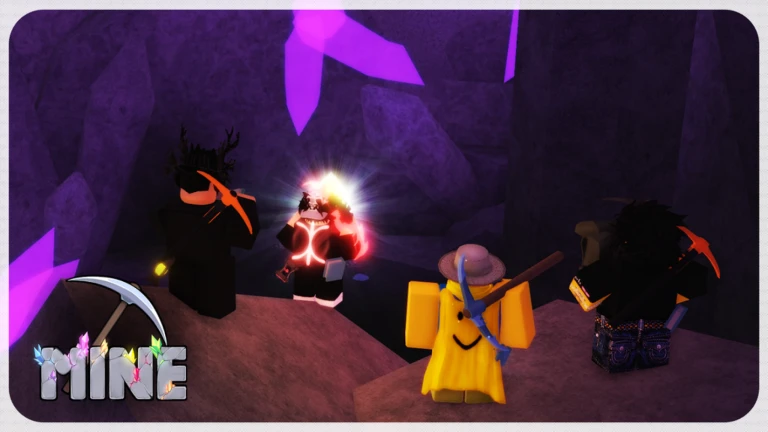
All New Mine Codes
Active Working Codes
- sorryforshutdown - Verified Active!
Expired Codes
Currently, there are no expired codes.
How to Redeem Mine Codes in Roblox
Here’s how you can redeem Mine codes in Roblox.
- Open Mine on Roblox.
- Click on the Shop icon at the top center of the screen.
- Scroll down to find the Codes section.
- Enter your working code and hit Redeem.
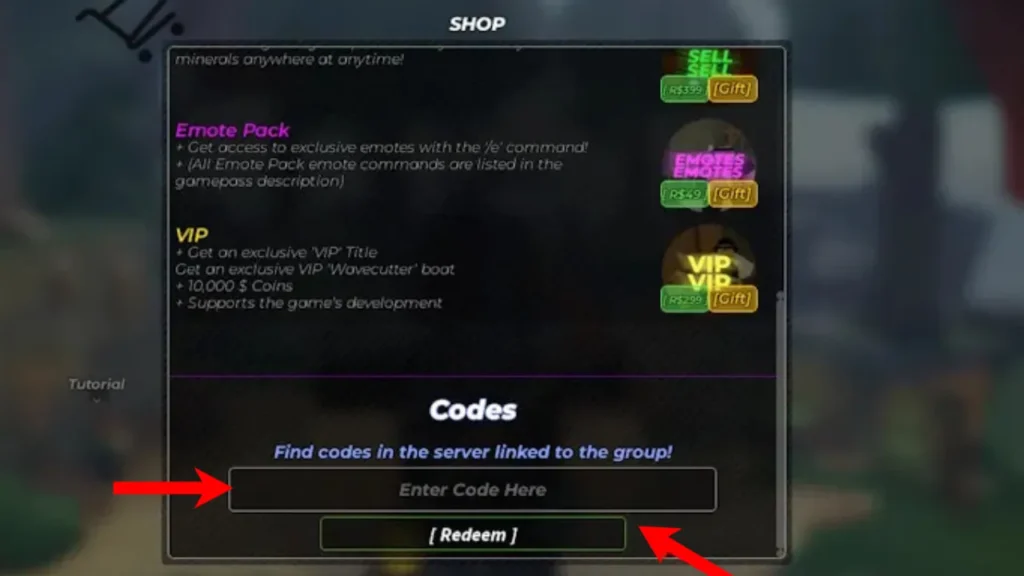
How to Get More Mine Codes
You can get more Mine codes with these methods:
- Bookmark this page by pressing Ctrl+D.
- Join the official Mine Discord server.
- Follow the developers at @HurbStudios on X (Twitter)
If you like Mine experiences, check out Race Clicker or Push-Up Training Simulator codes on Roblox.
.faq-section{max-width:900px;margin:30px auto;}.faq-item{border:1px solid #ddd;border-radius:8px;margin-bottom:12px;overflow:hidden;background:#fff;}.faq-item summary{cursor:pointer;padding:16px 20px;font-size:17px;font-weight:600;list-style:none;position:relative;}.faq-item summary::-webkit-details-marker{display:none;}.faq-item summary::after{content:”+”;position:absolute;right:20px;font-size:22px;transition:.3s;}.faq-item[open] summary::after{content:”−”;}.faq-answer{padding:0 20px 18px;line-height:1.7;color:#444;} Mine codes are free promotional codes released by the game’s developers. They reward players with Money, Materials, Titles, Boosts, and other in game items that help them mine faster and unlock upgrades. Launch Mine on Roblox, click the Shop icon at the top of the screen, scroll to the Codes section, enter a working code, and click Redeem to claim your rewards. Your code may have expired, already been redeemed, or been entered incorrectly. Copy and paste the code exactly as shown and make sure it is still active. New Mine codes are usually released during game updates, milestone celebrations, bug fixes, seasonal events, and community achievements. You can find the latest Mine codes by bookmarking this page, joining the official Mine Discord server, and following @HurbStudios on X (Twitter).Frequently Asked Questions
What are Mine codes?
How do I redeem Mine codes?
Why is my Mine code not working?
How often are new Mine codes released?
Where can I find more Mine codes?


A little discussion goes a long way.
Ask a question, share your experience, or help someone find an answer.
There is room for your perspective.
No discussions match this view yet.
Your voice belongs here
Keep it useful. Keep it kind.