
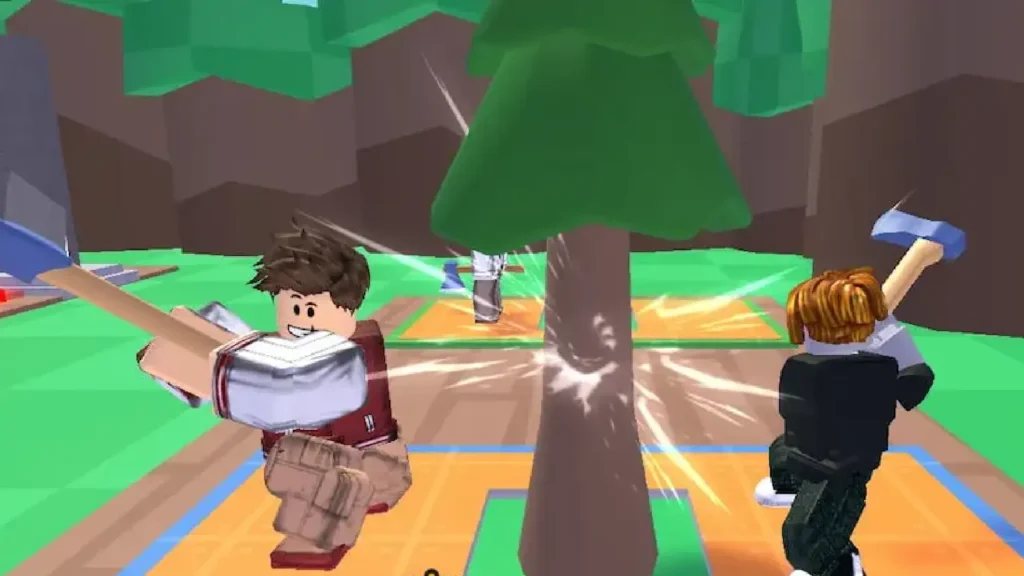
Lumberjack Simulator is a popular Roblox game in which players take the role of lumberjacks, chopping down trees, selling wood, and building their strength.
Using codes in the Lumberjack Simulator allows players to redeem free rewards like pets, coins, and more to help them progress faster in the game.
Codes are an important part of the Lumberjack Simulator, allowing players to obtain bonuses and free items easily.
These codes help new players get a boost when starting the game and give veteran players some nice freebies to redeem.
Lumberjack Simulator Codes
Active Working Codes
- THANKYOU3M - Verified Active!
- STR24092Z - Verified Active!
Expired Codes
- PotionCode542
How to Redeem Lumberjack Simulator Codes
Redeem codes in Lumberjack Simulator is easy and can be done in a few simple steps:
- Open Lumberjack Simulator on Roblox
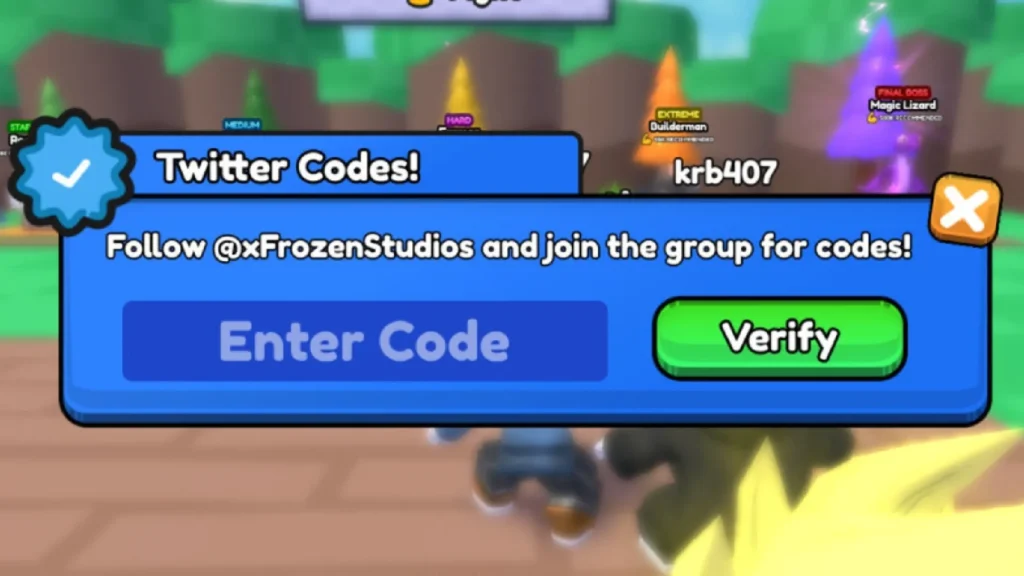
- Click on the blue Twitter icon.
- Enter your working code in the textbox.
- Click on the Verify button to redeem it.
How to Get More Secret Codes
Here are some tips to get more Lumberjack Simulator codes:
- Follow the game developers on Twitter or join their Discord server to get notified of new codes
- Check the game’s official social accounts around updates or in-game events for potential new codes
- Speak with Game Masters or developers directly in the Lumberjack Simulator community and ask if they have spare codes.
Subscribing to their social channels is probably the easiest way to keep updated on all the latest codes. The developers tend to release fresh codes when new features drop or to reach subscriber milestones.
.faq-section{max-width:900px;margin:30px auto;}.faq-item{border:1px solid #ddd;border-radius:8px;margin-bottom:12px;overflow:hidden;background:#fff;}.faq-item summary{cursor:pointer;padding:16px 20px;font-size:17px;font-weight:600;list-style:none;position:relative;}.faq-item summary::-webkit-details-marker{display:none;}.faq-item summary::after{content:”+”;position:absolute;right:20px;font-size:22px;transition:.3s;}.faq-item[open] summary::after{content:”−”;}.faq-answer{padding:0 20px 18px;line-height:1.7;color:#444;} Open Lumberjack Simulator on Roblox, click the blue Twitter icon, enter a valid code into the text box, and click Verify. If the code is active, your rewards will be added to your account instantly. Your code may have expired, already been redeemed, or been entered incorrectly. Copying the code exactly as shown helps avoid typing mistakes and improves the chances of a successful redemption. Active codes may reward free Coins, Pets, Potions, and other useful items. These bonuses can help you gather resources more efficiently and progress through the game much faster. New codes are usually shared by the developers on their official Twitter account, Discord server, and other community channels whenever updates or special events are announced. There is no fixed schedule for new codes. Developers commonly release them during major updates, seasonal events, or when the game reaches important community milestones. No. Each code can normally be redeemed only once per Roblox account. After you’ve claimed a reward, the same code cannot be used again on that account.Frequently Asked Questions
How do I redeem Lumberjack Simulator codes?
Why is my Lumberjack Simulator code not working?
What rewards can I get from Lumberjack Simulator codes?
Where can I find new Lumberjack Simulator codes?
How often are new Lumberjack Simulator codes released?
Can I redeem the same Lumberjack Simulator code twice?






A little discussion goes a long way.
Ask a question, share your experience, or help someone find an answer.
There is room for your perspective.
No discussions match this view yet.
Your voice belongs here
Keep it useful. Keep it kind.