
AI video enhancers boost video quality. They upscale, reduce noise, and smooth out frames. Filmmakers, YouTubers, and casual editors restore old videos, enhance clarity, and upscale to 4K or 8K.
AI tools analyze each frame to find missing details. They enhance resolution, sharpness, and colour. Useful for low-res, blurry, or old videos. Precision restoration.
AI enhancers use smart algorithms to take videos to the next level automatically. Work less complicated while getting crystal-clear output.
Top AI Video Quality Enhancers
1. Topaz Video AI
Best for pro devices and fixed media tape.
Topaz Video AI is a strong tool for makers. It upscales videos up to 8K keeping details and lessening bad spots.
One of its top features is frame interpolation. It raises the frame rate, giving videos a smoother look. It also stops shaky motions and blurs. It is suitable for fixing old footage. Yet, processing needs strong devices. It is best for experts.

Features
- AI upscaling up to 8K resolution
- Frame interpolation for smooth motion
- Noise reduction & deblurring
- Stabilization for shaky footage
Pros & Cons
Pros
- Industry-leading upscaling quality
- Ideal for restoring old videos
- Great for professional workflows
Cons
- Expensive one-time purchase
- Requires a powerful GPU
2. Adobe Enhance Video AI
Best for: Video makers and online stars
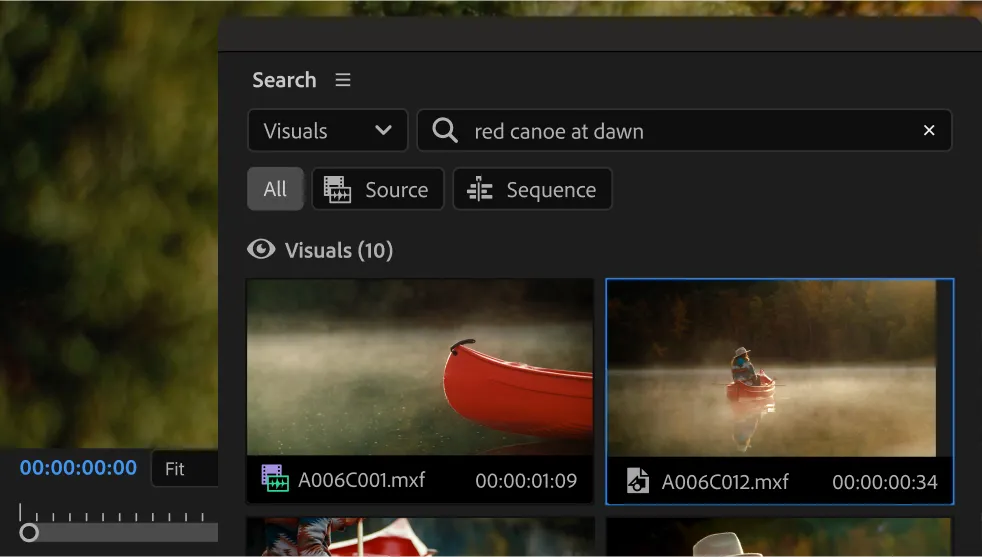
Adobe Enhance Video AI is an Adobe Premiere Pro tool that improves videos. It finds and fixes noise, brightens colors and lights, and lessens dimness.
It works well with other Adobe tools, so users can edit and improve videos without other software. One-click presets are available for different types of videos, making it easy for beginners. However, Adobe’s subscription-only option might not be suitable for buying once.
Features
- AI-driven color correction
- Noise removal & sharpening
- Real-time AI adjustments in Premiere Pro
Pros & Cons
Pros
- Perfect for YouTubers & content creators
- Easy integration with Adobe software
- Beginner-friendly AI presets
Cons
- Subscription-based pricing
- Limited resolution upscaling
3. AVCLabs Video Enhancer AI
Best for: Upgrading low-resolution videos to 4K and more
AVCLabs Video Enhancer AI does not cost much. It improves video quality. It raises the resolution from old low-res to clear 4K more.
Batch processing is this tool’s highlight feature. Users can enhance multiple videos simultaneously, giving it an edge by saving time.

Features
- AI-based super-resolution upscaling
- Denoising & stabilization
- Batch processing for multiple videos
Pros & Cons
Pros
- Affordable compared to premium software
- Good for enhancing old SD videos
- Easy-to-use interface
Cons
- Slower processing speed
- Lacks pro editing features
4. HitPaw Video Enhancer AI
Best for: Beginners & casual users
HitPaw Video Enhancer AI is simple and quick. Its one-click AI enhance feature automatically improves resolution, color, and sharpness.
The AI models are for anime, human faces, and general videos. Although it’s less advanced than Topaz Video AI, it’s affordable and great for casual users and beginners.

Features
- One-click AI enhancement
- Unique AI models for anime, face, and general videos
- Automatic color correction & sharpening
Pros & Cons
Pros
- Simple interface
- Good for improving old and blurry videos
- Budget-friendly
Cons
- Limited export formats
- Slower processing compared to high-end software
5. Wondershare Filmora AI Upscaler
Best for: Quick AI-powered video enhancement
This tool is lightweight and quick for AI enhancement. It upscales to 4K, removes noise, and enhances motion clarity.
As part of the Filmora suite, it’s for casual editors and YouTubers who need fast enhancements. Though not customizable like professional tools, it’s quick, user-friendly, and affordable.

Features
- AI upscaling up to 4K
- Auto color and brightness correction
- Smooth motion enhancement
Pros & Cons
Pros
- Fast processing speeds
- Great for social media videos
- Budget-friendly
Cons
- Limited pro-level features
AI-enhanced videos can be upgraded easily and are of excellent quality. For expert editors and amateur users, these tools provide advanced AI-based improvements for all media.
Have you utilized any AI video enhancers? What was your favorite? Please share in the comments!

A little discussion goes a long way.
Ask a question, share your experience, or help someone find an answer.
There is room for your perspective.
No discussions match this view yet.
Your voice belongs here
Keep it useful. Keep it kind.