
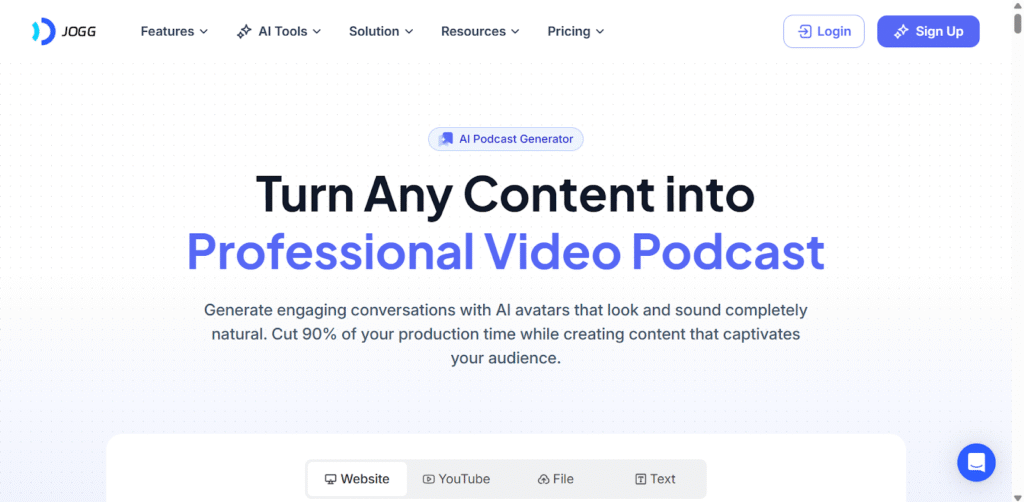
JoggAI is a platform specializing in AI-based visual and video generation. Its core concept revolves around “input text or audio, output an AI-generated video with a virtual avatar.”
The “Podcast Video Generator” module specifically claims to convert your existing audio or text content into video format—complete with AI avatars, subtitles, and background scenes.
In other words, it’s not merely an audio production tool—it’s a content repurposing platform that transforms audio into video for platforms like YouTube or social media.
Given the current trend of “video-first” content and the increasing overlap between podcasting and video publishing, this function indeed has strong market potential.
2. Core Features Explained
2.1 Audio/Text Input
You can upload existing audio or plain text/script into the system. JoggAI will then convert it into a “video podcast” format.
It also supports importing content from URLs, PDFs, or DOC files, transforming lengthy materials into conversational scripts.
2.2 Virtual Avatar Selection

The platform provides multiple virtual hosts or speakers—each with distinct identities, settings, poses, and languages.
You can assign roles like “Host A” and “Host B,” and these avatars automatically perform voiceover + lip-sync + facial expressions within the generated video.
2.3 Subtitles, Scenes, and Rendering
JoggAI automatically creates subtitles, synchronizes lip movement with audio, and allows customization of background visuals, logos, layouts, and languages.
Once rendering is complete, you can download the video or directly upload it to social or video platforms.
2.4 Multilingual & Bulk Generation
JoggAI supports 50+ languages for video output and voiceover—making it ideal for creators with multilingual audiences.
It also offers batch production capabilities, enabling high-volume video generation for teams or agencies.
3. Pros and Advantages
- Time-Saving & Efficient – Simplifies the process from script/audio to publish-ready video—no need for filming, actors, or complex editing.
- Content Repurposing Power – Reuse existing podcast, interview, or text materials and turn them into engaging visual content for platforms like YouTube or TikTok.
- Enhanced Viewer Engagement – Adding avatars and subtitles makes podcasts more interactive and accessible.
- Multilingual and Multi-Scenario Support – A convenient solution for global creators targeting diverse audiences.
- User-Friendly Interface – Many reviewers, including [Kripesh Adwani][1], note its intuitive and modern UI.
4. Cons and Limitations
- Video Length or Feature Restrictions – Some subscription tiers limit video duration, available avatars, or features.
- Avatar Quality Inconsistency – While overall good, some users report less natural lip-sync or expressions in certain avatars.
- Pricing and Policy Fluctuations – Users have reported unexpected changes in “lifetime” deals and terms.
- Not a Full Replacement for Professional Editing – For multi-camera setups or cinematic production, traditional teams still hold the advantage.
5. Recommended Use Cases
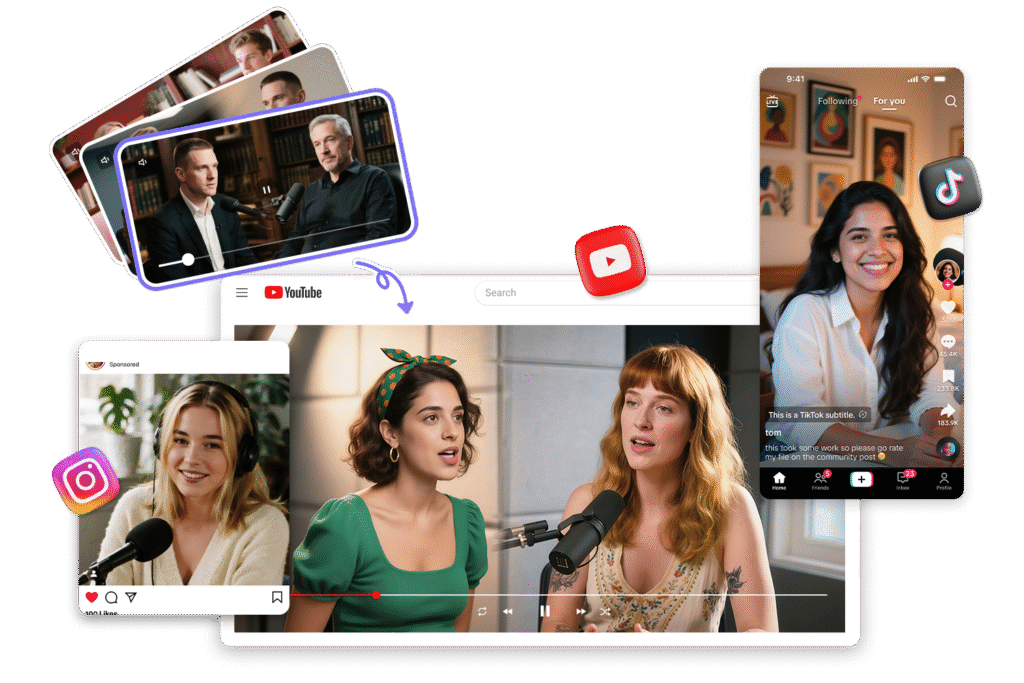
- Podcast Creators – Ideal if you already have audio content and want to expand your reach on YouTube or social media.
- Content Repurposing & Multi-Platform Expansion – Turn blog posts, interviews, or speeches into video content.
- Small Teams, Startups, or Solo Creators – Great for those with limited budgets who want on-screen presence without filming themselves.
- Multilingual/Global Audience – Perfect for creators seeking translation, dubbing, or subtitle capabilities across regions.
6. When to Use with Caution
- If you require high cinematic quality, complex editing, or multi-angle shoots, JoggAI’s output may fall short of professional film standards.
- If you already have a dedicated production team, traditional workflows offer more flexibility and customization.
- If long-term platform stability and refund policies are a concern, review terms carefully before making large investments.
7. Value for Money & Buying Advice
According to user feedback, JoggAI offers a free trial, monthly plans, and lifetime deals through platforms like AppSumo.
Here’s a suggested approach:
- Start with the free or entry-level plan to test whether the “audio → video” process fits your workflow.
- Evaluate whether the avatars, voiceovers, subtitles, and visual tone align with your brand style.
- Consider scalability: higher-tier plans may be required for longer videos, custom avatars, or bulk production.
8. Overall Verdict
All things considered, JoggAI Podcast Generator is a powerful and well-positioned tool that will appeal to many content creators.
It excels at transforming text or audio into video-ready content quickly and efficiently.
However, it’s not a one-size-fits-all solution. For high-end or heavily customized productions, traditional video creation still wins.
If we were to rate it on a 0–10 scale, it would earn 7.5–8 points, thanks to:
- Strong innovation and clear utility.
- Yet, room for improvement in avatar realism, terms transparency, and user support.
9. Conclusion
If you’re a podcaster or creator looking to expand your audio or text content into a visual format, JoggAI’s Podcast Generator is worth a try.
Frequently Asked Questions (FAQ)
Q1: Does JoggAI support Chinese audio or voiceovers?
A: Yes. Reviews indicate that its voice library supports multiple languages, including Chinese, though you should test the audio quality before large-scale use.
Q2: Can I upload my podcast audio and instantly get a video?
A: Generally, yes. You upload the audio or paste your script, choose avatars and voices, and JoggAI renders a video. However, you’ll need to check subtitles and synchronization details.
Q3: How long can the generated videos be?
A: It depends on your subscription plan. Lower-tier or lifetime deals might limit video length, output quality, or the number of avatars.
Q4: What about customer service or refunds?
A: Support quality is average. Some users report slow responses and shifting terms. Certain plans explicitly do not include refunds.
Q5: Can I directly upload the videos to YouTube, Facebook, or TikTok?
A: Yes. The videos are optimized for multi-platform use, though you may still want to create custom thumbnails or perform SEO optimizations.
Q6: Can it fully replace traditional video production?
A: Not entirely. For simple, scalable, and cost-sensitive content, it shines. But for professional-level projects with live actors or custom animation, traditional methods still outperform.



A little discussion goes a long way.
Ask a question, share your experience, or help someone find an answer.
There is room for your perspective.
No discussions match this view yet.
Your voice belongs here
Keep it useful. Keep it kind.