
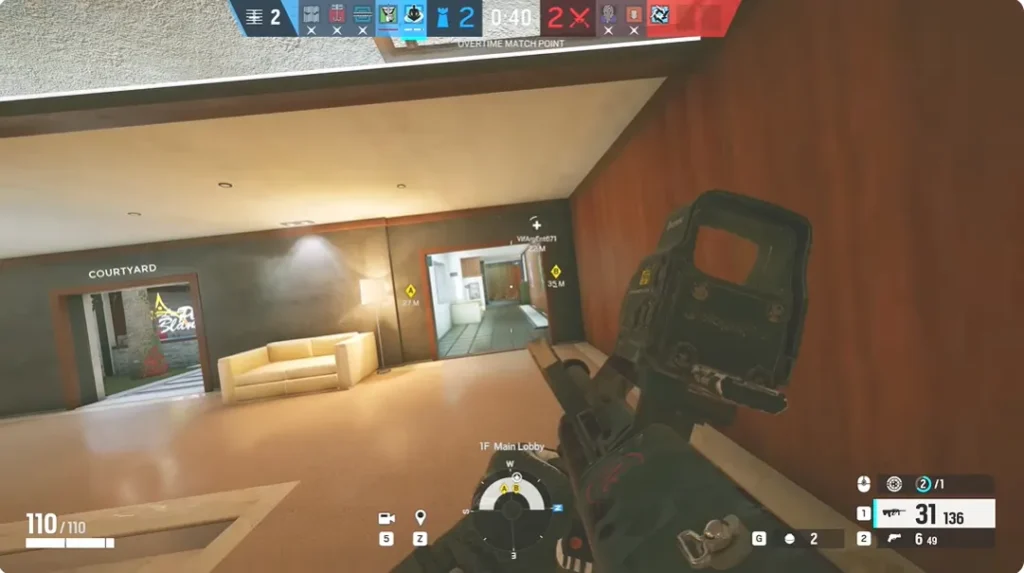
Rainbow Six Siege is a game where strategy and coordination can often outweigh pure shooting skills. Effective teamwork is crucial in Siege because each player’s actions can significantly impact the team’s overall performance. This guide provides comprehensive tips on how to coordinate with your teammates to enhance your tactical play and secure more wins.
Mastery of communication and role functionality is paramount in creating a seamless and effective team dynamic. By understanding and applying the strategic concepts outlined, players can elevate their gameplay from casual encounters to competitive team operations.
Understanding Team Roles
Before diving into communication strategies, it’s essential to understand the different roles within a team. Rainbow Six Siege features operators with unique abilities suited to various tasks such as breaching, information gathering, area denial, and defense fortification. Knowing how these roles interact on the battlefield is critical for devising effective strategies and executing successful missions.
It’s not only about choosing an operator but also understanding how that choice complements the abilities of teammates and counters the strategies of opponents. This deep role comprehension forms the foundation upon which advanced tactics and team strategies are built, fostering a tactical environment where every player can contribute meaningfully to the team’s objectives.
Define Roles Early
At the beginning of each match, discuss with your team who will take on which roles. This clarity helps in setting expectations and preparing coordinated strategies for both attack and defense phases.
Play to Your Strengths
Assign roles based on each player’s strengths and preferred operators. This specialization allows team members to become experts in their roles, increasing the team’s effectiveness in executing strategies.
Effective Communication
Communication is the backbone of successful team operations in Rainbow Six Siege.
Clear and Concise Comms
Use clear and concise communication to convey important information without cluttering the voice chat. Information such as enemy positions, the status of objectives, or operator ability usage should be communicated promptly.
Regular Updates
Keep your team updated with any changes in the game scenario. If an enemy is spotted moving from one location to another, quickly relay this information to your team.
Use Standard Callouts
Learn and use the standard map callouts. These are crucial for quick and accurate communication of enemy locations and plans. Familiarity with the map layout and common callout terms significantly enhances team synergy.
Strategic Planning
Coordinate strategies at the beginning of each round based on the team composition and the objective.
Pre-round Strategy Session
Use the preparation phase to plan your approach. Discuss entry points, who is breaching which walls, and the distribution of roles like who is covering flanks or watching for roamers.
Adaptability
Be ready to adapt your strategy based on the unfolding situation. Flexibility can often be more important than sticking to a failing plan. If an initial strategy does not work, communicate with your team to devise a quick alternative.
Utilizing Operator Abilities
Each operator in Rainbow Six Siege has unique abilities that can be pivotal in achieving the team’s objectives.
Coordinated Ability Use
Plan with teammates on how to best use your abilities in conjunction with theirs. For example, combining Thatcher’s EMP grenades with Thermite’s exothermic charge can effectively breach reinforced walls.
Timing of Ability Deployment
Coordinate the timing of your abilities to maximize their effectiveness. For instance, timing smoke grenades with a plant attempt can cover your team’s actions and reduce the enemy’s visibility.
Practice Team Tactics
Regular practice sessions with your team can improve individual skills and enhance team coordination.
Training Exercises
Set up training sessions to practice specific tactics, such as clearing rooms, securing objectives, or practicing post-plant defense.
Review and Feedback
After practice sessions or competitive matches, review gameplay footage together. Discuss what worked, what didn’t, and how communication can be improved.
Leveraging Tools for Enhanced Coordination
For teams looking to enhance their tactical play, tools like Rainbow Six Siege hacks can offer significant advantages. These tools can provide better situational awareness, helping teams make more informed decisions and coordinate more effectively.
Conclusion
Effective coordination in Rainbow Six Siege is about more than just talking to your teammates. It involves careful planning, understanding of roles, strategic use of operator abilities, and continuous improvement through practice and feedback. By focusing on these areas, teams can significantly enhance their gameplay and turn coordinated efforts into victorious outcomes. Remember, a well-coordinated team that communicates effectively is often the most formidable force in Rainbow Six Siege.



A little discussion goes a long way.
Ask a question, share your experience, or help someone find an answer.
There is room for your perspective.
No discussions match this view yet.
Your voice belongs here
Keep it useful. Keep it kind.