
Close Menu
    Facebook X (Twitter) Instagram Pinterest YouTube Bluesky WhatsApp TikTok Threads RSS
    WikiTechLibrary
    • Converters & Media
    • Web Tools
    • Finance & Tax
    • Utility & Bills
    • Vehicle Tax
    WikiTechLibrary

    How to Change App Store Country or Region on Your iPhone and Mac

    By Muqadas FatimaJanuary 23, 2024Updated:September 9, 2026No Comments3 Mins Read
    Facebook Twitter WhatsApp Threads Copy Link
    chnage country on apple store

    Being able to change your App Store country or region can open up a world of new apps and content. Many apps and games are only available in certain countries or regions. By changing your App Store country, you gain access to apps and games you wouldn’t be able to get otherwise.

    For example, let’s say there’s a cool new game that was just released in Japan. If your App Store is set to the United States, you won’t be able to download that game. But by switching your App Store country to Japan, you’d suddenly have access to download and play that game.

    Change App Store Country or Region on Your iPhone and Mac

    Change App Store Country on Mac

    • Open the System Settings app.
    • Click on your user account name and profile picture.
    • Click on the “Media and Purchases” option.
    • Click the blue “Manage” button next to your name.
    • A popup will appear. Near the bottom, click the link that says “Change Country or Region.”
    • Use the drop-down menu to browse countries and select the one you want to switch the App Store to.
    • Read through the terms and conditions applicable to the country you selected. Once you’ve read and agreed to them, click the blue “Agree” button.
    • Enter valid payment details and a billing address from the country you have chosen. Once you’ve filled in the details, click the Continue button at the bottom right to finish switching countries.

    Change App Store Country on iPhone

    • Open the App Store app on your iPhone.
    • Tap on your Apple ID profile picture.
    • At the very top, tap on your full name.
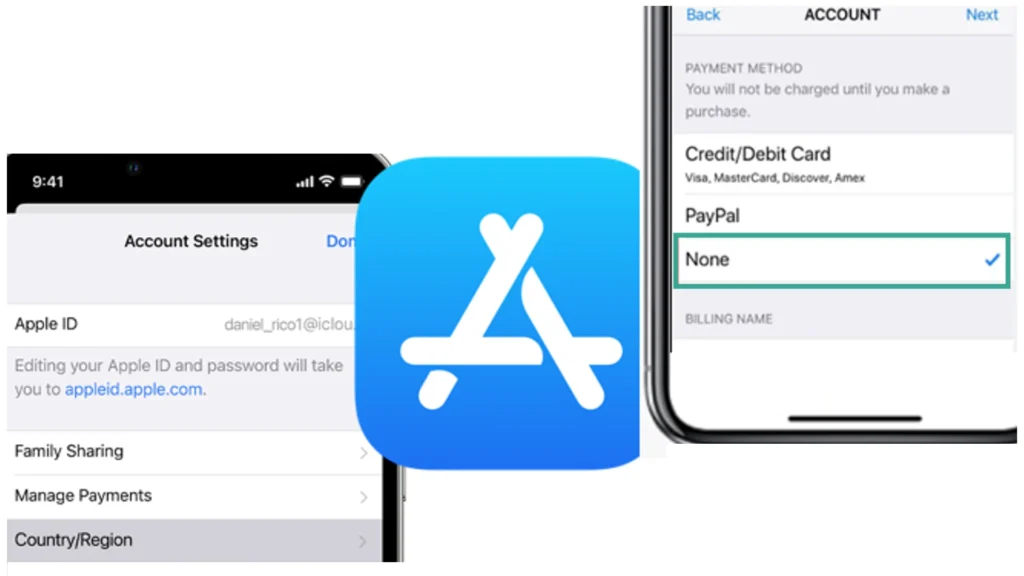
    • Tap on the “Country/Region” option to change your App Store country.
    • Tap the “Change Country or Region” button.
    • Browse the list and tap on the country you want to switch the App Store to.
    • Read and agree to the terms for accessing the new regional App Store.
    • Enter valid payment details and billing address information for that country.
    • Tap “Next” to complete the country change process.

    Conclusion

    Changing your App Store country or region is easy on both iPhone and Mac. The steps are accessing your account settings, selecting a new country, agreeing to terms, entering valid payment details for that country, and finalizing the change.

    It’s important to remember that App Store availability and pricing vary between countries. So some apps or content may no longer be accessible after you switch. Be sure to spend any remaining store credit and cancel subscriptions before changing countries.


    Share. Facebook Twitter Pinterest LinkedIn Email WhatsApp Threads
    Muqadas Fatima

      Muqadas Fatima is a dedicated writer at WikiTechLibrary, focusing on creating insightful "how-to" tutorials related to social media, tech, and life hacks. With a keen interest in simplifying the complexities of digital world, she creates content that helps readers improve their social media skills and adopt practical solutions for everyday challenges.

      Related Articles

      image

      TCL’s 75-Inch QD-Mini LED Art TV Is $600 Off for Black Friday

      Rockchip Motherboard Suppliers in China: Buyer Checklist and Uniwin-Global Overview

      A Lip-Synced Rap Clip From Face Photos You Already Have

      Why Shopping For Quotes Online Could Save Your Business Time and Money

      tcl-60xe-nxtpaper-5g-puts-a-different-screen-at-the-center-of-its-169-99-offer

      TCL 60XE NXTPAPER 5G puts a different screen at the center of its $169.99 offer

      A Practical Workflow for Managing a Multilingual Restaurant Menu

      JOIN THE CONVERSATION

      A little discussion goes a long way.

      Ask a question, share your experience, or help someone find an answer.

      0 comments
      NewestOldestMost helpfulUnanswered
      ◇

      There is room for your perspective.

      No discussions match this view yet.

      +

      Your voice belongs here

      Keep it useful. Keep it kind.

      Cancel reply

      Your email address will not be published.


      MOST VIEWED
      anime unlimited codes Gaming

      All Anime Unlimited Codes

      By Sara
      how to customize spotify playlist cover art How To

      How to customize your Spotify playlist cover

      By Farah Qaiser
      see who viewed your facebook post How To

      Cab you see who viewed your Facebook post

      By Ahmad Ali
      anime ball codes Gaming

      Roblox Anime Ball Codes 2024

      By Ali Rehman
      What's New

      AI Video Generator Clips Need a Real Compression Preview

      November 12, 2026
      image

      Made in America and Priced at $7,999: StarBot Launches Spark Humanoid Robot

      November 5, 2026
      tiktok adds voice notes and image carousels in comments

      TikTok Adds Voice Notes and Image Carousels in Comments

      September 4, 2026
      google messages adds ai detection to chat photos

      Google Messages Adds AI Detection to Chat Photos

      September 3, 2026
      © 2026 WIKITECHLIBRARY | All Right Reserved
      • About Us
      • Contact Us
      • Privacy Policy
      • Terms & Conditions
      • Disclaimer

      Type above and press Enter to search. Press Esc to cancel.
